
Wrong image sizes are silently costing your Shopify store sales. Images that are too large slow your pages down. Images that are too small look blurry and unprofessional. Either way, shoppers leave before they buy.
Getting your Shopify product image size right is one of the most practical improvements you can make to your store today. It affects page speed, Google rankings, mobile experience, and how professional your products look to new visitors. This guide covers the exact Shopify product image size guidelines you need for every type of image on your store, plus how to fix the most common image problems quickly.
Summary
- Section 1: Why Shopify product image size directly affects your sales and rankings
- Section 2: Shopify product image size guidelines for every image type
- Section 3: Mobile image size recommendations for Shopify stores
- Section 4: The best image file formats for Shopify in 2026
- Section 5: How to find and fix image size problems on your store
- Section 6: Tools and apps to automate Shopify image size optimization
Why Shopify Product Image Size Matters for Sales and SEO
Most merchants think about image quality. Fewer think about Shopify product image size, and that gap is costing them in three specific ways.
Page speed. Images are the single largest contributor to slow page load times on most Shopify stores. Data from the HTTP Archive shows that unoptimized images make up nearly 38% of a webpage’s total weight on mobile. A page that takes more than three seconds to load loses a significant portion of its visitors before they ever see your products.
Google rankings. Google uses page speed as a ranking signal. It also evaluates Core Web Vitals metrics like Largest Contentful Paint (LCP), which measures how quickly the main image on a page loads. Poor Shopify product image size choices directly drag down these scores and push your store lower in search results, compounding hidden technical issues like unmanaged Shopify product tags SEO
Shopper trust. Images that are blurry, pixelated, or incorrectly cropped make your products look cheap. Shoppers who cannot clearly see what they are buying will not buy. Correct Shopify product image size ensures every product looks polished on every device, which directly increases the chance of a purchase.
Getting Shopify product image size right is not just a technical task. It is a sales decision.
Shopify Product Image Size Guidelines for Every Image Type
These are the recommended Shopify product image size guidelines for 2026, covering every type of image you will use on your store.
Product Images
The most important Shopify product image size to get right is your product photography. Shopify accepts product images up to 5000 x 5000 pixels with a maximum file size of 20 MB.
For square product images, the recommended Shopify product image size is 2048 x 2048 pixels. This size works well across all devices, supports Shopify’s zoom functionality, and looks sharp on high-resolution mobile screens.
For zoom to work correctly on your product pages, images must be larger than 800 x 800 pixels. Any smaller and the zoom feature produces a blurry result that reduces shopper confidence.
When displaying products side by side on collection pages, use a consistent aspect ratio across all your main product images. Inconsistent proportions create a mismatched, unprofessional layout. Most Shopify themes work best with a square 1:1 ratio for product thumbnails.
Shopify product image size guidelines for product photos:
Hero Images and Background Images
Hero images and background images are the largest images on your Shopify store. Getting the Shopify image size right for these is critical because oversized files in these positions cause the biggest page speed problems.
Hero image: Recommended Shopify image size is 1280 x 720 pixels for desktop, with a maximum file size of 10 MB. Hero images use a 16:9 aspect ratio.
Background image: For full-width background images, the recommended Shopify image size is 2560 x 1400 pixels. Keep file sizes below 20 MB, and compress aggressively for these large images since they are often the first thing to load on a page.
Banner Images
Banner images vary in size depending on their purpose. For standard website banners that are not ads, a Shopify image size of 1200 x 400 pixels works well at a 3:1 ratio. For mobile, banners should scale down to approximately 360 x 120 pixels.
If you are running Google Ads display campaigns, follow Google’s specific sizing requirements for banner ads rather than standard website banner guidelines.
Blog Images
Blog post images follow specific Shopify image size guidelines that differ from product images. The recommended Shopify image size for blog headers is 1200 x 800 pixels at a 3:2 aspect ratio, with a maximum file size of 3 MB.
Keep all blog featured images the same dimensions across your blog. Inconsistent blog image sizes create a messy, unprofessional layout that reduces reader trust. On mobile, blog images scale down to approximately 360 x 240 pixels.
Logo and Favicon
Logo Shopify image size depends on your logo design. A rectangular logo works best at 400 x 100 pixels using a 4:1 ratio. A square logo works best at 100 x 100 pixels. Keep logo file sizes under 1 MB and use SVG format where possible so the logo stays sharp at every screen size.
Your favicon should be 48 x 48 pixels at a 1:1 ratio. This small icon appears in the browser tab and bookmarks.
Mobile Image Size Recommendations for Shopify
More people browse the internet on mobile devices than on desktop computers. This means your Shopify product image size decisions need to account for small screens first, not as an afterthought.
Here are the key Shopify image size guidelines for mobile:
Shopify automatically resizes images to fit smaller screens, which is one of the platform’s built-in advantages. However, this automatic resizing works best when you start with correctly sized uploads. Uploading a 5000 x 5000 pixel image and relying entirely on Shopify to handle the resizing adds unnecessary processing weight. Give Shopify properly sized images to work with and your pages will load faster.
Square and vertical images perform best on mobile. They fill the screen more naturally without requiring shoppers to scroll horizontally or zoom out to see the full image. This matters for Shopify product image size because a square 1:1 format works consistently across both mobile and desktop without awkward cropping.
The Best Image File Formats for Shopify in 2026
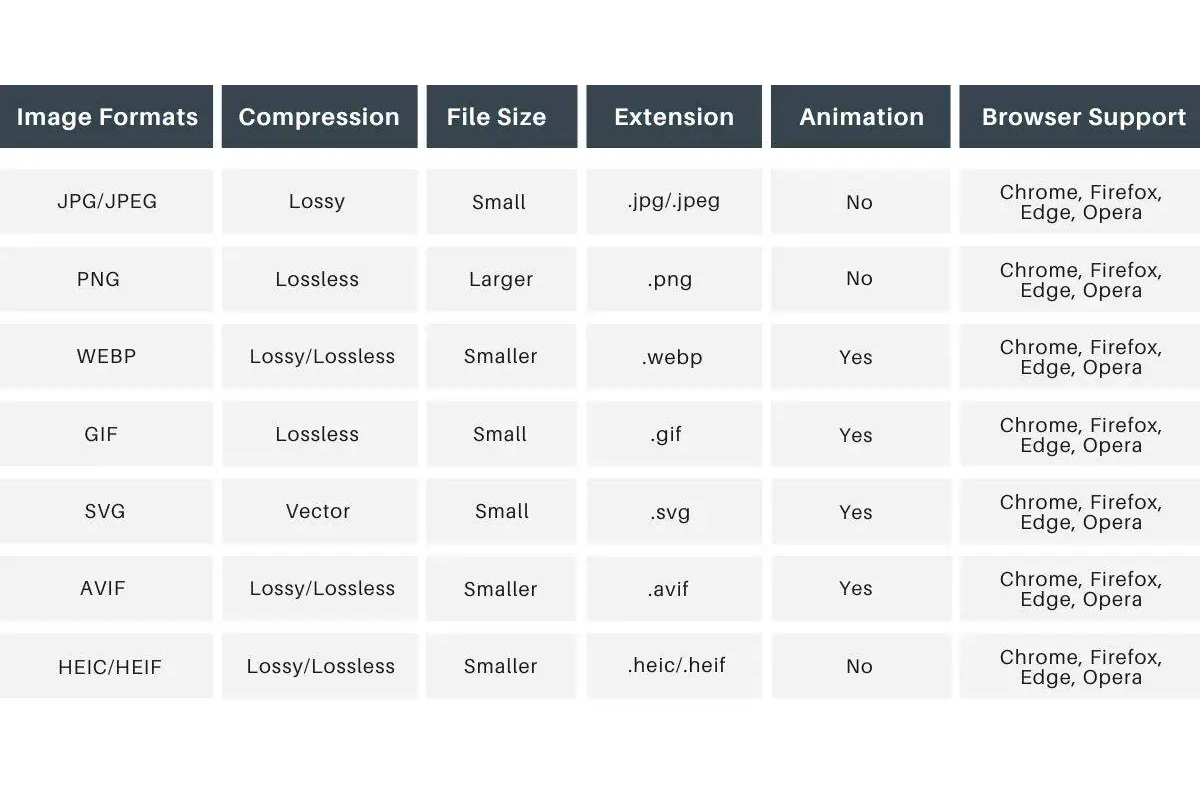
Choosing the right file format is as important as choosing the right Shopify product image size. The format determines how much file size compression is possible without losing visible quality.
WebP is the recommended format for most Shopify product images in 2026. It delivers file sizes more than 30% smaller than JPEG or PNG at equivalent visual quality. Shopify’s CDN automatically converts images to WebP for browsers that support it, but uploading WebP files directly gives you an additional file size advantage.
JPEG (JPG) works well for product photography with many colors and gradients. It uses lossy compression, which means some quality is lost during compression, but the tradeoff is much smaller file sizes than PNG for complex photographic images.
PNG is better for images that require a transparent background, such as logos, icons, or product images where you want to remove the background entirely. PNG uses lossless compression so quality is preserved, but file sizes are larger than JPEG.
SVG is ideal for logos, icons, and simple graphics. SVG files scale to any size without losing quality, which makes them perfect for logos that appear at different sizes across your store. SVG files are also typically very small in file size.
AVIF is the newest format and offers the best compression of all, with smaller file sizes than WebP at equivalent quality. Not all browsers support AVIF yet, but Shopify’s CDN serves AVIF to browsers that can handle it automatically.
Common Shopify Image Size Problems and How to Fix Them
Even merchants who know the correct Shopify product image size guidelines run into these problems regularly.
Images appear blurry or pixelated. This almost always means the source image is too small or low resolution. Resolution and size are different things. Resolution refers to the detail within the image measured in pixels per inch. If compressing an image makes it blurry, switch to a lossless format like PNG or source a higher-resolution original file. For Shopify product image size, never scale up a small image to meet the recommended dimensions. A stretched image will always look worse than a smaller, sharper one.
Pages load slowly despite correct Shopify product image size. The issue is usually file size rather than pixel dimensions. A 2048 x 2048 pixel image saved as an uncompressed PNG can be 10 MB or larger. The same image saved as WebP can be under 500 KB. Check your file sizes using Google PageSpeed Insights and compress any image above 1 MB for product photos.
Images display differently across collection pages. This happens when different products use different aspect ratios for their main images. Standardize your Shopify product image size to a consistent aspect ratio across all products. For most stores, square 1:1 images solve this problem immediately.
Images are not showing at all. Check that the image file name in your URL exactly matches the actual file name, including the file extension. Image URLs are case-sensitive. A file named Product-Photo.JPG will not be found by a URL looking for product-photo.jpg.
Tools and Apps to Automate Shopify Image Size Optimization
Getting Shopify product image size right manually works for small catalogs. For stores with hundreds or thousands of products, an app that automates image optimization saves significant time and ensures consistency across your entire catalog.
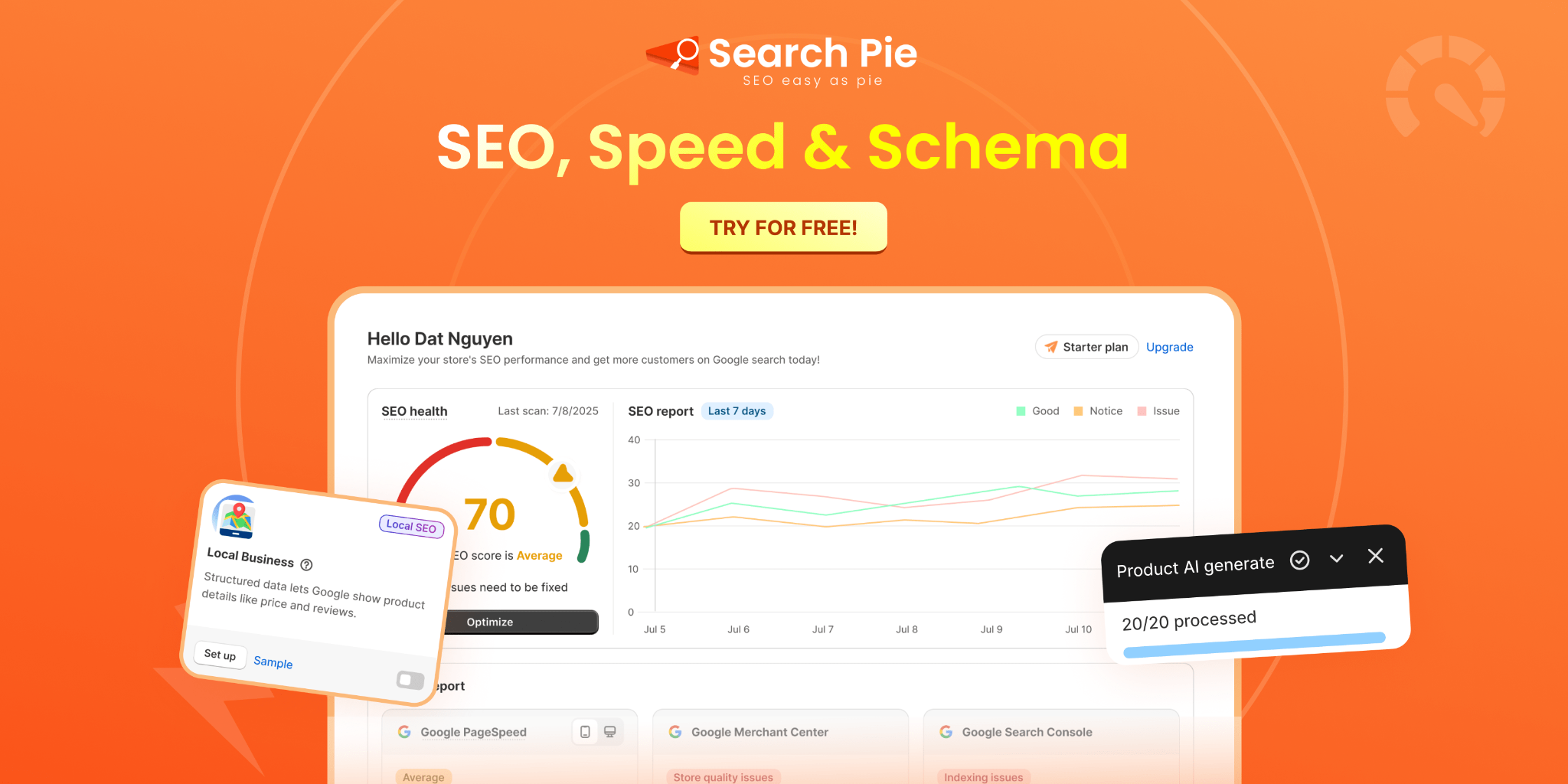
SearchPie: Image Optimization Built Into Your SEO Workflow
SearchPie is one of the most practical choice for Shopify merchants who want Shopify product image size optimization handled automatically as part of a broader SEO strategy.
SearchPie’s Image Optimization feature compresses product images on upload to reduce file size without visible quality loss, converts images to the most efficient format for each visitor’s browser, and audits your existing catalog for images that are too large or missing required alt text. Instead of checking each product individually, SearchPie identifies Shopify image size problems across your entire store in one audit and surfaces them in a single dashboard view.
The bulk alt text management feature lets you add and update descriptive alt text across hundreds of product images at once. This addresses both the SEO benefit of alt text for search rankings and the Shopify product image size guidelines requirement that every image has proper accessibility attributes.
For merchants who are also working on page speed scores, keyword rankings, and meta tag optimization, SearchPie handles all of these alongside image optimization in one app. Your Shopify product image size improvements compound alongside your other SEO fixes rather than being managed separately.
Best for: Shopify merchants who want Shopify product image size optimization automated across large catalogs, without manually checking each product or using multiple apps for different image tasks.
Squirai Image Optimizer
Squirai automatically optimizes all images on your Shopify store, including new images added after setup. It handles compression, format conversion, and watermarking without requiring any coding knowledge. It is a good option for merchants who want set-and-forget image compression without the broader SEO features that SearchPie provides.
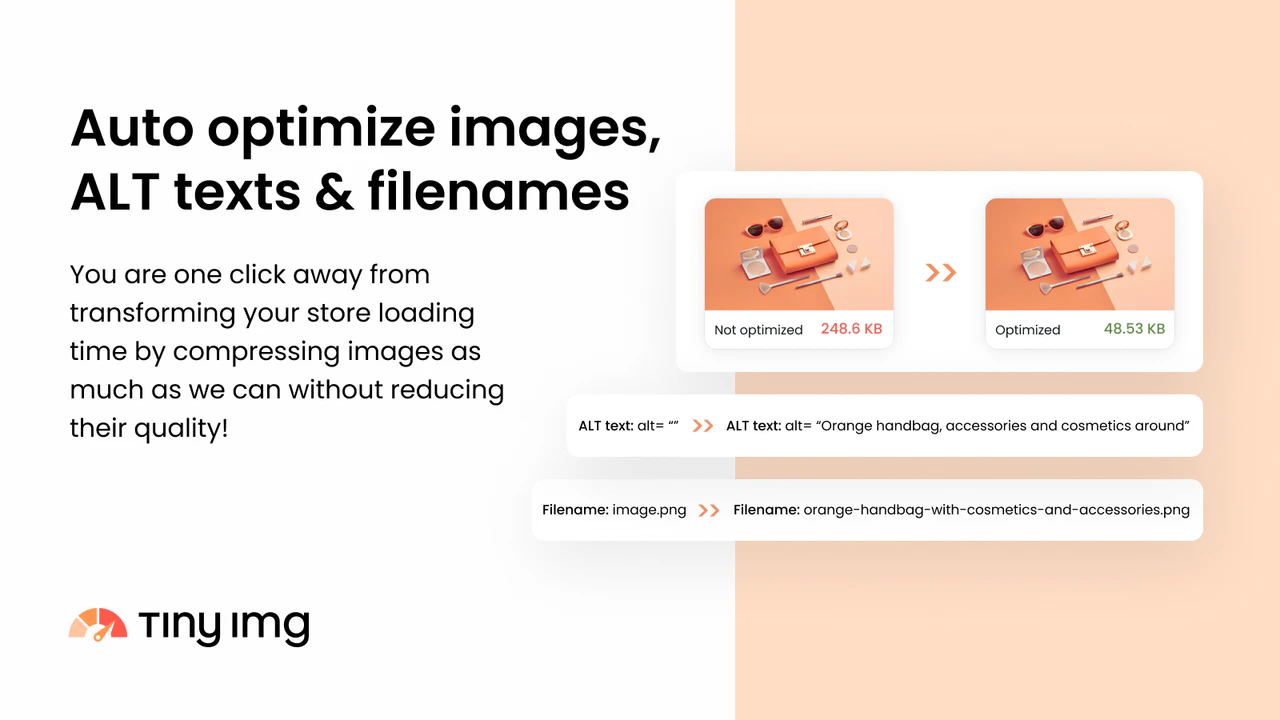
TinyIMG: Best for Image Compression and Alt Text Automation
TinyIMG is one of the highest-rated image optimization apps on the Shopify App Store, with a 5.0 rating from over 2,400 reviews. It compresses product images with up to 70% file size reduction without any visible quality loss, which directly addresses the most common Shopify product image size problem merchants face.
TinyIMG also generates alt text automatically using AI, which saves significant time for stores with large catalogs where adding alt text manually to every product image is not practical. The app handles lazy loading for images below the fold, which improves Core Web Vitals scores by reducing the initial page load weight. For merchants who want measurable Shopify image size improvements without any technical setup, TinyIMG delivers consistent results across all product and collection pages.
Best for: Shopify merchants who want fast, reliable image compression combined with automated alt text generation, without needing to configure complex settings.
Price: Free plan available with limited compressions. Paid plans from $18/month for unlimited image optimization.
FAQS
Most Shopify banner images work best at 1800 to 2500 pixels wide, depending on your theme layout and screen responsiveness.
A common Shopify banner size is 3200 × 1200 pixels because it provides a wide, high-quality image without excessive file weight.
The best Shopify image size depends on the image type, but 2048 × 2048 pixels is commonly recommended for product images to balance quality and performance.
Shopify product images are typically recommended at 2048 × 2048 pixels for zoom functionality and high-resolution displays.
You can change image size in Shopify by resizing images before upload or adjusting image settings inside your Shopify theme customizer.