


Standing out on Shopify requires more than just great products, it also requires strong SEO optimization. With so many stores competing for visibility, a good search result ranking is the key to obtain more customers and gain sales for Shopify merchants.
However, SEO is difficult to navigate thoroughly, especially with the complexity of Shopify stores. Therefore, this Shopify SEO checklist will be the roadmap for improving your site’s visibility.
It covers essential areas like technical SEO, on-page elements, backlinks, and speed optimization. Following this checklist ensures your Shopify store ranks higher, attracts quality traffic, and converts more visitors into customers.
1. Get started with keyword research
A Shopify SEO checklist starts with understanding keywords, the words or phrases customers use to find your products online. Keywords help search engines identify what your store offers and match it to relevant searches, improving visibility and attracting potential buyers.
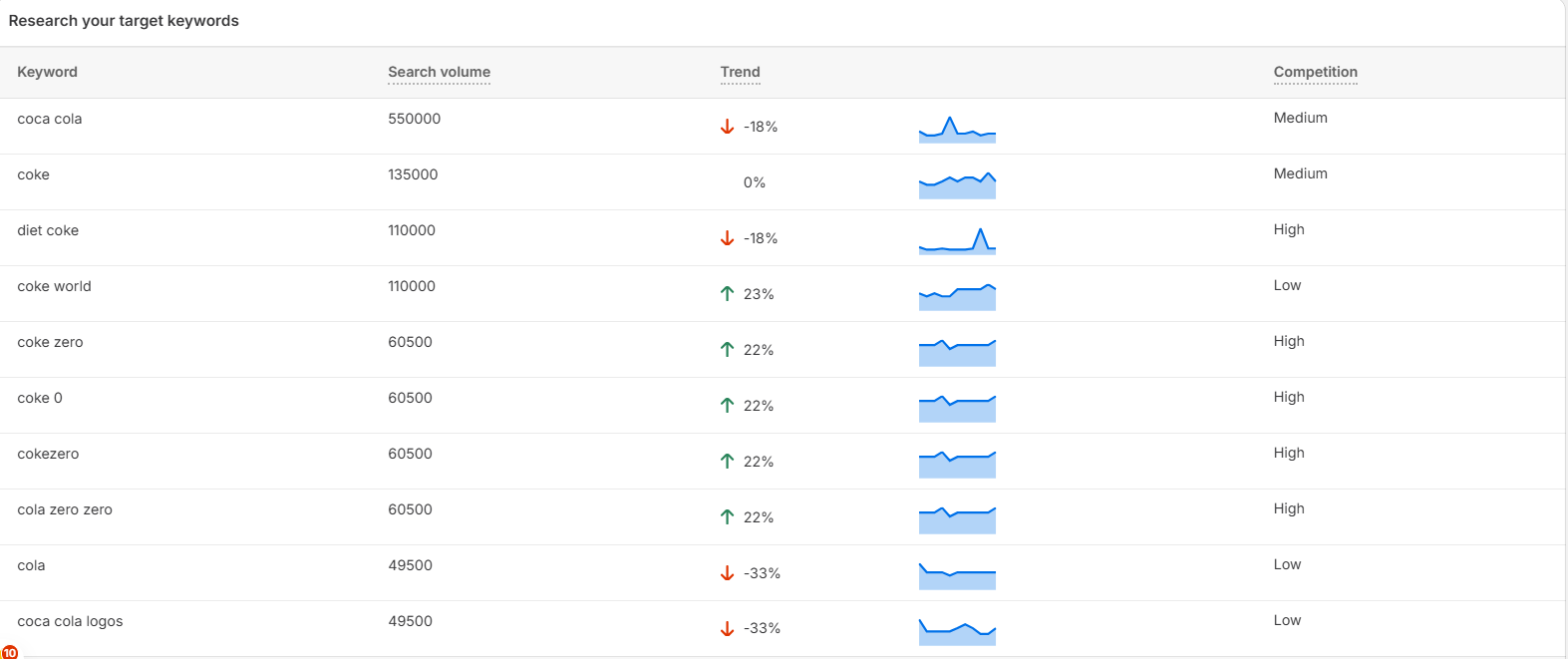
With the right keyword, you can easily build your content strategy, product descriptions, and metadata, helping your Shopify store appear in front of high-intent shoppers. Without strong keyword targeting, even well-designed stores may struggle to reach the right audience.To get started, conduct thorough keyword research to discover what your audience is searching for. Use tools like Google Keyword Planner, Ahrefs, SEMrush, or SearchPie to uncover terms with strong search volume and manageable competition.When choosing your keyword, you should pay attention to key factors such as search volume, keyword difficulty, business relevance, and search intent. The keyword should also align with your products and customer goals to ensure higher rankings, better traffic, and stronger conversion rates.
2. Optimize meta tags
Meta tags are short pieces of text that tell Google and shoppers what your page is about. They include your page title and description, the same lines people see when your store shows up in search results.
 This second step of your Shopify SEO checklist, optimizing meta tags, will help your store stand out and attract more clicks from the right audience. When you optimize your meta title and description to align with search intent and contain relevant keywords, your store has a better chance to appear at the top and attract qualified visitors.
To optimize meta tags effectively, write clear and concise titles and descriptions that include your main keywords naturally. Keep them short enough to display fully in search results, make the title and description specific to the page content, and mention your brand name to build recognition and trust.
In Shopify, you can edit meta titles and descriptions directly from your Shopify Admin. Go to Online Store > Preferences for your homepage, or edit each product and collection page’s SEO section. You can also use SEO apps like SearchPie to manage and automate meta tag optimization more efficiently, especially for large product catalogs.
3. Implement schema & snippets
Schema and snippets are special tags that help Google better understand what’s on your page. They provide extra details like product prices, reviews, or availability, which can appear directly in search results. This makes your store listing more informative and appealing to shoppers.
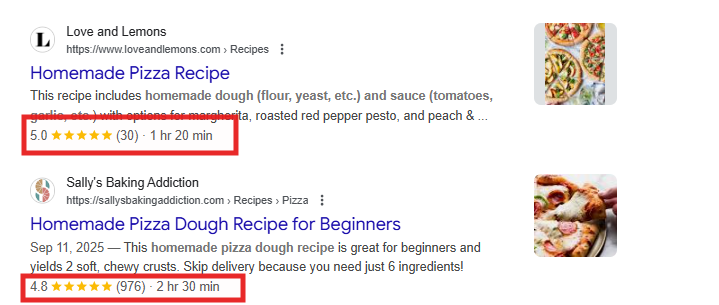
They help with SEO by giving search engines clearer information about your products and content. When Google understands your store better, it can show your products in more relevant searches and highlight important details that attract more clicks.
There are different types of snippets that benefit Shopify stores. For example, product snippets show prices, ratings, and stock status, review snippets display customer feedback, and FAQ snippets share helpful answers to common questions. These added details help your listings stand out and earn more attention.
In Shopify, most 2.0 themes already include built-in schema for products and collections. If you want to make the implementation easier or have a more specific schema, you can use SEO apps like SearchPie to automatically add and update schema across your store without needing any technical steps.
4. URL Optimization
Your page URL plays an important role in how both search engines and shoppers understand your content. A clear, simple URL helps Google index your pages easily and makes your links more trustworthy to users. On the other hand, long or broken URLs can confuse search engines and reduce your chances of ranking well.
Broken links occur when a page no longer exists or the URL has changed. They lead visitors to 404 error pages, which hurts user experience and weakens your site’s SEO performance. Regularly check for broken links and set up redirects to working pages to keep your site healthy.
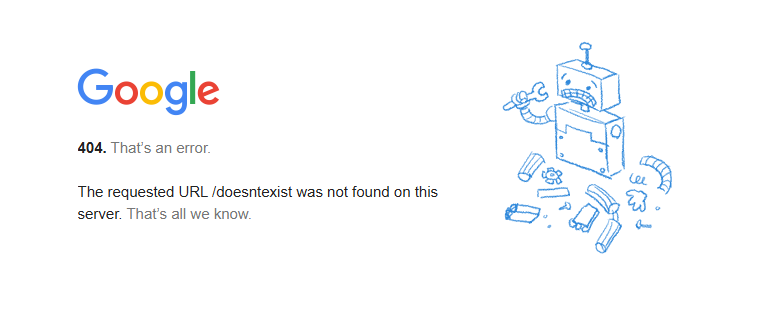
Long URLs filled with random characters or unnecessary words can also hurt SEO. Short, descriptive URLs that include your target keywords make it easier for Google to understand your page topic and look cleaner when shared on social media or search results.
In Shopify, you can edit URLs directly in the Search engine listing preview section when editing a product, collection, or blog post. Keep them simple and relevant to your content. To manage redirects and check for broken links automatically, you can use SEO apps like SearchPie to maintain clean, optimized URLs across your store.
5. Optimize site speed
Site speed is an essential part of the Shopify SEO checklist because slow pages can increase bounce rates and hurt search visibility.
To check your site speed, use tools like Google PageSpeed Insights, GTmetrix, or Shopify’s Speed Report to identify performance issues. Aim for a mobile score of 80–90+, and 90+ on desktop for strong results.
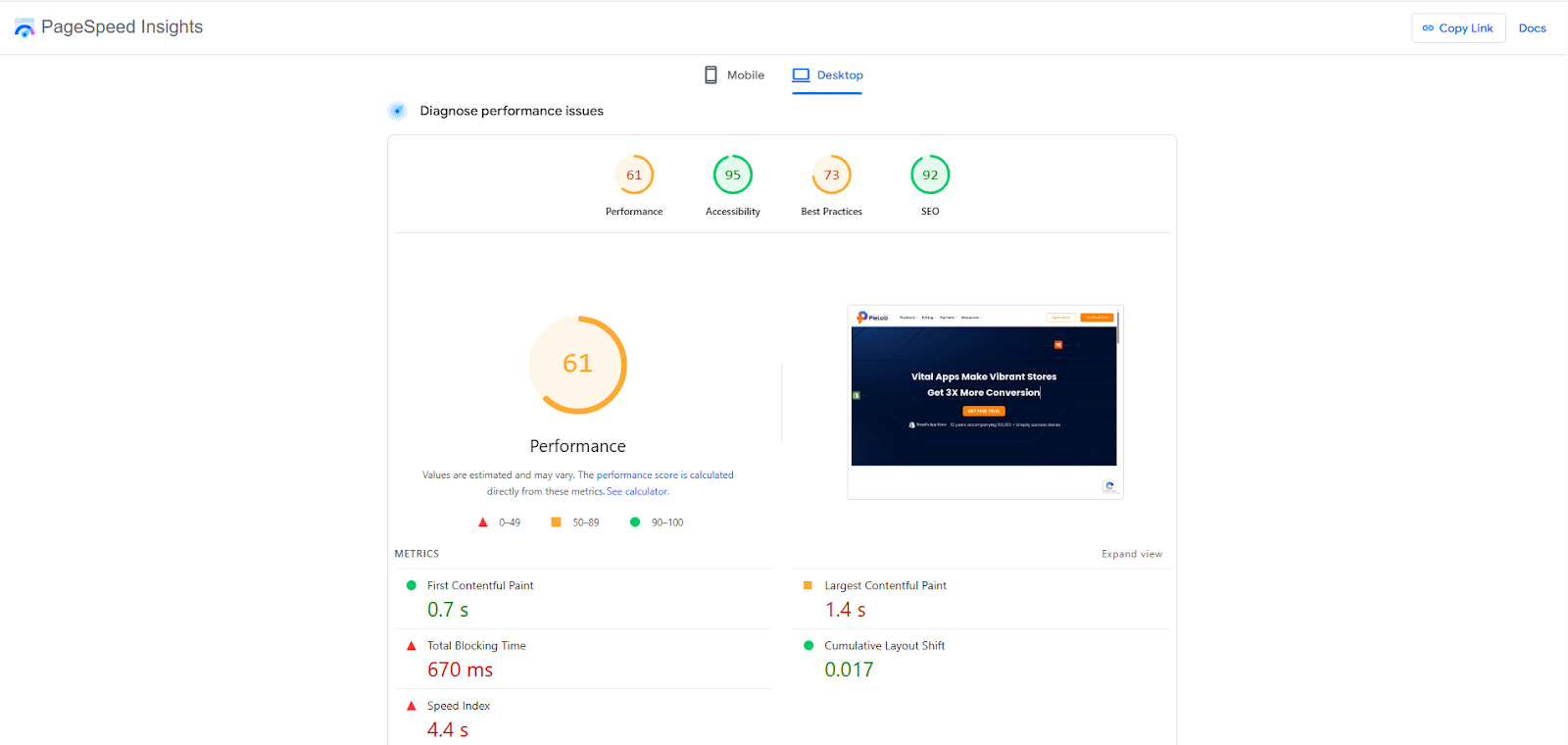 You can improve speed within your Shopify theme by compressing images, lazy-loading media, removing unused code, and reducing heavy apps. If you prefer automation, use Shopify apps like SearchPie that handle image compression and script optimization to keep your store fast and SEO-friendly.
6. Submit sitemap
A sitemap is a file that lists all the key pages on your Shopify store, helping search engines crawl and understand your content structure. Adding sitemap submission to your Shopify SEO checklist ensures search engines don’t overlook valuable pages and can process updates more efficiently.
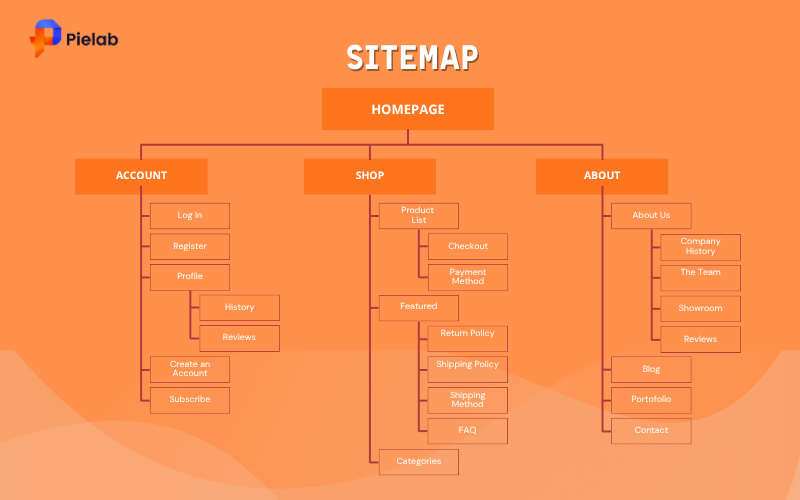
Submitting your sitemap improves SEO by allowing new products, collections, and content changes to be indexed faster, which boosts search visibility and helps your pages appear in relevant results sooner.
To submit your sitemap, open Google Search Console and add the URL sitemap.xml after your domain, then click Submit. You can also rely on Shopify SEO apps that automatically maintain and refresh your sitemap to support consistent and accurate indexing.
7. Internal linking
Internal linking refers to connecting pages within your website using hyperlinks. It helps search engines understand your site structure, index important pages, and distribute ranking power. Adding internal linking step to your Shopify SEO checklist improves crawl efficiency and boosts visibility for products and collections.
A strong internal linking strategy also enhances user experience. It guides shoppers to related items, reduces bounce rates, and increases time on site, which sends positive engagement signals to search engines.
For Shopify merchants, the best approach is to build logical store navigation. Group related products into clear collections, connect collections to product pages, and create intuitive menu paths that help shoppers explore deeper into your catalog.
To establish logical navigation in Shopify, organize collections from broad to specific, avoid duplicate pathways, and use featured collections on your homepage. You can also add links in product descriptions and cross-link related items. SearchPie app also includes an Internal Link feature that simplifies this process by suggesting smart linking opportunities to improve rankings with less manual work.
8. Backlinks
Backlinks are links from other websites that point to your store, acting as “votes of trust” in the eyes of search engines. They help increase your domain authority and support long-term visibility, making backlink building an important consideration in your Shopify SEO checklist.
Backlinks improve SEO by boosting credibility and signaling that your content is valuable. High-quality links can elevate product and collection pages in search results, helping more shoppers discover your brand organically.
To earn backlinks, join industry communities and take part in discussions where you can be referenced naturally. You can also reach out to sites that mention your brand without linking and request a backlink. Another effective method is using platforms like HARO, where you can provide expert quotes and secure authoritative links from reputable publications.
Best app to optimize SEO for your Shopify store – SearchPie
If you’re looking for a reliable way to manage and improve your store’s rankings, SearchPie is one of the best SEO apps for Shopify. It has already been mentioned in previous sections for features like internal linking support, showing how it simplifies complex optimization tasks for merchants.
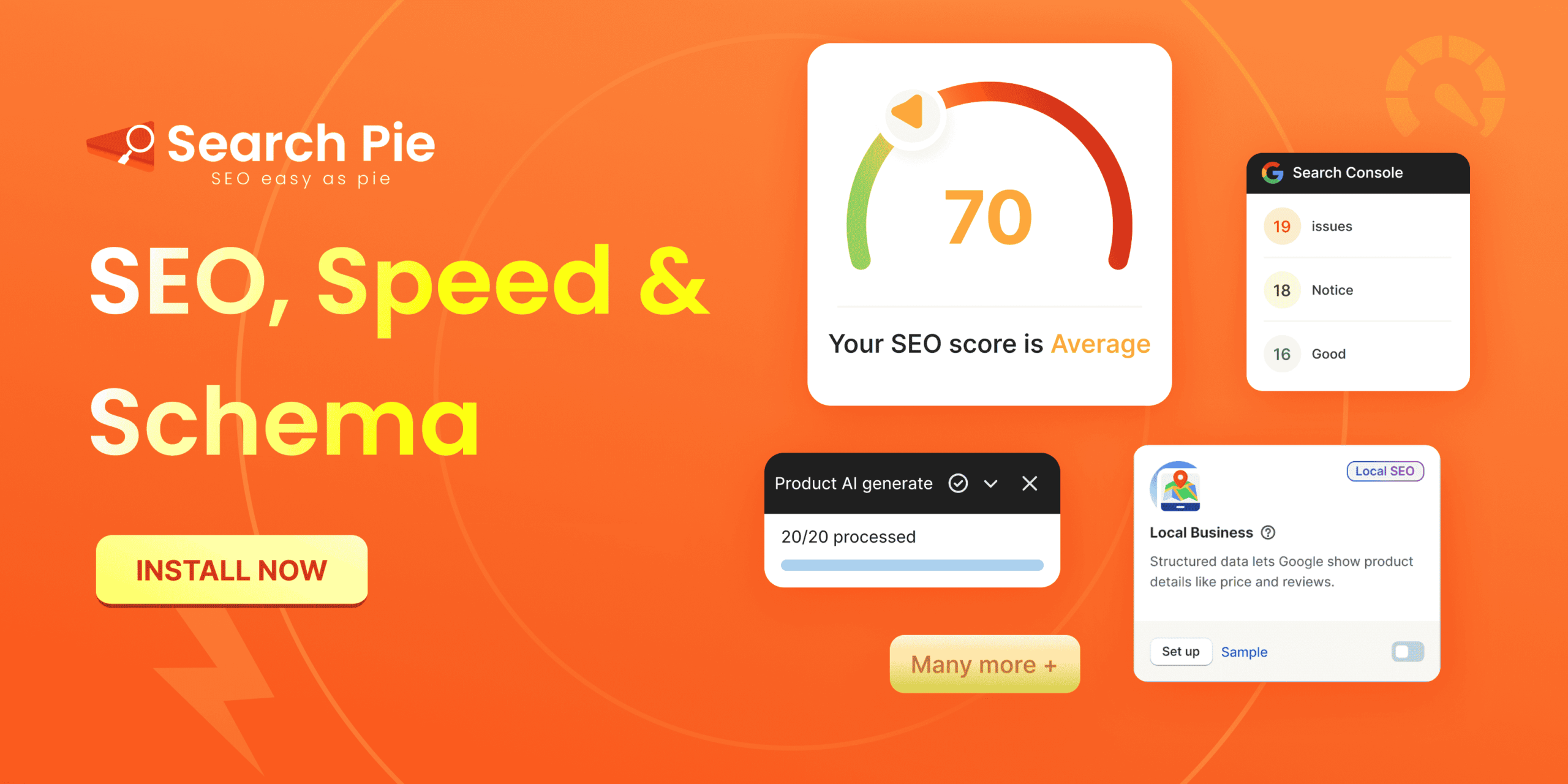
SearchPie offers tools to improve site speed, generate structured data, fix indexing issues, and optimize on-page elements. It holds a 4.9 rating, is Built for Shopify, and is backed by a 24/7 support team with a professional developer team ready to assist.
With user-friendly dashboards, real-time suggestions, and powerful automation, SearchPie helps your store stay competitive in search results and attract more organic traffic over time.
Ready to improve your visibility and conversions? Install SearchPie and complete your Shopify SEO checklist with confidence.
Conclusion
Optimizing your store with a complete Shopify SEO checklist helps improve rankings, increase organic traffic, and create a better shopping experience for your customers. By focusing on key areas like site speed, sitemap submission, internal linking, and backlink building, you ensure that search engines can crawl, index, and understand your content more effectively.
Consistent optimization is crucial, especially as your store grows and new products are added. Using tools like SearchPie can simplify ongoing tasks, automate technical fixes, and provide guidance for long-term success.
Start following these steps and you’ll build a stronger search presence, attract more qualified visitors, and eventually, drive more sales over time.