
Black Friday falls on November 27, 2026, and Cyber Monday follows on November 30. That leaves about six weeks to find the SEO problems that could hide your best offers from shoppers. A Shopify SEO audit is the fastest way to find them.
An SEO audit is a structured check of how Google and AI search engines find, read, and rank your store. It covers indexing, schema, speed, links, and on-page content. Before BFCM (Black Friday Cyber Monday), the goal is not a perfect score. The goal is to fix the issues that block revenue pages first.
This guide shows what to check, how to rank each issue by urgency, and how to run the audit by hand or with automation. You also get a checklist you can paste into your team’s task list. Use it to run your SEO audit this week.
Why Run an SEO Audit Before Black Friday?
Black Friday traffic is won before the sale starts. Shoppers search for deals in the weeks before November 27, and Google needs time to crawl and index changes. A page you fix on Black Friday morning may not be reindexed in time to matter. That is why the SEO audit has to happen now, not during the sale.
A pre-sale SEO audit also catches quiet failures. A collection blocked from indexing earns no organic traffic, however good the discount. A product page with the wrong price in its schema can lose rich results. These problems rarely show in your sales report until the sale is over.
According to our Shopify expert, the costliest pre-sale mistakes are usually indexing issues, not ranking issues. In the stores we review, a missing or no indexed sale page is more common than a page that simply ranks low. We suggest checking indexing first in every SEO audit, because no other fix matters if Google cannot see the page.
We also suggest using one permanent URL for your sale page, such as /collections/black-friday. Reuse it every year so it builds authority instead of starting from zero each November. Between sales, hide the products or switch the page to a teaser, but do not delete the collection.
Use this timeline to plan your SEO audit and fixes:
What to Check in Your Shopify SEO Audit?
A Shopify SEO audit for BFCM covers five areas. Each one affects whether shoppers can find, trust, and use your sale pages. Check them in this order, because indexing and schema failures cost more than small on-page gaps.
Product and collection SEO
Start with the pages that earn money: your top 20 products and your sale collections. In Shopify admin, go to Products, open a product, and scroll to Search engine listing. Check that the page title, meta description, and URL handle are unique and describe the product.
Then open Products, then Collections, and repeat the check for each sale collection. Add a description of 50 to 100 words that puts the main keyword in the first sentence. This text gives Google context that a plain grid of products does not.
Keep this part of the SEO audit practical. Fix titles on your best sellers first, then move down the list. A decent title on your top seller helps more than a perfect title on a product that rarely sells.
For larger catalogs, SearchPie’s Keyword Audit can check a page against its focus keyword and help identify gaps in titles, meta descriptions, H1 headings, URL handles, and image ALT text. Its AI content tools can also generate or rewrite product descriptions and metadata in bulk, reducing the amount of repetitive editing before BFCM. Review the generated content before publishing to make sure promotional details and product claims are accurate.
Google indexing and crawlability
Indexing is the first thing to check in any SEO audit. Open Google Search Console, go to Indexing, then Pages. Scroll to the section called Why pages aren’t indexed and review each reason.
Four reasons matter most before BFCM:
- Excluded by noindex tag: a sale page you want ranked should never appear here.
- Not found (404): old URLs that may still receive links or traffic.
- Crawled, currently not indexed: Google saw the page but chose not to index it, often because the page is thin.
- Duplicate without user-selected canonical: Google picked a different version of the page than you intended.
Next, test your main sale page. Paste its URL into the inspection bar at the top of Search Console. If the result says the URL is not on Google, click Request indexing. Repeat for your top collections.
Finally, check three technical items. Open yourstore.com/robots.txt and confirm it does not block /collections/ or /products/. Open yourstore.com/sitemap.xml, which Shopify generates automatically, and confirm it appears under Sitemaps in Search Console. In Shopify admin, go to Online Store, then Preferences, and confirm password protection is off.
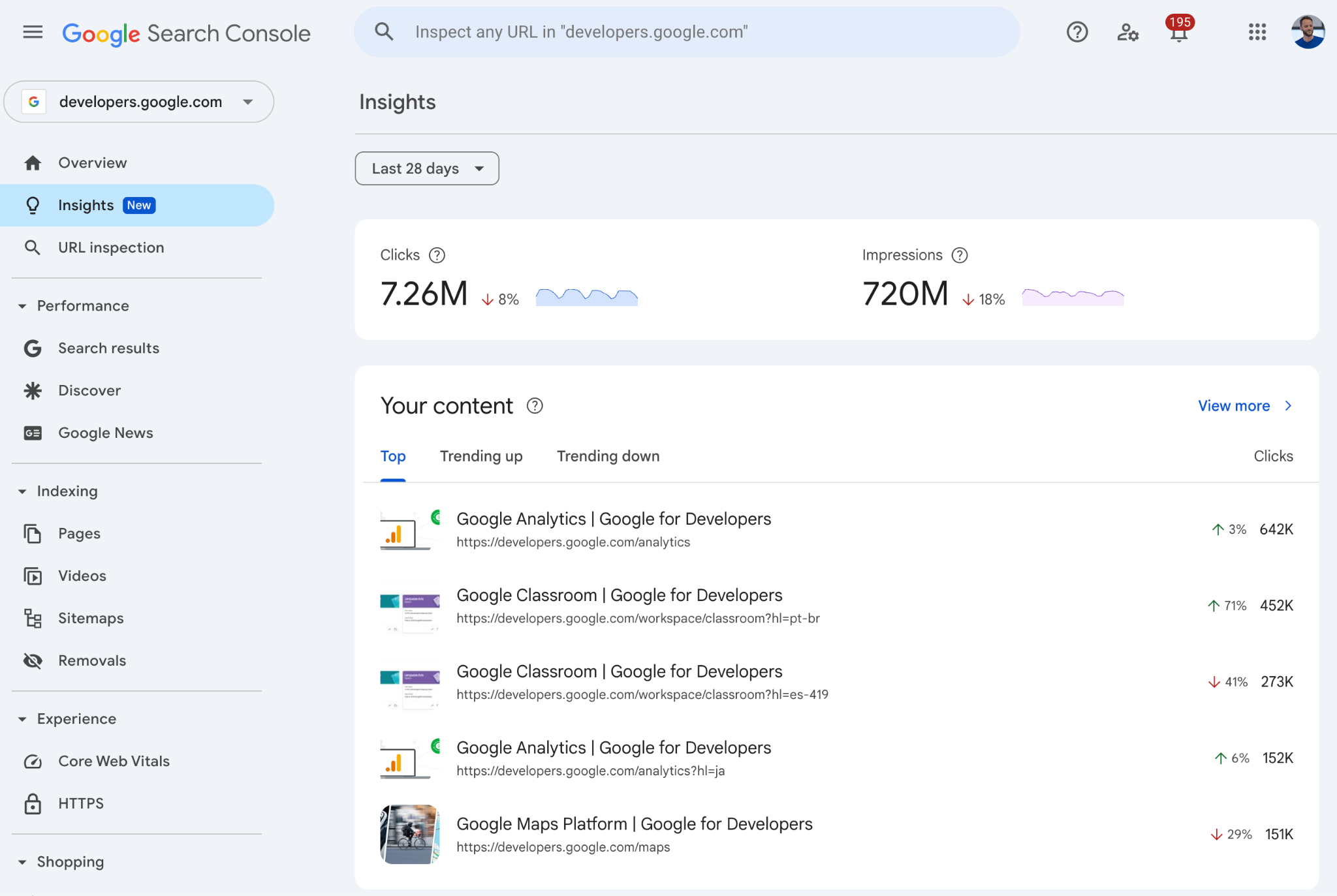
If you manage a large catalog, SearchPie can help reduce repetitive indexing checks. It connects with Google Search Console, supports automated XML sitemap submission, checks individual URL index status, and sends indexing requests when new products, blog posts, or collections are published. SearchPie also supports IndexNow for notifying participating search engines such as Bing and Yandex about URL updates. These requests help search engines discover changes, but they do not guarantee indexing.
Product schema markup
Schema markup is code that tells Google a page’s price, availability, and review rating. Search engines and AI tools such as ChatGPT, Gemini, and Perplexity can use this structured data to understand products. A schema check belongs in every Shopify SEO audit.
Paste a product URL into Google’s Rich Results Test. Confirm it detects the relevant Product structured data, including price, currency, availability, and review information where applicable. Then open Search Console and check the Product snippets and Merchant listings reports for errors.
For stores using SearchPie, review the Product schema configuration and make sure the structured data reflects the current product price, stock availability, and supported review information. SearchPie also supports shipping and return policy data, which can provide additional product details to Google. Breadcrumb and Store Profile schema help describe the site’s navigation and organization information.
BFCM adds one risk. When a sale starts, the visible price changes. If the schema still shows the old price, Google may flag a mismatch and rich result eligibility may be affected. After you schedule sale prices, test two or three discounted products again. Also check for duplicate Product schema if both your theme and an SEO app generate structured data.
Website speed and mobile performance
Speed matters most on mobile, where many BFCM shoppers browse. Run Google PageSpeed Insights on your homepage, sale collection, and top three products. Read the mobile results, not just desktop.
Sale banners cause more layout shift than most merchants expect. A countdown bar that pushes the page down after loading raises CLS. We suggest reserving fixed space for banners in your theme so content does not jump.
Compress hero and product images before the sale, and remove apps you no longer use. Every app adds scripts that slow the page. A quick SEO audit of your installed apps often finds two or three you can delete.
Broken links, redirects and canonical URLs
Last year’s promo pages are the most common source of 404 errors. In Search Console, open Indexing, then Pages, and review Not found (404). For each URL that still has links or traffic, create a redirect in Shopify admin under Online Store, Navigation, URL redirects.
Check for redirect chains, where URL A goes to B and then to C. Point A straight to C. Chains slow crawling and waste link value.
Then check canonical URLs. Shopify gives collection-path product URLs a canonical tag that points to the main product URL. That works, but your theme should link to the main URL directly. Also remove internal links to expired discount pages and old sale collections.
How to Prioritize SEO Issues Before BFCM?
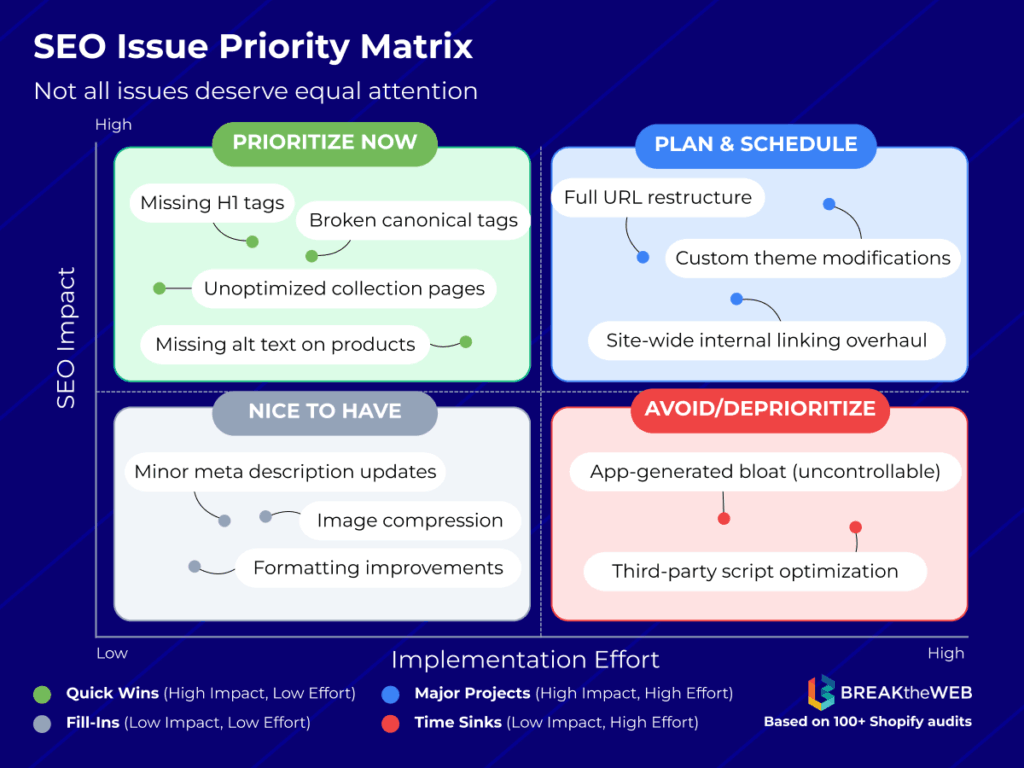
Not every finding deserves a place on your pre-sale to-do list. Ask one question about each issue: does this stop a revenue page from being found, trusted, or loaded? If yes, it is critical. This rule keeps your SEO audit results from turning into 80 equal tasks.
Low priority does not mean unimportant. It means the fix will not change BFCM revenue. Schedule these items for December, when traffic settles and you have time to test.
We suggest a change freeze from November 21. Big theme or app changes during the sale can break tracking, schema, or page speed with no time to repair them. Monitor Search Console and fix only critical errors until Cyber Monday ends.
How to Run a Shopify SEO Audit?
You can run a Shopify SEO audit manually, with automation, or with a mix of both. Manual checks teach you how your store works. Automation saves time once the store has more than a few dozen products.
Here is the manual process in five steps:
- Export your top 20 products and sale collections from Shopify admin to use as your audit list.
- Check indexing with the Pages report and URL inspection in Search Console.
- Test schema with the Rich Results Test on five products.
- Test mobile speed with PageSpeed Insights on five key pages.
- Review 404 errors in Search Console and fix them under URL redirects in Shopify.
In our experience, a small store can finish this manual SEO audit in about a day. Larger catalogs take longer because schema, ALT text, and redirects must be checked page by page. Automation fits the repeated work: bulk checks, ongoing monitoring, and bulk fixes.
How can SearchPie help with your Shopify SEO audit?
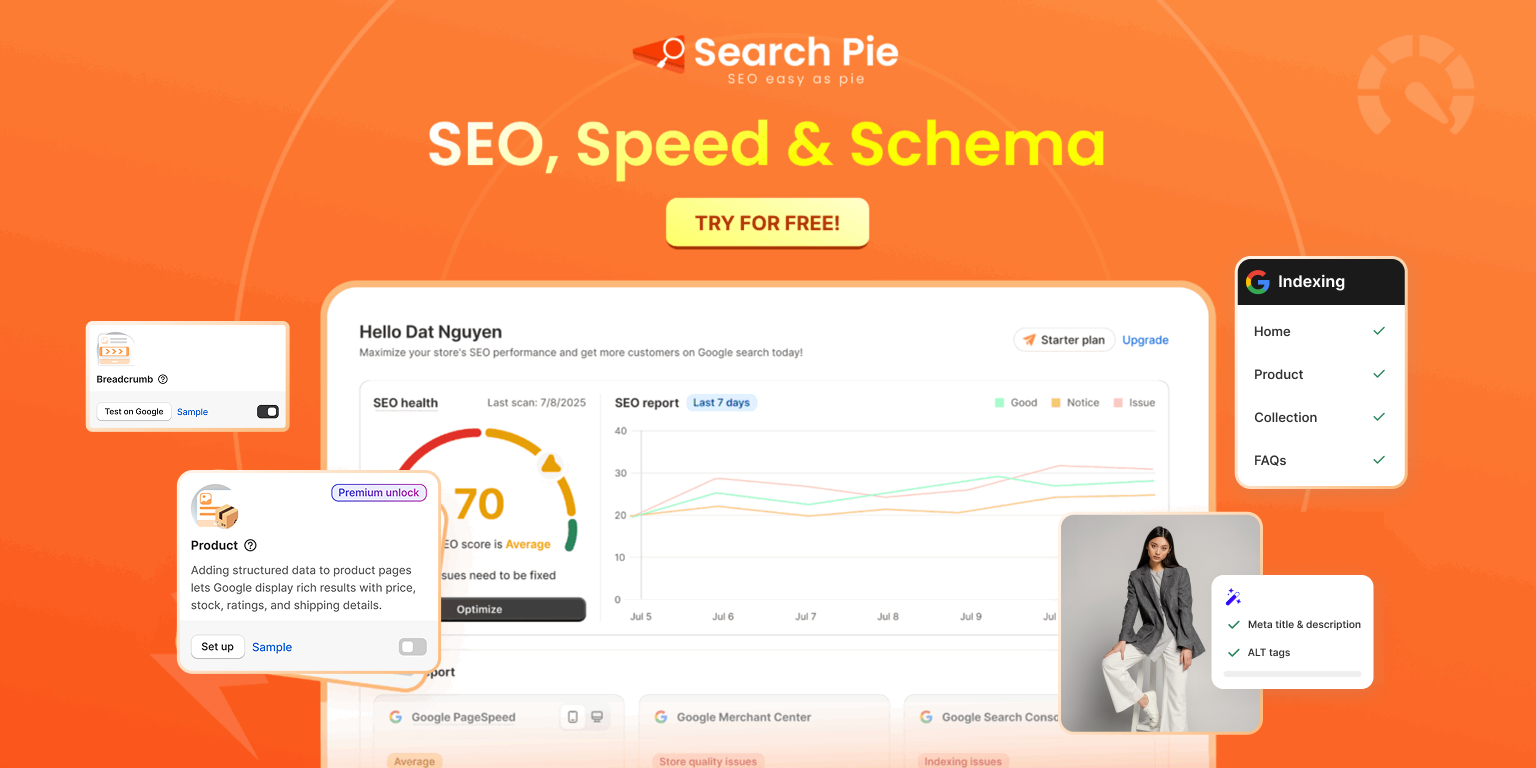
Most SEO audits stall at execution. You have the checklist, but manually fixing hundreds of product pages one by one takes longer than the time left before Black Friday. SearchPie; an all-in-one SEO platform by PieLab, boasting a “Built for Shopify” badge and a 4.9 rating from over 2,440 reviews; automates these exact fixes so you can launch your BFCM sales on time.
Dynamic Schema Markup: A pre-sale audit often reveals missing or mismatched pricing and stock data, which can strip away your rich snippets just as traffic spikes. SearchPie resolves this store-wide by injecting JSON-LD schema that dynamically pulls live stock and promotional prices for Products, Offers, and Aggregate Ratings. It also builds Breadcrumb and Store Profile structures to clarify your site hierarchy. Premium plans cover core Product, Blog, FAQ, and Collection schemas, while Enterprise unlocks all six types, including Local Business and Loyalty—ensuring your SERP listings perfectly match your live BFCM deals.
Technical SEO and Indexing: Pre-sale audits inevitably uncover duplicate meta tags, multiple H1s caused by theme conflicts, and “orphan” products hiding deep in your catalog. SearchPie flags these errors, lets you build custom internal links, and provides “noindex” controls to hide low-value tag pages so Google focuses strictly on your sale items. It also detects 404s and executes bulk 301 redirects to rescue traffic from last year’s expired promo URLs, with upper tiers automating redirects in real time. To guarantee Google sees your updates, it verifies URL indexation, leverages IndexNow, and connects to Google Search Console to automatically push sitemaps and index new holiday collections.
Image Optimization: Audits frequently highlight massive media files and missing ALT text that kill page speed. SearchPie applies lossless bulk compression to JPGs and JPEGs, auto-processes new uploads, and offers a one-click restore. To fix accessibility gaps instantly, it bulk-generates ALT text using dynamic templates (pulling variables like product type and price) or AI-written descriptions, turning a multi-day manual task into a single session.
Additionally, when auditing for critical BFCM blockers, SearchPie’s direct integration with Google Merchant Center is invaluable for spotting and fixing feed errors that cause catastrophic price mismatches. Similarly, its built-in keyword tools and daily rank trackers audit whether your target promotional terms actually appear in your titles and headings. To clear Core Web Vitals warnings, the app adds lazy loading and link preloading. It also future-proofs your store with AI Search readiness (AEO) so ChatGPT and Perplexity can cite your sales, generates multilingual metadata via AI, and includes a backlink community for guest posting.
Choosing the Right Plan: The free Starter plan is the perfect pre-BFCM audit tool to identify technical blockers before spending a dime. Premium suits growing catalogs that need automated redirects, active schema, and larger image quotas. Enterprise supports massive, multilingual stores requiring hands-on help executing fixes and a dedicated monthly 1:1 SEO roadmap.
Run the free SEO audit first and review the full report. Then install SearchPie to fix the issues in bulk instead of page by page.
BFCM SEO Audit Checklist
What should you check on your Shopify store before BFCM? Confirm that your sale pages are indexed, your Product schema shows the correct sale price, your mobile pages load fast, and your old promo URLs redirect. Use the full BFCM SEO audit checklist below.
Indexing and crawlability
- Black Friday landing page and sale collections are indexed in Search Console
- No noindex tag on pages you want to rank
- robots.txt does not block /collections/ or /products/
- sitemap.xml is submitted in Search Console
- Store password protection is off
Product and collection SEO
- Top 20 products have unique titles and meta descriptions
- Sale collections have a 50 to 100 word description
- Each page has one H1
- Key product images have descriptive ALT text
Schema
- Product schema shows price, currency, availability, and rating
- Schema price matches the visible sale price
- Only one source of schema runs on each page
- No errors in Product snippets or Merchant listings reports
Speed and mobile
- LCP is 2.5 seconds or less on mobile for key pages
- CLS is 0.1 or less, with banner space reserved
- Hero and product images are compressed
- Unused apps are removed
Links and redirects
- Last year’s promo URLs redirect to current pages
- No redirect chains
- Internal links point to main product URLs
- No links to expired discount pages
Monitoring
- Search Console alerts go to an inbox someone reads
- Change freeze starts November 21
- Post-sale SEO audit is scheduled for early December
A Shopify SEO audit before BFCM does not need to be perfect. It needs to find the few issues that block your best pages and fix them while Google still has time to react. Start with indexing, then schema, then speed, then links. Run the free SEO audit, review the full report, and install SearchPie to fix issues in bulk. Found a check we missed? Share this guide with your team and tell us in the comments.
FAQs