
Most Shopify merchants spend hours optimizing their product and collection pages for SEO and then treat the homepage as an afterthought. Others make the opposite mistake, stuffing the homepage with keywords the way they would a product page, which can actually hurt rankings rather than help them.
Shopify homepage SEO works differently from the rest of your store. The homepage is not primarily a page for capturing product-specific search traffic. It is a trust-building, brand-establishing, authority-distributing page. Getting the SEO right means understanding that role first and then optimizing around it.
This guide covers 11 proven Shopify homepage SEO practices, how to change SEO for Shopify homepage metadata, when keyword targeting makes sense on a homepage and when it does not, and how to build the kind of site authority that lifts your entire store.
Summary
- Section 1: What Shopify homepage SEO is and why it is different from product page SEO
- Section 2: Should your homepage target a specific keyword
- Section 3: 11 proven Shopify homepage SEO practices
- Section 4: How to measure your Shopify homepage SEO progress
- Section 5: Tools and apps that support Shopify homepage SEO
What Shopify Homepage SEO Is and Why It Is Different
Shopify homepage SEO is the process of optimizing your store’s homepage so that search engines understand your brand, trust your site, and distribute ranking authority effectively to the rest of your pages.
This is fundamentally different from product page or collection page Shopify SEO. Product pages target specific transactional keywords like “waterproof hiking boots women.” Collection pages target category-level keywords like “women’s outdoor footwear.” Your homepage has a different role entirely.
The homepage of a typical Shopify store is responsible for:
- Establishing brand recognition with new visitors
- Distributing SEO authority to collection and product pages through internal links
- Building trust with both shoppers and search engines through reviews and USPs
- Providing a clear, fast, mobile-friendly first impression
Because the homepage attracts the most backlinks of any page on your store, the primary Shopify SEO goal for the homepage is to make that authority flow efficiently to the pages that actually target commercial keywords.
Should Your Shopify Homepage Target a Specific Keyword
This is the question most merchants get wrong. The answer depends on your store type.
Single-product or narrow-niche stores: Your homepage can and should target a specific keyword. If you sell specialty coffee and that is all you sell, your homepage is effectively your main landing page. Optimizing it for “specialty coffee” makes sense because there is no competing collection page on your store targeting that term.
Multi-product ecommerce stores: Your homepage should not target a specific product keyword. The collection pages on your store are better positioned to capture product-specific search intent. The homepage’s Shopify SEO focus should be on your brand name and on linking clearly to those collection pages.
One important consideration for Shopify homepage SEO: avoid targeting keywords that limit your future growth. If your homepage targets “handmade candles in Chicago” and you later expand shipping nationally or add new product categories, that keyword becomes a liability rather than an asset.
Also check what your competitors are doing. Use a free tool like Google’s site search operator to check whether a competitor’s homepage or their collection pages rank for the keyword you are considering. If their collection pages rank and yours would too, the collection page is the right target, not the homepage.
11 Proven Shopify Homepage SEO Practices
Practice 1: Optimize Your Homepage Metadata
The first practical step in Shopify homepage SEO is editing your meta title and meta description. These are the elements that appear in Google search results and AI-generated citations, and they determine whether a searcher clicks your result over a competitor’s.
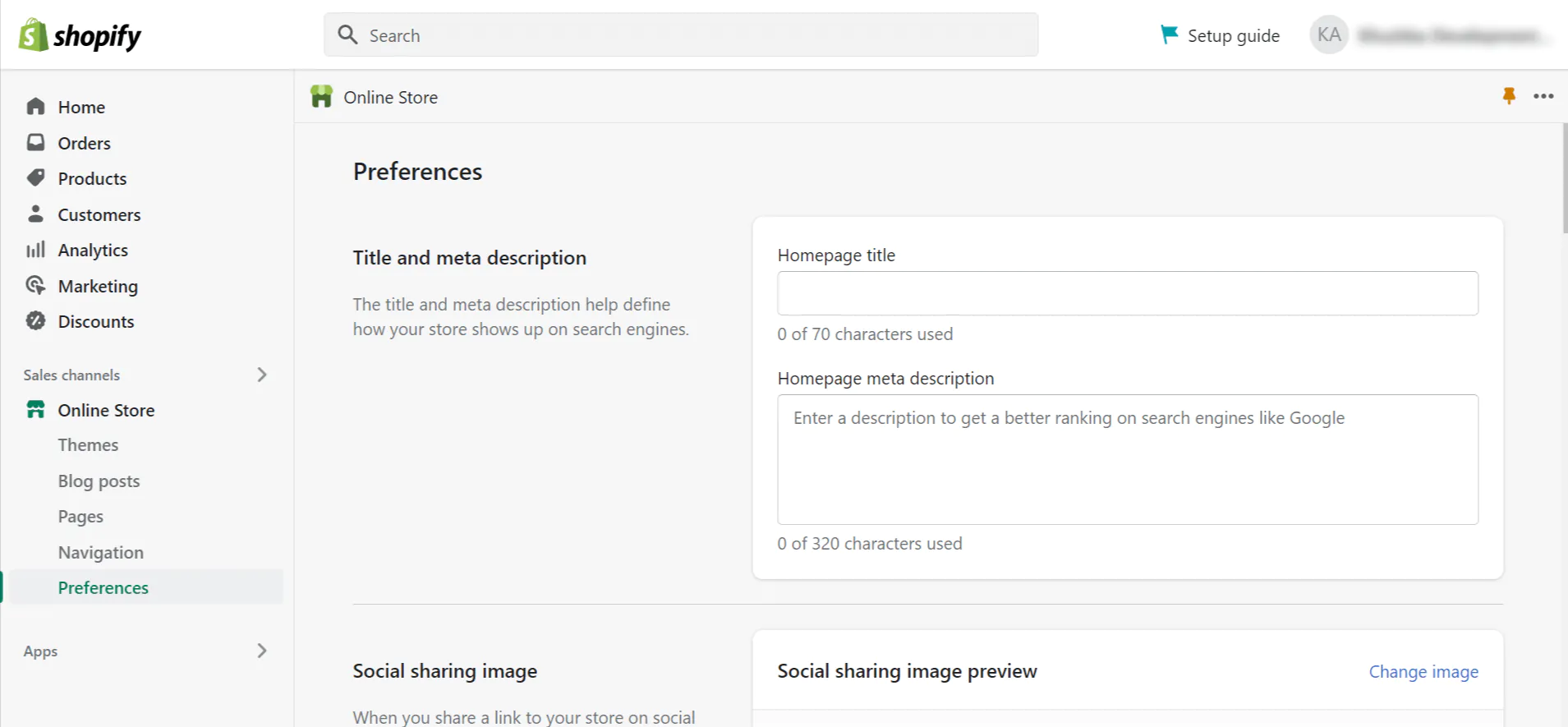
How to change SEO for Shopify homepage metadata:
- Go to Shopify Admin.
- Click Online Store, then Preferences.
- Find the Title and Meta Description fields under the Search Engine Optimization section.
- Edit and save.
Meta title best practices for Shopify homepage SEO:
- Keep between 50 and 60 characters to avoid truncation
- Start with your brand name
- Follow with a brief description of what you sell
- Example: “Gymshark | Gym Clothes and Workout Wear”
Meta description best practices:
- Keep under 160 characters
- Describe what you sell and why someone should choose you
- Include a specific benefit or USP like “Free shipping over $50” or “Buy now, pay later”
- Example: “Shop premium running gear with free shipping on all orders over $60. Fast dispatch, easy returns.”
Practice 2: Define Your Keyword Targeting Strategy
Before adding any content to your homepage, decide which keyword approach applies to your store based on the framework in Section 2.
For multi-product stores, the homepage Shopify SEO keyword target is your brand name. Make sure your brand name appears naturally in the H1, the meta title, and at least once in the visible homepage content.
For single-product or narrow-niche stores, identify the primary keyword using Google Keyword Planner or a free tool like Ubersuggest. Choose a keyword with genuine search volume that matches your product focus and does not limit your ability to scale. Apply it in the H1, first visible paragraph, URL structure, meta title, and meta description.
Practice 3: Improve Homepage Content Hierarchy
Even though the Shopify homepage does not need to be content-heavy, it does need a logical heading structure that helps search engines understand the page’s sections.
Heading hierarchy for Shopify homepage SEO:
- One H1 per page, typically the main brand tagline or hero section headline
- H2 headings for major sections: featured collections, USPs, trust signals, and testimonials
- H3 headings within sections for specific items or categories
The most common Shopify SEO mistake on homepages is either having no heading structure at all, or using H1 for multiple sections. Check your homepage’s heading structure by right-clicking the page and selecting “View Page Source,” then searching for h1, h2, and h3 tags.
Practice 4: Highlight Your Unique Selling Points
USPs (unique selling points) are both a conversion tool and a Shopify SEO signal. They tell shoppers why they should buy from you and tell search engines what your brand stands for.
Place your USPs in a scannable format near the top of the homepage, ideally in the section just below the hero image. Keep each USP to a short phrase rather than a full sentence.
Strong USP examples for Shopify homepage SEO:
- Free shipping on all orders
- Same-day dispatch before 3pm
- 30-day hassle-free returns
- Handmade in small batches
- Ethically sourced materials
- Cancel anytime on subscriptions
- Rated 4.9/5 by 12,000 customers
Specific USPs outperform generic ones. “Free shipping over $50” is more trustworthy than “great shipping options.” Specific claims are also more useful for Shopify SEO because they give search engines and AI tools concrete, extractable facts about your business.
Practice 5: Add Engaging, SEO-Optimized Images
Images on the homepage serve both a visual and a Shopify SEO function. They show visitors immediately what products to expect and give search engines additional context through file names and alt text.
Homepage image Shopify SEO checklist:
- Add descriptive alt text to every homepage image (under 125 characters, starting with what is in the image)
- Use keyword-relevant alt text where it fits naturally, such as “Women’s running shoes collection hero image”
- Compress all homepage images before uploading using WebP format where possible
- Avoid uploading images larger than 1 MB for homepage sections that load above the fold
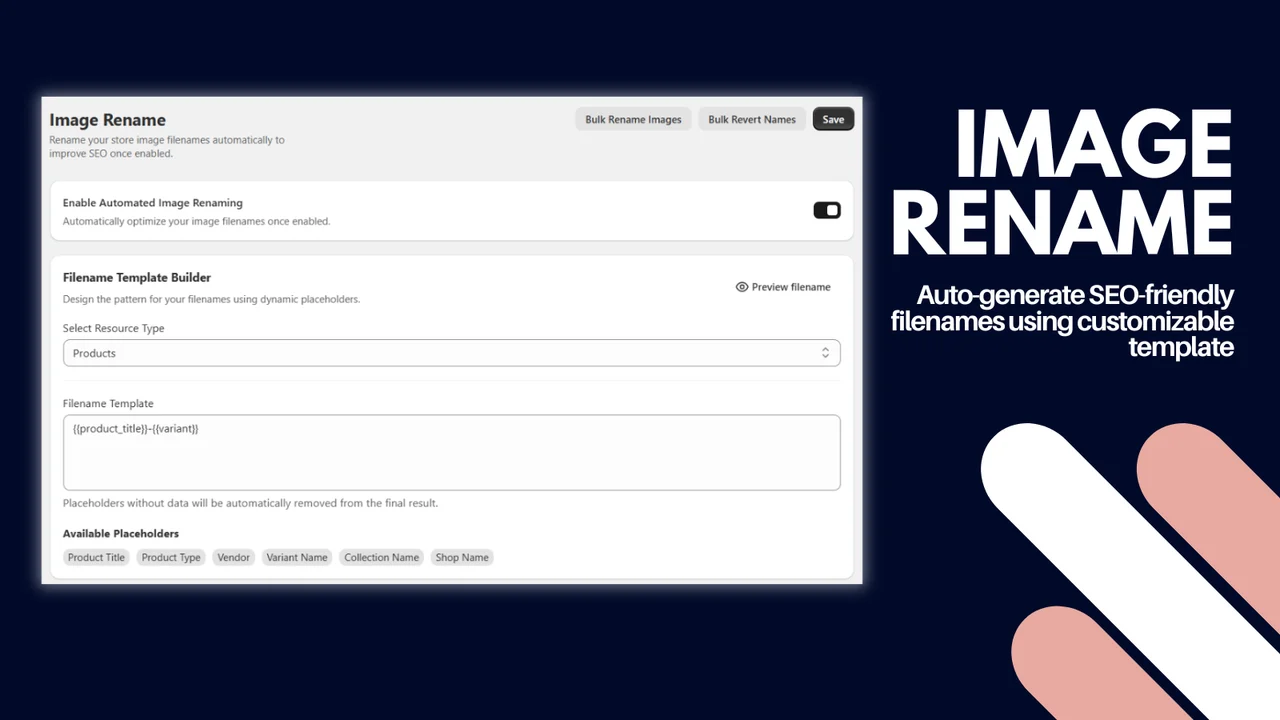
- Rename image files before upload using descriptive names: “homepage-hero-womens-running-shoes.jpg” not “IMG_4822.jpg”
In Shopify, you can add or edit alt text by going to Admin, then Content, then Files, clicking the image you want to edit, and entering the alt text in the field provided.
Practice 6: Implement Schema Markup
Schema markup is structured data that gives search engines specific information about your business in a format they can read directly. For Shopify homepage SEO, the two most useful schema types are Organization schema and WebSite schema.
Organization schema tells Google your business name, URL, logo, social media profiles, and contact information.
WebSite schema helps Google understand your site’s structure and can enable a sitelinks search box in search results, which allows searchers to search within your store directly from the Google results page.
Adding schema to your Shopify store manually involves editing the theme.liquid file. Go to Online Store, then Themes, then Actions, then Edit Code, then open theme.liquid and add your JSON-LD schema inside the head section.
If manually editing theme code feels risky, use a Shopify SEO app that offers no-code schema setup. Many merchants who manage Shopify SEO without a developer find this approach significantly safer and faster.
Practice 7: Optimize Navigation and Internal Linking
Your homepage holds the most backlink authority of any page on your Shopify store. Internal linking from the homepage to your most important collection pages passes that authority where it can have the biggest SEO impact.
How to optimize internal linking for Shopify homepage SEO:
- Go to Shopify Admin, then Content, then Menus, then Main Menu.
- Add your most important collection pages to the main navigation.
- Create dropdown subcategories by dragging sub-collections under primary collections to create a logical hierarchy.
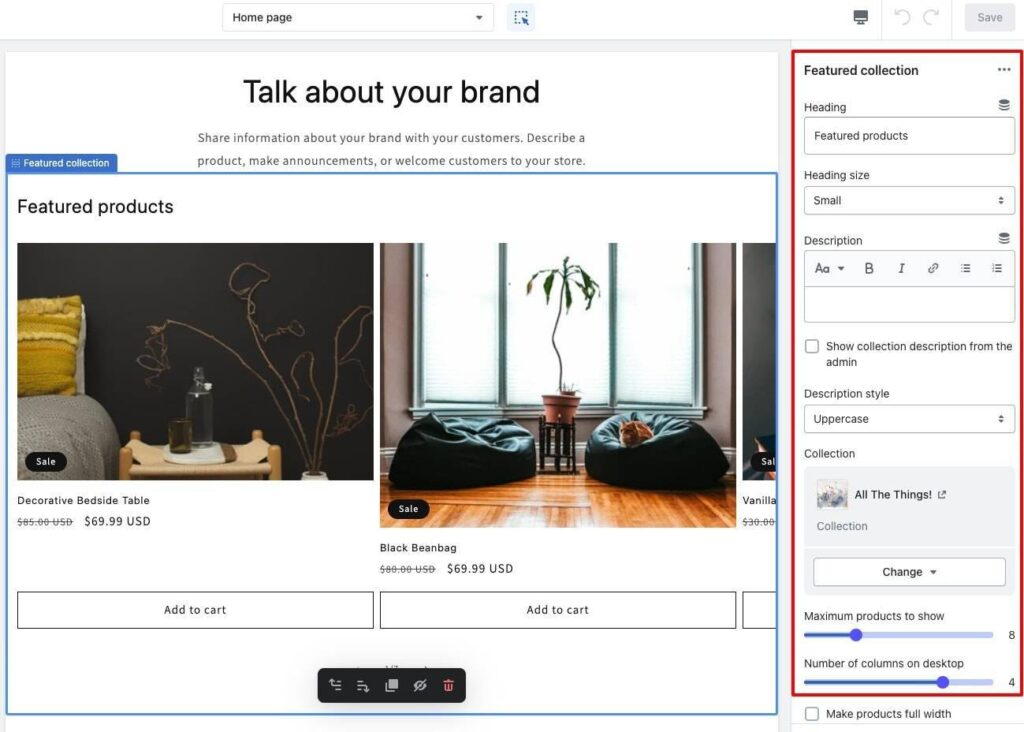
- Add featured collection blocks or promotional banners on the homepage itself to link to key categories.
- Use your footer for secondary pages like About Us, Contact, FAQ, and store policies.
A common Shopify SEO issue found in store audits is orphaned collection pages. These are collection pages with no internal links pointing to them, making them invisible to both search engines and shoppers browsing through navigation. Audit your collection pages and ensure every one has at least one internal link from the homepage or another well-linked page.
Anchor text tip: Use descriptive anchor text for all internal links. “Women’s running shoes” is more useful for Shopify SEO than “shop now” or “see more.”
Practice 8: Add Customer Reviews and Trust Signals
Customer reviews on the homepage are both a conversion tool and a Shopify SEO trust signal. Research from Yelp shows that 93% of consumers read online reviews before making a purchase decision. Displaying reviews prominently on the homepage addresses purchase hesitation before shoppers even reach a product page.
What to include in your homepage review section:
- An aggregate rating headline such as “Rated 4.8/5 from over 6,000 customers”
- Three to five short testimonials highlighting different benefits, such as product quality, shipping speed, and customer service
- Star ratings with reviewer names and dates
- User-generated photos where your product niche supports it
For Shopify SEO purposes, ensure your review display app outputs review schema so the aggregate rating can appear in Google search results as a rich snippet. This increases click-through rates from organic search without requiring a higher ranking position.
Practice 9: Optimize Homepage Speed
Page speed is a direct Shopify SEO ranking factor and a conversion factor. Research from Google and Deloitte found that a 0.1-second improvement in load time increases conversions by 8.4%. A homepage that takes five seconds to load on mobile loses a significant share of visitors before they see a single product.
Core Web Vitals targets for Shopify homepage SEO:
Check your homepage scores at Google PageSpeed Insights by entering your homepage URL. The tool lists specific issues to fix and estimates their impact on your score.
Speed optimization actions for Shopify homepage SEO:
- Compress all homepage images and convert to WebP format
- Remove Shopify apps you no longer use, as each one adds code to every page load
- Minimize and clean up JavaScript and CSS files through your theme settings
- Avoid autoplay video in the hero section unless it is essential to your brand experience
Practice 10: Improve the Mobile Experience
Google uses mobile-first indexing, which means it crawls and ranks your mobile homepage before your desktop version. A homepage that performs well on desktop but poorly on mobile directly harms your Shopify SEO rankings.
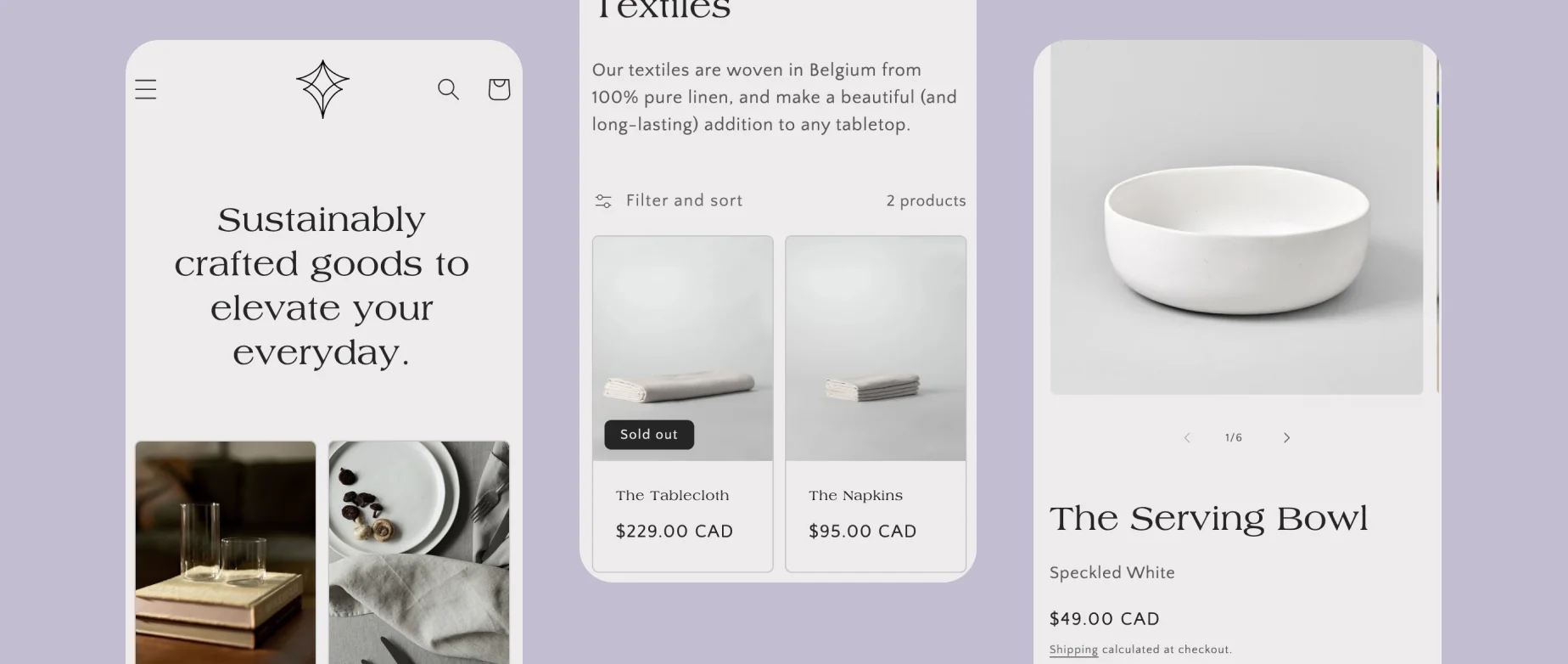
All Shopify themes are responsive by default. However, responsive design does not automatically mean fast or well-structured on mobile. Check your homepage on a real mobile device after any significant content or design change.
Mobile Shopify homepage SEO checks:
- Hero images load quickly on a mobile connection (under three seconds)
- Text is readable without zooming
- All buttons and navigation items are large enough to tap accurately
- Pop-ups are easy to close and do not block the full screen
- The Add to Cart button and key CTAs are visible without excessive scrolling
Avoid intrusive pop-ups that cover the full mobile screen. Google Search Central guidelines state that intrusive interstitials can negatively affect rankings because they make content inaccessible to crawlers.
Practice 11: Build Backlinks to Your Homepage
The homepage naturally attracts more backlinks than any other page on your Shopify store. Every backlink from an authoritative external site increases your domain authority, which strengthens your entire store’s ability to rank for competitive keywords, including the product and collection pages that drive most of your revenue.
A study by Semrush found that domain authority showed the strongest correlation with higher SERP positions among all backlink-related factors measured, scoring 0.21 out of 1.
Practical backlink strategies for Shopify homepage SEO:
- Digital PR: pitch your products to publications writing “best of” roundups in your category. These articles frequently link to the store homepage.
- Guest content: participate in podcasts, interviews, or guest articles where the host links to your homepage as a reference.
- Supplier and manufacturer pages: many brands maintain an authorized retailer directory. If you carry their products, request to be listed with a link to your homepage.
- Partnerships: collaborations with complementary brands or influencers often result in homepage links from their websites.
Use Google Search Console’s Links report to monitor which domains are linking to your homepage and how that number grows over time. A growing backlink profile from relevant, authoritative domains is one of the strongest long-term Shopify SEO signals you can build.
How to Measure Shopify Homepage SEO Progress
Shopify homepage SEO improvements take four to twelve weeks to show in Google’s data. Use these metrics to track progress.
After making significant changes to your homepage content, metadata, or technical setup, note the date in Google Search Console so you can compare before and after performance accurately.
Tools and Apps for Shopify Homepage SEO
Working through eleven Shopify homepage SEO improvements manually is time-consuming. The right tools make each task faster and more reliable.
Free tools:
- Google Search Console: tracks clicks, impressions, backlinks, and Core Web Vitals for your homepage
- Google PageSpeed Insights: measures page speed and lists specific improvements with estimated impact
- Google Rich Results Test: verifies that your schema markup is correctly implemented and eligible for rich snippets
- Ahrefs Website Authority Checker: shows your domain rating and how many sites are linking to your homepage
Shopify SEO apps:
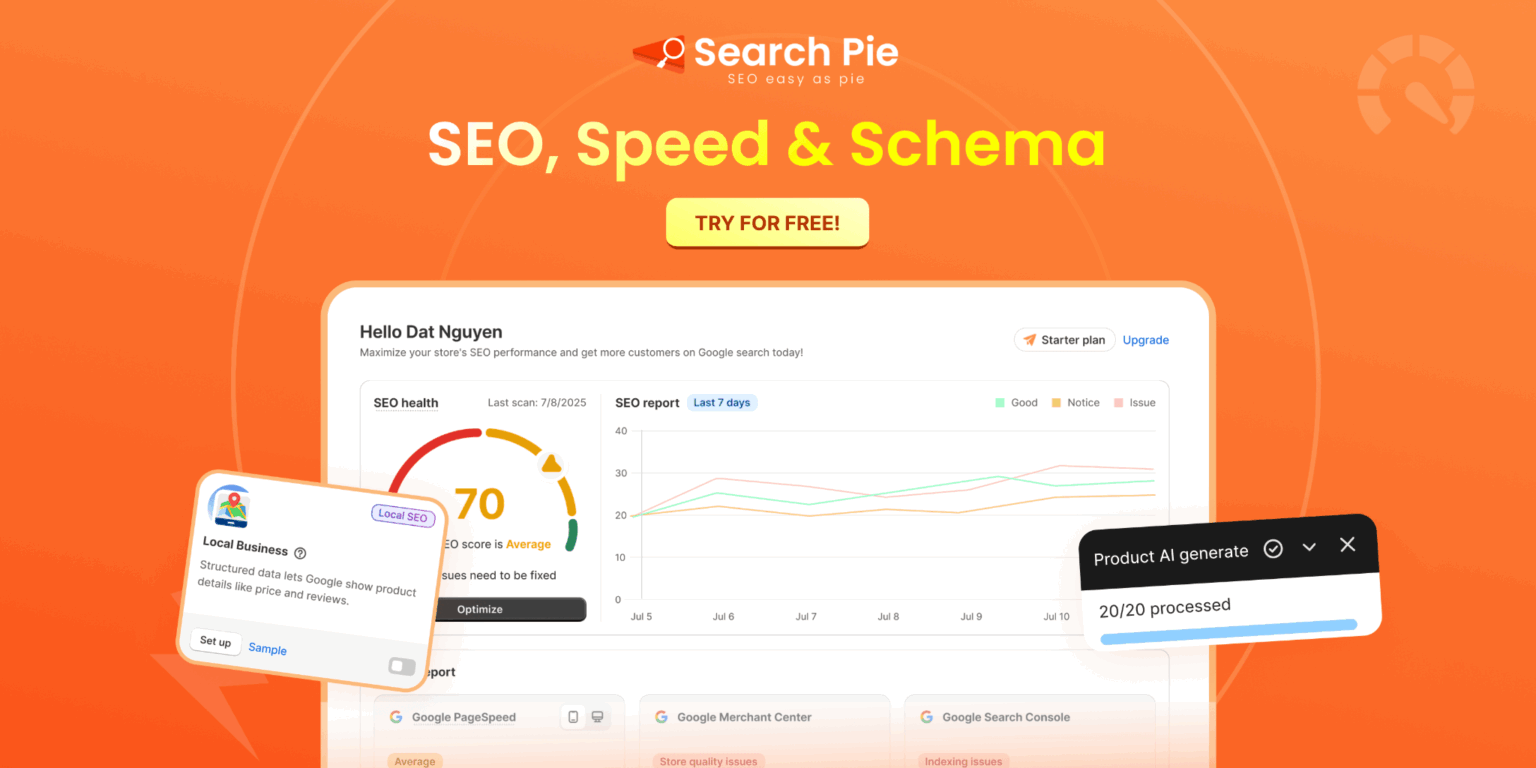
SearchPie is the most practical all-in-one Shopify SEO app for merchants who want to manage homepage SEO alongside their product and collection pages without jumping between multiple tools.
For homepage-specific Shopify SEO tasks, SearchPie handles meta tag optimization with bulk editing across all page types, schema markup generation including Organization and WebSite schema without requiring theme code edits, image alt text auditing and bulk updates, and page speed improvements including image compression and code minification.
SearchPie’s Optimize for AI feature structures your homepage content so that AI search tools like ChatGPT, Copilot, and Google AI Overviews can read and surface your brand in AI-generated answers about your product category. For Shopify homepage SEO in 2026, this AI visibility layer is increasingly important as more shoppers discover brands through AI-generated search responses before visiting any individual product page.
The Blog SEO Checklist supports merchants who use content marketing as part of their Shopify SEO strategy, guiding you through optimization for each post that then links back to the homepage and key collection pages to reinforce the authority flow from homepage to commercial pages.
Apply These Shopify Homepage SEO Practices Starting Today
Shopify homepage SEO is not about stuffing your homepage with keywords. It is about making your brand clear, your authority strong, and your internal links strategic so every collection and product page on your store benefits from the homepage’s position as your store’s most authoritative page.
Start with metadata. It takes five minutes to change SEO for Shopify homepage title and description, and it is often the fastest improvement you can make to click-through rates from search results. Then work through schema, navigation, speed, and mobile experience.
Build backlinks consistently over time. Every authoritative link to your homepage strengthens the entire store.
FAQS
Go to **Online Store > Preferences** in your Shopify admin. From there, you can edit your homepage title and meta description to target relevant keywords and improve search visibility.
In Shopify, open **Online Store > Preferences** and update the homepage title and meta description. Keep them descriptive, keyword-relevant, and written to encourage clicks from search results.
Include your main target keyword, store or brand name, and a clear value proposition. Keep the title concise so it displays properly in Google search results.
Focus on relevant keywords, useful content, clear headings, internal links, optimized images, and fast page speed. Make changes gradually and avoid keyword stuffing or removing content that already performs well.