
Most Shopify merchants focus on getting traffic. Fewer focus on making sure Google and AI search tools can actually understand what their store is about. That is exactly what on-page SEO fixes.
On-page SEO is the process of improving the content and structure of individual pages on your store so search engines can match them to relevant queries. Unlike off-page SEO which involves backlinks and external signals you cannot fully control, on-page SEO is entirely within your hands. Every product page, collection page, and blog post on your Shopify store is a direct on-page SEO opportunity.
This guide explains what is on-page SEO, why it matters more than ever in 2026, and gives you an 11-step on page SEO checklist you can apply to every page on your store starting today.
Summary
- Section 1: What is on-page SEO and how it differs from off-page SEO
- Section 2: Why on-page SEO matters for Shopify stores in 2026
- Section 3: The 11-step on page SEO checklist
- Section 4: How to measure whether your on-page SEO is working
- Section 5: On-page SEO tools and apps for Shopify merchants
What Is On-Page SEO
What is on-page SEO exactly? It is every optimization task you perform directly on a webpage to improve how search engines and AI tools read, understand, and rank that page.
On-page SEO tasks include writing accurate title tags, placing keywords in the right locations, adding schema markup, optimizing images, and structuring content with clear headings. Every one of these tasks happens on your own pages, which means you have full control over them.
Off-page SEO, by contrast, involves tasks outside your site like link building, social media marketing, and digital PR. Both matter for rankings, but on-page SEO is the logical starting point because it gives you the most direct control over how your store appears in search results.
On-page SEO vs Off-page SEO:
For Shopify merchants, the on-page SEO improvements you make to product pages today continue working every day without additional investment. That makes on-page SEO one of the highest-return activities you can invest time in.
[IMAGE: on-page-seo-vs-off-page-seo-shopify-comparison.jpg]
Alt text: “On-page SEO versus off-page SEO comparison showing internal and external optimization tasks for Shopify stores”
Caption: On-page SEO covers every optimization you control directly on your Shopify store. Off-page SEO covers external signals like backlinks. Both matter, but on-page SEO is where every merchant should start.
Why On-Page SEO Matters More in 2026
On-page SEO has always mattered. In 2026, it matters even more because search results now include AI-generated answers alongside traditional links, and those AI answers pull content directly from your pages.
Tools like Google AI Overviews, ChatGPT Search, Perplexity, and Microsoft Copilot extract specific sections of content from pages they consider authoritative, relevant, and clearly structured. If your on-page SEO is weak, your content will not appear in those AI-generated answers regardless of how good your products are.
A page that moved from position five to position two after on-page SEO improvements, specifically adding content about AI search relevance, now appears in dozens of AI Overviews for its target keyword. That kind of improvement demonstrates what a systematic on page SEO checklist can produce in measurable traffic and visibility gains.
For Shopify merchants, on-page SEO directly affects:
- Which product pages appear when shoppers search for specific items
- Whether your collection pages rank for broad category keywords
- How often your blog posts appear in AI-generated shopping and research answers
- How many impressions your store earns in Google Search Console
The 11-Step On Page SEO Checklist for Shopify
Step 1: Place Target Keywords Strategically
On-page SEO starts with placing your target keyword in the right locations. This signals relevance to both traditional search engines and AI tools that scan your content for context.
After identifying your target keyword for each page, include it in these locations:
- H1 heading (your page title)
- First paragraph of the page
- At least one H2 subheading
- URL slug
- Image alt text
- Meta title and description
For a Shopify product page targeting “waterproof hiking boots women,” the H1 should include that phrase directly, the first sentence of the description should use it naturally, and the URL should read /products/waterproof-hiking-boots-women rather than /products/product-123.
Do not force the keyword into every sentence. Natural reading is a signal of content quality. Keyword stuffing lowers both readability and rankings.
Time to complete: 10 to 15 minutes per page.
Step 2: Write Accurate Title Tags
Your title tag is the clickable headline that appears in Google search results and AI citations. It is one of the most important on-page SEO elements on any page.
Title tag best practices:
- Keep between 50 and 60 characters to avoid truncation in search results
- Include your primary keyword near the beginning
- Make the title match or closely reflect the H1 on the page
- Write a unique title for every page on your store
- Use attention-grabbing words like “best,” “guide,” or “free” where relevant
Before / After:
In Shopify, edit the title tag under the Search Engine Listing Preview section on each product, collection, or blog post page.
Step 3: Optimize Your URL Slugs
Your URL slug is the last part of the page address. On-page SEO best practice is to keep it short, readable, and keyword-rich.
URL slug tips:
- Include your primary keyword
- Keep it to three to five words where possible
- Use hyphens between words, not underscores or spaces
- Remove unnecessary words, numbers, and parameters
- Avoid changing URLs for pages that already rank unless you set up a proper redirect
Good: yourstore.com/collections/womens-running-shoes
Avoid: yourstore.com/collections/collection-1-products-2025-new
In Shopify, you can edit the URL handle in the Search Engine Listing Preview section under each page.
Step 4: Write Accurate Meta Descriptions
A meta description is the short summary that appears below your title tag in search results. It does not directly affect rankings, but it directly affects click-through rate. A well-written meta description gets more clicks from the same ranking position, which signals relevance to Google and can improve rankings indirectly over time.
Meta description best practices:
- Keep to around 105 characters to avoid truncation
- Include your primary keyword naturally
- Use active voice and specific language
- Include a clear reason to click such as “Free shipping,” “30-day returns,” or “In stock now”
Example for a running shoes product page:
“Shop women’s lightweight running shoes with free shipping on all UK orders. Compare 20+ styles and find your perfect fit today.”
Step 5: Structure Your Content with Headings
Headings are one of the most important on-page SEO signals for both traditional search engines and AI tools. They tell Google what each section of your page is about and allow AI systems to extract specific answers from your content.
Heading structure rules:
- Use one H1 per page (the main title)
- Use H2 headings for major sections or topics
- Use H3 headings for subtopics within each H2 section
- Include keywords naturally in H2 and H3 headings
- Make headings descriptive rather than vague (“How to Choose the Right Running Shoe Width” beats “More Information”)
- Write the first sentence after each heading as a direct answer to what the heading promises
For Shopify product pages, the product title becomes your H1 automatically. Add subheadings within the product description body for longer product pages covering multiple features, materials, or use cases.
Step 6: Create Unique, Helpful Content
On-page SEO requires original content on every page. Duplicate content across product pages with minor variations, or manufacturer descriptions copied across multiple stores, signals low quality to Google and reduces the chance of appearing in AI-generated answers.
What makes content genuinely useful for on-page SEO:
- Directly answers the question the visitor came with
- States the main benefit or answer upfront before expanding
- Includes specific details like dimensions, materials, compatibility, and use cases
- Avoids vague language like “great quality” or “innovative design” without supporting specifics
- Uses clear pronouns and restates subjects to reduce ambiguity (say “the hiking boot” not “it”)
For Shopify product pages, aim for at least 250 words of original product description. For collection pages, write a short introductory paragraph of 50 to 100 words explaining what the collection contains. For blog posts, aim for 1,500 words or more when targeting competitive informational keywords.
Update content regularly. Research consistently shows that AI search engines prefer pages with current information. A product page last updated in 2023 with outdated pricing or availability information will perform worse than one reviewed and refreshed in 2026.
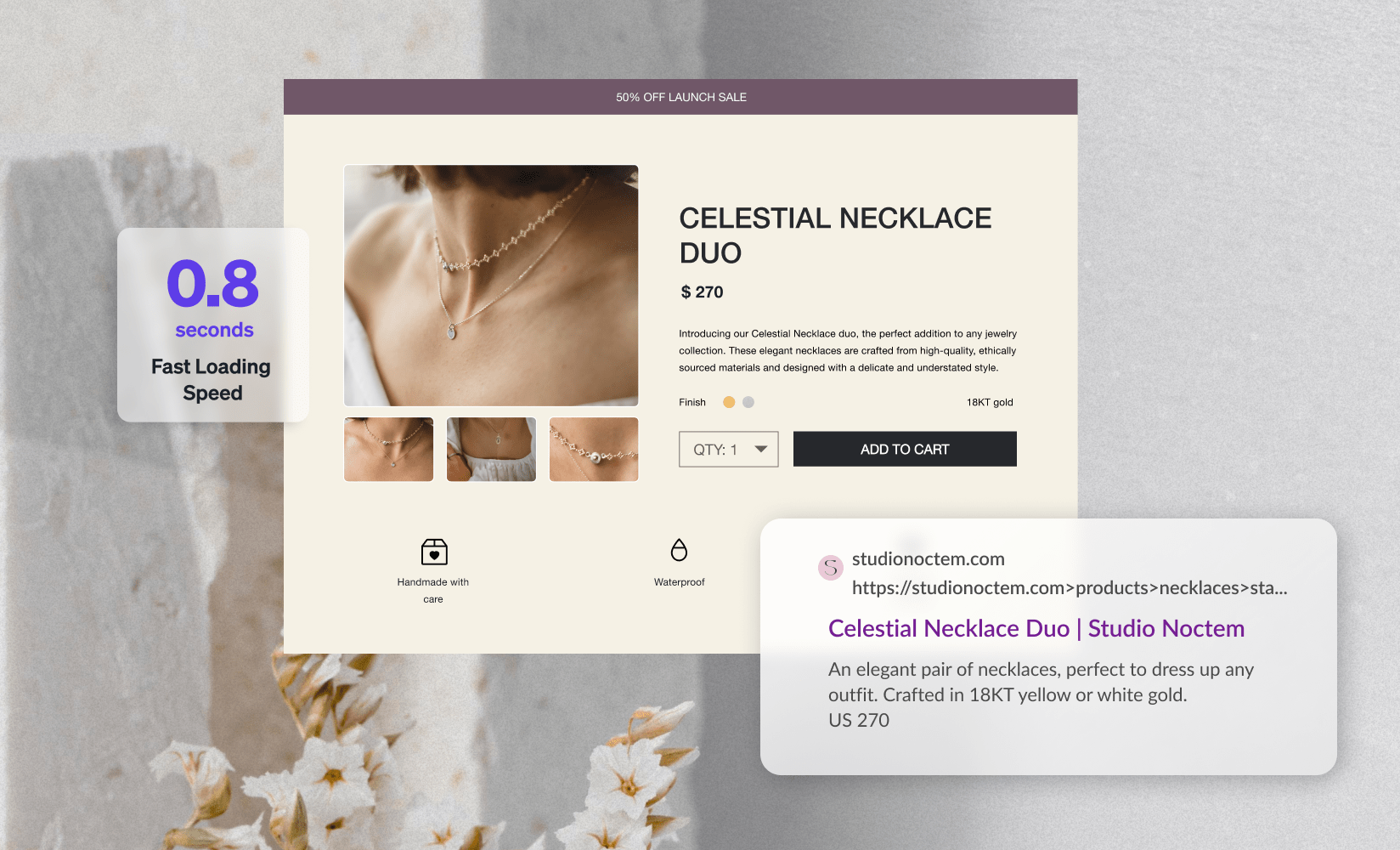
Step 7: Add Strategic Internal Links
Internal links connect pages within your store and help both search engines and shoppers navigate your catalog. On-page SEO requires intentional internal linking, not random links added as an afterthought.
Internal linking best practices:
- Link from high-authority pages to pages you want to rank (such as linking from a popular blog post to a relevant collection page)
- Link from new content to related existing content to help it get discovered
- Use descriptive anchor text that reflects the linked page’s topic (“shop waterproof hiking boots” beats “click here”)
- Avoid adding more than five to eight internal links per 1,000 words
- Ensure every important product and collection page has at least one internal link pointing to it from another page on your store
For Shopify merchants, an easy starting point is reviewing your top-traffic blog posts and adding one or two internal links to relevant product or collection pages from each one. This on-page SEO action takes less than 30 minutes per post and can produce measurable results in Search Console impressions within two to four weeks.
Step 8: Add External Links to Credible Sources
External links to authoritative, relevant sources are an on-page SEO signal that builds trust with both search engines and readers. Linking to well-known sources like Google’s documentation, industry publications, or research studies tells search engines your page is connected to the broader web of authoritative content.
External linking tips:
- Link only to relevant, high-quality sources
- Use descriptive anchor text
- Keep external links to one to three per page to avoid looking like a link farm
- Do not link to direct competitors
For Shopify blog posts, citing a relevant study, linking to official platform documentation, or referencing a recognized industry source within your content strengthens the on-page SEO signals that support your page’s authority.
Step 9: Write Descriptive Image File Names and Alt Text
Search engines cannot see images. They read image file names and alt text to understand what an image contains. On-page SEO for images is one of the most overlooked opportunities on Shopify stores.
Image on-page SEO rules:
- Rename images before uploading: “waterproof-hiking-boots-women-side-view.jpg” outperforms “IMG_4822.jpg”
- Write alt text under 125 characters that describes what is in the image
- Include the page’s primary keyword in alt text where it fits naturally
- Do not use alt text for purely decorative images
- Do not start alt text with “image of” or “picture of”
In Shopify, you can edit alt text by clicking on any product image and selecting “Edit alt text.” For blog post images, edit alt text directly in the blog editor.
Time to complete: 2 to 3 minutes per image. Start with your top 20 products.
Step 10: Optimize for Page Speed
Page speed is both an on-page SEO ranking factor and a direct conversion rate factor. Google uses Core Web Vitals metrics, specifically Largest Contentful Paint (LCP), Interaction to Next Paint (INP), and Cumulative Layout Shift (CLS), as page experience signals in its ranking algorithm.
On-page SEO speed optimization for Shopify:
- Use WebP format for product photos where possible
- Compress images before uploading using a tool like Squoosh or a Shopify SEO app
- Avoid redirect chains between internal URLs
- Limit the number of apps injecting code into your store frontend
- Use a lightweight, fast-loading Shopify theme
Check your store’s current Core Web Vitals in Google Search Console under the Core Web Vitals report. Check individual pages using Google PageSpeed Insights. Both are free tools that show exactly which on-page SEO speed issues need attention first.
Target scores:
Step 11: Add Schema Markup
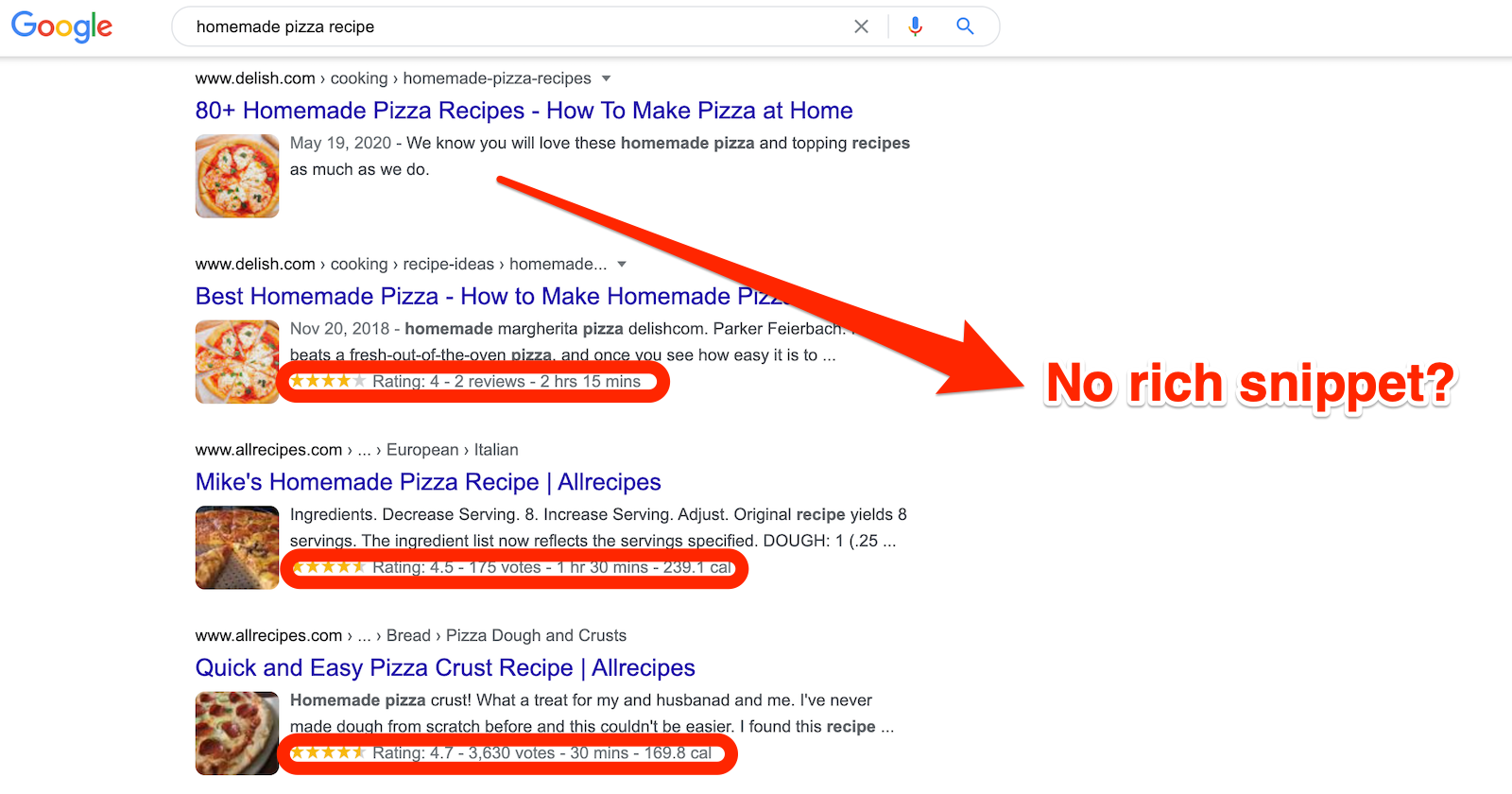
Schema markup is structured data code that helps search engines understand the specific type and content of a page. It is one of the most direct on-page SEO improvements for Shopify stores because it enables rich snippets in search results, including star ratings, prices, and availability shown directly in the search listing before a shopper clicks.
Common schema types for Shopify stores:
- Product schema: shows price, availability, and reviews
- Review schema: displays star ratings in search results
- Breadcrumb schema: shows page location in site hierarchy
- FAQ schema: displays question-and-answer content in search results
- Article schema: identifies blog posts for Google News and AI citations
In Shopify, basic Product schema is often included in themes by default, but it is frequently incomplete. Missing fields like availability or aggregate rating mean your product pages are eligible for rich snippets but not displaying them. Use Google’s Rich Results Test to check whether your pages are outputting complete, valid schema.
How to Measure Whether Your On-Page SEO Is Working
On-page SEO improvements typically take four to twelve weeks to show in Google’s data. Track these metrics in Google Search Console and Google Analytics 4 to measure progress.
After making on-page SEO changes to a group of pages, annotate the date in Google Search Console so you can compare before and after performance accurately.
On-Page SEO Tools and Apps for Shopify Merchants
Working through an on page SEO checklist manually is possible for small catalogs. For stores with hundreds or thousands of product pages, the right tools make on-page SEO faster, more consistent, and more likely to produce measurable results.
Free tools:
- Google Search Console for tracking clicks, impressions, and Core Web Vitals
- Google PageSpeed Insights for measuring page speed and identifying specific improvements
- Google Rich Results Test for verifying schema markup output
- Google Structured Data Markup Helper for generating schema code
Shopify apps:
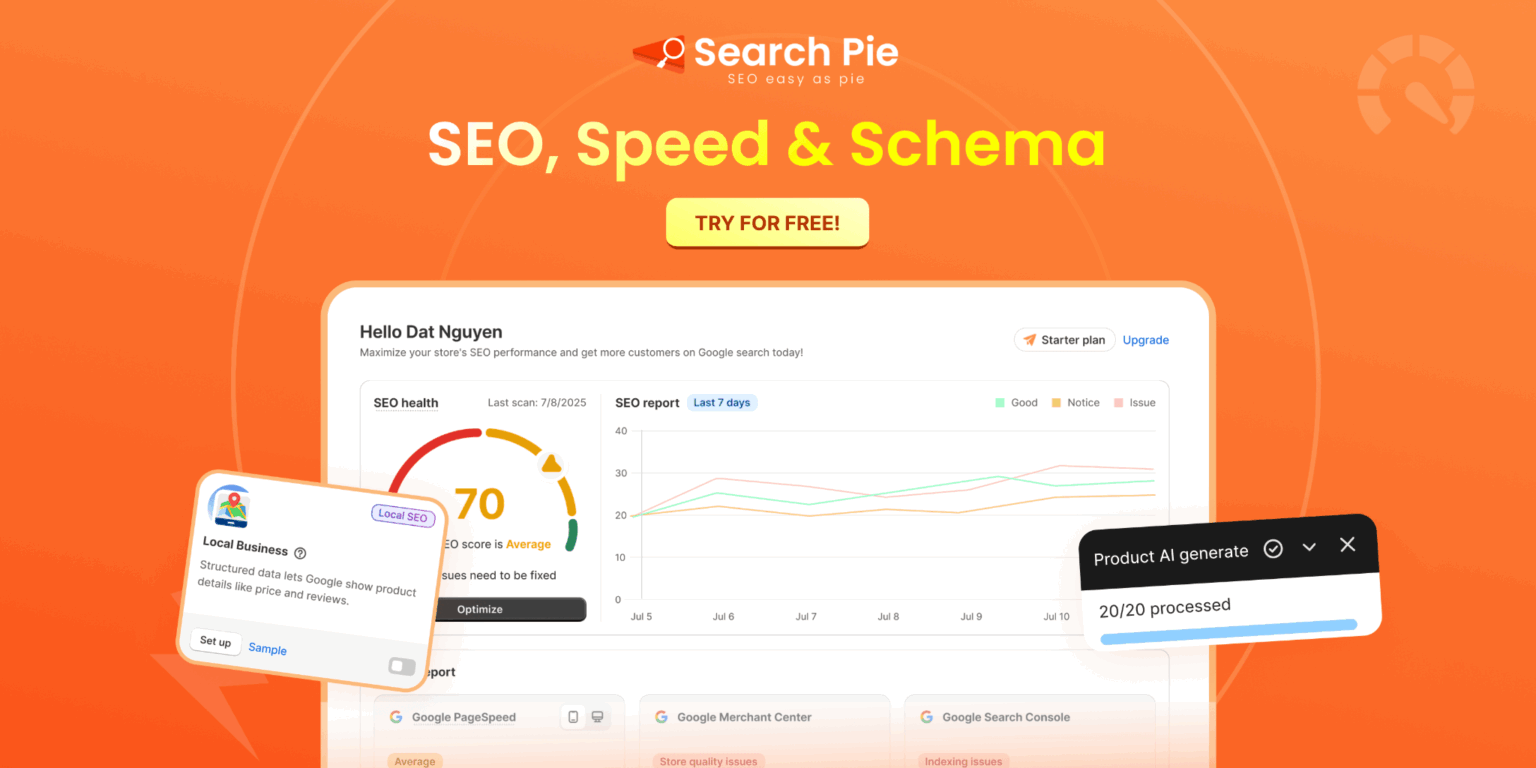
SearchPie handles the most time-consuming on-page SEO tasks for Shopify merchants in one app. It audits your store for missing or duplicate title tags, meta descriptions, and image alt text, and lets you fix them in bulk rather than opening each product individually. Its Keyword Explorer helps you identify the right keywords for each page, and its Schema and Snippets feature automatically generates product schema covering price, availability, ratings, and FAQ data. The Blog SEO Checklist guides you through on-page SEO optimization for every post in real time. For merchants working on AI search visibility, SearchPie’s Optimize for AI feature structures content so AI tools can read and surface your pages in AI-generated answers.
[IMAGE: on-page-seo-searchpie-shopify-audit-tools-dashboard.jpg]
Alt text: “On-page SEO tools dashboard in SearchPie Shopify app showing meta tag audit, keyword research, and schema optimization”
Caption: SearchPie surfaces on-page SEO issues across your entire Shopify catalog in one dashboard, making it practical to work through the on page SEO checklist at scale without editing each page individually.
Apply This On-Page SEO Checklist Starting Today
On-page SEO is not a one-time project. It is an ongoing practice of improving how search engines understand your store’s pages. Every product page you optimize, every title tag you improve, and every schema element you add compounds over time into a store that consistently earns more organic traffic without ongoing ad spend.
Start with your top 10 products by revenue or organic impressions in Google Search Console. Work through all 11 steps on each one. Then expand to your top collection pages, your homepage, and your blog posts.
The full on page SEO checklist:
- Place target keywords in H1, first paragraph, subheadings, URL, and alt text
- Write accurate title tags under 60 characters with the primary keyword near the front
- Optimize URL slugs to be short, readable, and keyword-rich
- Write unique meta descriptions under 105 characters with a clear reason to click
- Structure content with descriptive H2 and H3 headings
- Create original, specific content that directly answers what the visitor is looking for
- Add internal links using descriptive anchor text
- Add external links to credible, relevant sources
- Write descriptive image file names and alt text under 125 characters
- Optimize page speed and check Core Web Vitals scores
- Add complete schema markup and verify with Google’s Rich Results Test
FAQS
On-page SEO is the practice of optimizing individual web pages by improving content, headings, keywords, metadata, internal links, images, and user experience to rank higher in search results.
Start by targeting the right keywords, optimizing your title tag and meta description, using clear headings, improving content quality, adding internal links, and optimizing images for speed and accessibility.
Common on-page SEO mistakes include keyword stuffing, duplicate content, missing title tags or meta descriptions, poor internal linking, slow-loading pages, and unoptimized images.
On-page SEO helps search engines better understand your products and content, improving organic rankings, increasing qualified traffic, and boosting conversions.
Review your on-page SEO every few months or whenever you publish new content, update products, or notice changes in search rankings to keep your pages optimized.