

In the competitive world of e-commerce, the question “what is Shopping engine search monitoring” refers to the strategic oversight of product visibility and pricing dynamics across platforms like Google Shopping. By maintaining a clear view of these performance metrics, retailers can swiftly resolve technical errors and adapt to competitor price shifts in real time, ensuring their campaigns deliver the best possible return on ad spend (ROAS).
For global ecommerce brands targeting Australia, the UK, and the US, combining shopping engine search monitoring with competitor price tracking tools provides the fastest way to react to market changes and protect campaign profitability.
While Google is traditionally known for information retrieval, it has evolved into a vital hub for modern e-commerce. However, the most successful sellers are those who move beyond a simple setup and embrace effective tracking to spot opportunities and optimise their performance as they occur.
In this brief guide, we’ll cover what Google Shopping is, and why it’s important for many businesses across a variety of industries.
Summary:
- Section 1: We’ll begin by explaining what Google Shopping is and how it allows merchants to showcase products directly in Google Search and the Shopping tab through paid ads and free listings.
- Section 2: Next, you’ll learn why Shopping engine search monitoring matters and best tools in 2026, including how regular monitoring helps maintain campaign health, uncover performance insights, identify trends, and stay competitive in the marketplace.
- Section 3: Then we’ll explore five practical ways to improve campaign performance through monitoring, such as analyzing competitors, verifying tracking accuracy, monitoring key metrics like CTR and ROAS, and using automation tools to track pricing and market activity.
- Section 4: Finally, we’ll share advanced tips to maximize Google Shopping monitoring results, including optimizing your product feed, strengthening domain authority, applying dynamic pricing strategies, improving product visuals, and building custom dashboards for clearer performance insights.
What Is Google Shopping?
Google Shopping is a service by Google that allows users to search for, compare, and shop for physical products from various retailers. When you upload your product data to Google Merchant Center, your items can appear as listings on Google Search and in the Shopping tab. These listings showcase product titles, images, prices, store names, and reviews, making it easier for shoppers to make purchasing decisions.
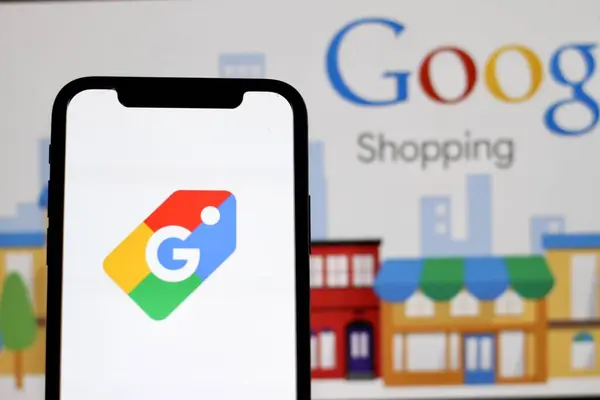
There are two main types of Google Shopping listings:
- Shopping Ads: Paid placements that appear on Google Search and Shopping tab.
- Free Listings: Unpaid placements primarily shown on the Shopping tab and other surfaces like Google Images.
Why Is Shopping Engine Search Monitoring Important?
Google Shopping monitoring is the process of monitoring campaign configuration, feed health, performance metrics, insights and competitors. Here are 4 key reasons why it is important and how it can boost performance.
1. Monitor Campaign Health
Daily monitoring is essential for keeping your campaigns on track. While you don’t need to dive deep every day, monitoring key metrics regularly helps you stay confident that your ads are performing as expected.
2. Gain valuable insights
Beyond basic tracking, consistent monitoring reveals how well your campaigns align with business goals. It helps justify ad spend, assess profitability, and inform future optimization efforts.
3. Identify trends and patterns
Monitoring uncovers performance trends over time—like which products peak during certain months. Recognizing these patterns allows you to adjust strategies and budgets to better match customer behavior.
4. Competitive advantage
Keeping an eye on your competitors’ Shopping activity such as ads, pricing, products, and keywords can help you respond strategically. To prevent them from outmaneuvering you, you must be aware of competitor campaigns and ads, the products they are promoting, their pricing strategy and their keywords.
Best Shopping Engine Search Monitoring Tools For 2026
To stay competitive in modern ecommerce markets such as Australia, the United Kingdom, and the United States, merchants need reliable tools to monitor product visibility, pricing changes, and campaign performance across shopping engines. Below are some of the most effective tools used by retailers today.
1. Google Merchant Centre (GMC)
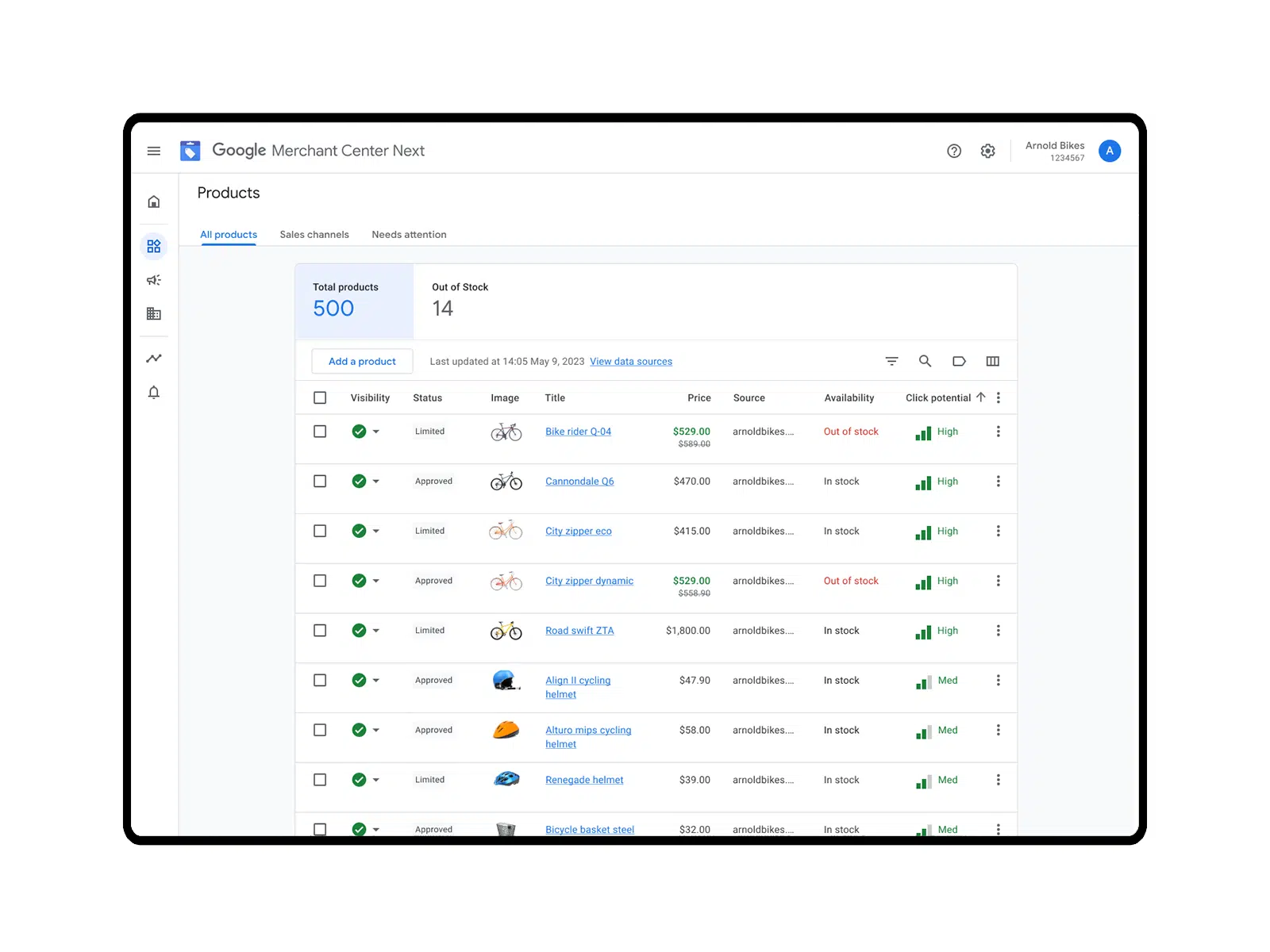
Google Merchant Center is the official platform that allows merchants to upload and manage product data for Google Shopping. It acts as the central hub where product feeds, pricing information, and campaign diagnostics are monitored before products appear in Shopping ads or free listings.
One of its most valuable capabilities is the Price Competitiveness Report, which compares your product prices with the market average and competing retailers to help optimise pricing strategy.
Key Functions:
- Product feed management: Upload and manage product information such as titles, descriptions, GTIN, images, and pricing.
- Price competitiveness reports: Compare your pricing with benchmark market prices and competitors.
- Feed diagnostics: Detect technical errors, disapproved products, or missing attributes.
- Market insights: Identify top-selling products and category trends.
- Performance data integration: Connect with Google Ads and analytics tools for campaign tracking.
Pros
- Official Google platform with direct integration into Google Shopping
- Provides accurate pricing benchmarks and competitor insights
- Free to use
- Essential for running Shopping Ads and Performance Max campaigns
Cons
- Limited competitor intelligence compared to specialised tools
- Requires accurate product feed configuration
- Data insights can be limited for low-volume products
2. SearchPie
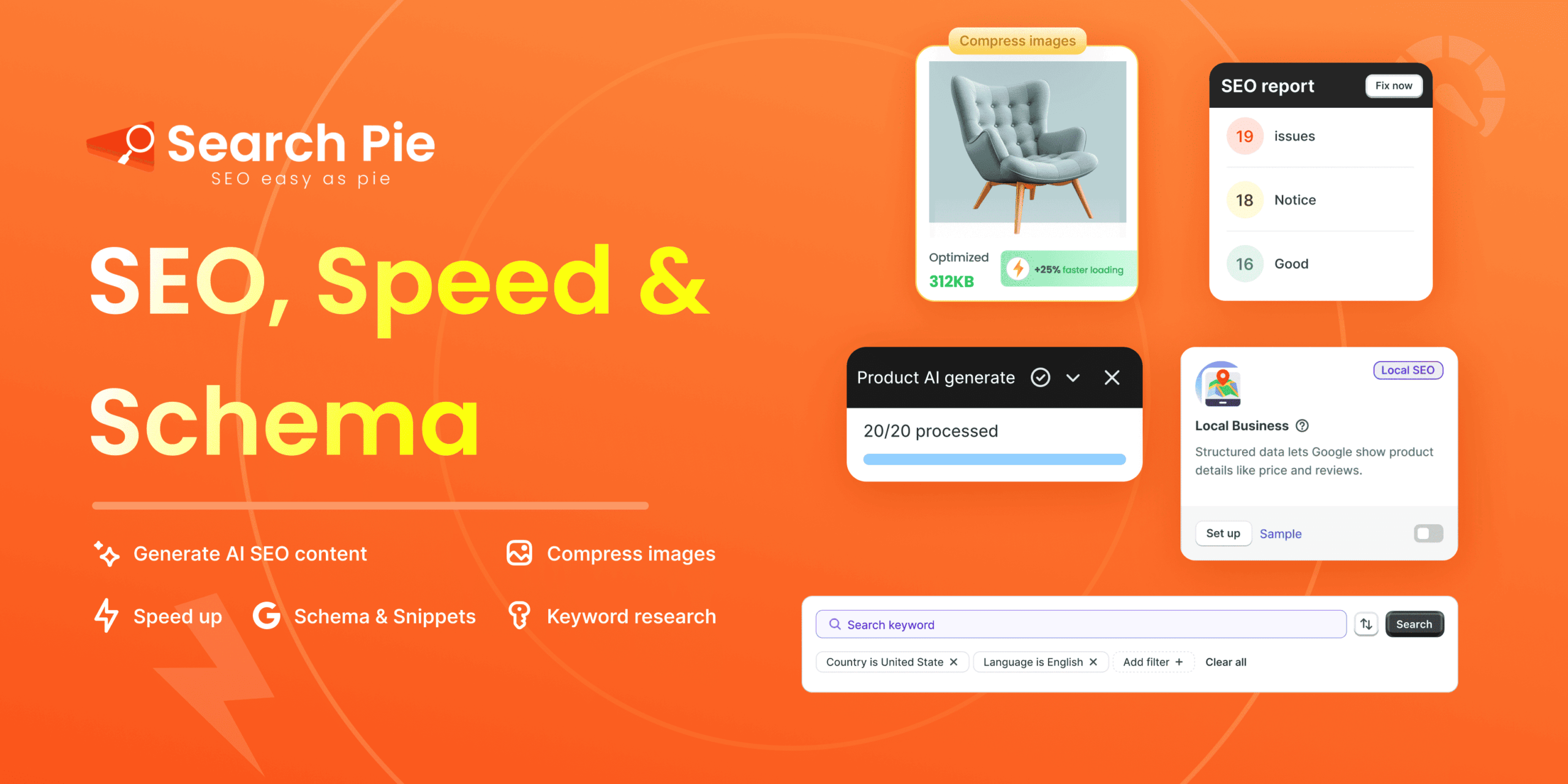
SearchPie: SEO, Speed & Schema is an SEO and store optimisation platform built for Shopify merchants. While not exclusively a Google Shopping monitoring tool, it plays a critical role in improving the data quality, SEO structure, and technical performance that influence Shopping visibility and campaign performance.
SearchPie helps optimise product pages, structured data, and metadata so that product feeds sent to Merchant Center become more discoverable and conversion-friendly.
Install NowKey Functions
- SEO optimisation: AI-generated meta tags, titles, and descriptions
- Structured data (schema) implementation for better product visibility
- Image optimisation: Compression and automatic ALT tags
- Speed optimisation: Improve Core Web Vitals and site loading speed
- SEO issue monitoring: Detect broken links, index errors, and sitemap issues
Pros
- All-in-one SEO + performance optimisation tool
- Specifically built for Shopify merchants
- Improves organic visibility and product feed quality
- Includes automation features for large product catalogues
Cons
- Not designed specifically for competitor price monitoring
- Advanced features may require paid plans
- Depends on Shopify ecosystem
3. Price Watch
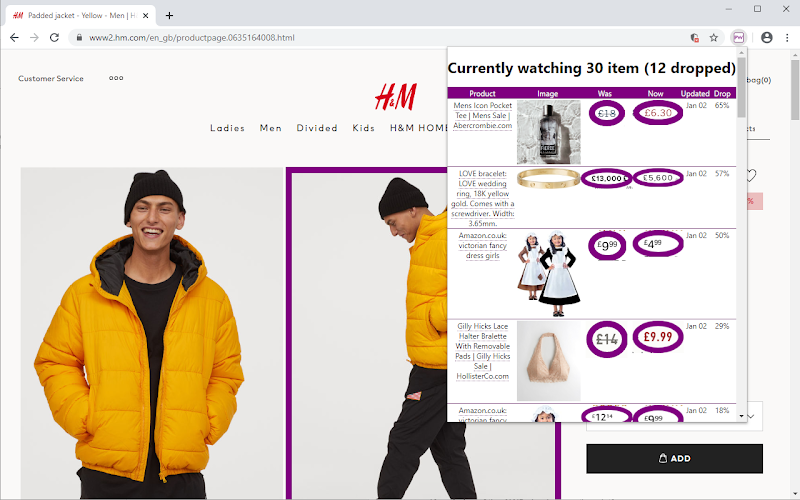
Price Watch is a competitive intelligence tool designed to track product prices across marketplaces and search engines like Google Shopping. It helps merchants monitor competitor pricing strategies and respond quickly to changes in the market.
Price monitoring tools analyse competitor listings and market benchmarks to ensure your product pricing remains competitive while protecting margins.
Key Functions
- Competitor price tracking
- Automated price change alerts
- SKU-level price monitoring
- Market price benchmarking
- Competitor product monitoring
Pros
- Provides real-time competitor pricing insights
- Helps optimise dynamic pricing strategies
- Useful for large product catalogues
- Supports strategic price adjustments
Cons
- Often requires paid subscription
- Data accuracy depends on scraping sources
- Does not directly manage campaigns
4. Google Looker Studio
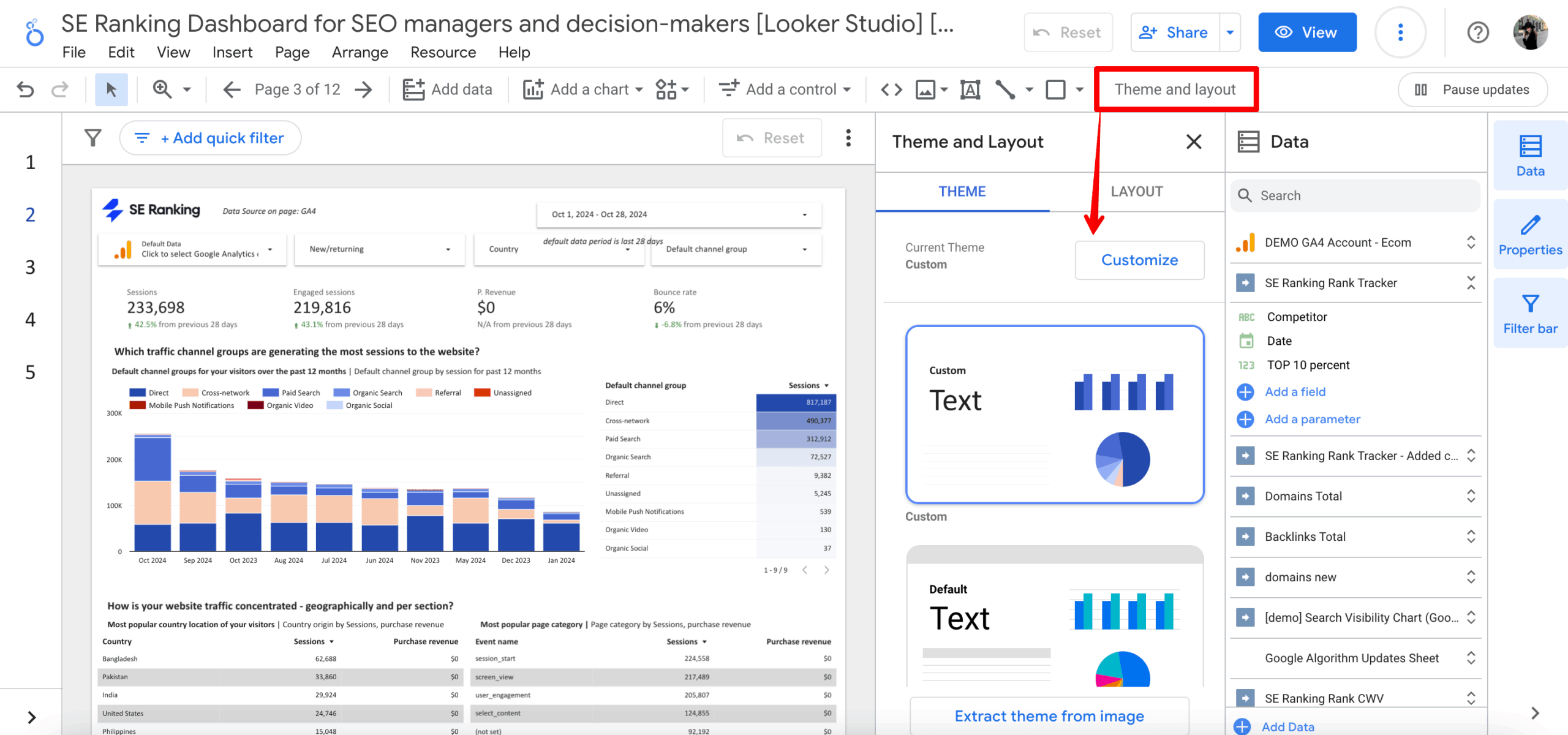
Google Looker Studio is a business intelligence and data visualisation tool used to build custom dashboards for marketing performance. It allows ecommerce teams to combine data from multiple sources such as Google Ads, Merchant Center, and analytics tools to monitor Shopping performance in one place.
Instead of relying on standard reports, merchants can build dashboards that display metrics like CTR, conversion rate, and ROAS across campaigns.
Key Functions
- Custom performance dashboards
- Data integration from multiple sources
- Visual analytics and reporting
- Campaign performance monitoring
- Automated report sharing
Pros
- Free and highly customizable
- Combines data from multiple marketing channels
- Ideal for advanced performance analysis
- Supports real-time reporting
Cons
- Requires technical setup and data connectors
- Not beginner-friendly
- Does not collect competitor data directly
How To Boost Performance of Shopping Engine Search Monitoring?
Let’s explore 5 methods to enhance the performance of your Shopping campaigns through monitoring. This includes competitor analysis, tracking essential metrics, and utilizing automation to improve your monitoring efforts.
1. Monitor Your Competition on Google Shopping
Monitoring your competitors closely is essential for staying ahead. Utilize the Auction Insights report to identify your bidding rivals and the frequency of your products appearing with theirs. Additionally, keep an eye on competitors’ Shopping ads, analyze their pricing tactics, and employ competitive intelligence tools to assess their performance and market position.
Check the Auction Insights report
Review auction insights to identify your competitors in the auction and assess your visibility and competitiveness against them. This will also give you valuable ideas and opportunities for improvement.
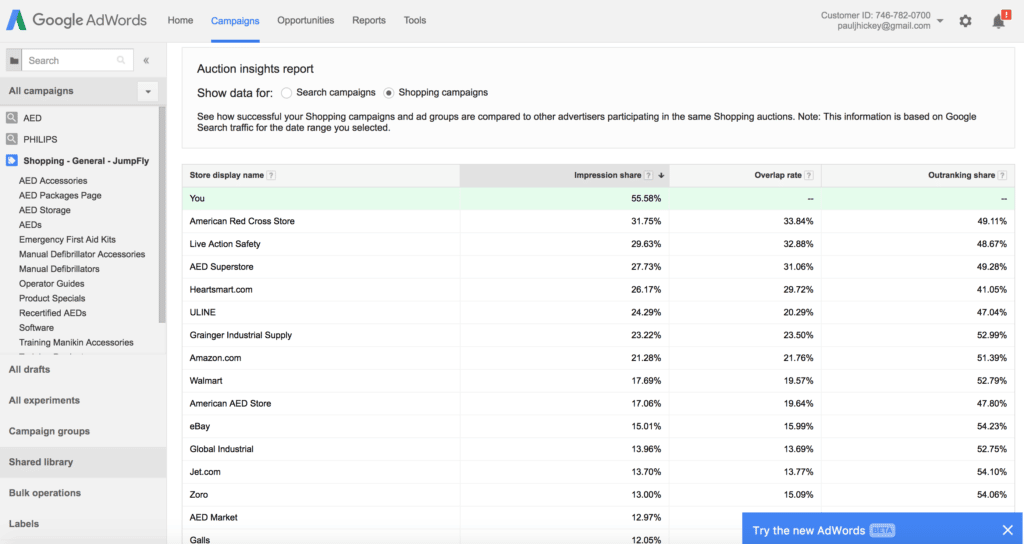
Examine each metric provided to grasp your impression share, the extent of overlap with your competitors, and who holds the highest rates for ‘position above’ and ‘top-of-page’.
Monitor Google Shopping ads
Regularly checking competitor ads on Google Shopping is a smart way to stay competitive, especially as Performance Max changes ad placements and formats. Focus on their ad copy, keywords, product titles, pricing, review extensions, and shipping details. These elements reveal their messaging strategy and target audience—and can help you spot areas to improve your own approach.

If your competitors include reviews or offer delivery at $3.99, consider collecting more reviews or offering free or faster shipping to stand out. Don’t forget to optimize your product titles using the right keywords, brand names, categories, and consistent A/B testing to improve visibility and performance.
Use Competitive Intelligence Tools
Think about utilizing competitive intelligence tools made for Google Shopping. These tools offer detailed insights into how competitors are performing, the keywords they use, and where their ads are placed.
In addition to third-party tools that often require payment, Google has introduced a Price Competitiveness Report in Google Merchant Center. This feature enables sellers to compare their product prices with those of other brands offering the same items.
Establish price drop alerts to monitor fluctuations in product prices, ensuring that when prices decrease, your pricing stays competitive.
2. Prioritize Google Shopping Tracking
To get the most out of your Google Shopping campaigns, your tracking needs to work properly. Many advertisers wonder how to check if their tracking is set up right. The key is to monitor it regularly to make sure it’s accurately recording sales and revenue.
Good tracking is important because it shows how your ads are performing and helps you spend your budget wisely. It also helps Google Ads improve your campaigns with smart bidding. You can use the Tag Assistant for Conversions (a free Chrome extension) to check if your Google tags are firing correctly. This tool helps spot and fix any tracking issues.
 3. Monitor Key Performance Metrics
Focus on core metrics such as impressions, click-through rate (CTR), conversion rate, and return on ad spend (ROAS). These indicators help you understand what’s working and what needs improvement across your campaigns.
Identify your break-even point, then establish your target CPA and ROAS metrics to ensure sustainability and profitability. Focus on enhancing your conversion rate and AOV to boost overall profitability.
4. Use Automation for Competitive Advantage
Enhance your competitive analysis by automating Google Shopping price tracking.
Manually checking competitor pricing is time-consuming and easy to overlook. Tools like Price Watch simplify this process by giving you real-time insights into competitor activity, including:
- Which products your competitors are listing
- Their current pricing
- Whether they offer free shipping
- How many sellers are offering the same products as you

What Are Tips For Getting Effective Shopping Engine Search Monitoring Results?
Effective monitoring isn’t just about checking data—it’s about using the right tactics and tools to turn insights into action. Here are some expert tips to get better results:
Product Feed Optimization
Regularly audit your product titles, descriptions, and images to ensure they’re keyword-rich and aligned with buyer intent. A well-optimized feed improves your chances of being shown in relevant search results and increases click-through rates.
Domain Authority and Backlinks Matter
While Google Shopping doesn’t rank listings like traditional SEO, a trustworthy, high-authority website builds shopper confidence. This can directly influence conversion rates. Focus on consistent branding, a strong backlink profile, and building product reviews.
Price Monitoring Has Become Sophisticated
Pricing is a major competitive factor. Use dynamic pricing tools to stay aligned with market changes in real time. This helps you remain competitive without sacrificing margins and avoid being priced out by aggressive competitors.
Increased Competition Demands Better Visuals
Great product visuals are no longer optional—they’re essential. Use high-quality, professional product images and lifestyle shots that grab attention. Strong visuals not only increase CTR but also boost credibility and engagement.
Create Custom Dashboards
Don’t rely solely on default reports. Build custom dashboards in Google Looker Studio or similar tools to visualize campaign performance more clearly. These dashboards help you track key changes, compare trends over time, and quickly identify areas for improvement.
Conclusion
In a competitive digital landscape, Google Shopping monitoring is not optional—it’s essential. With accurate tracking, intelligent tools, and a proactive mindset, you can transform your campaigns from average to outstanding. Whether you’re just starting out or scaling up, continuous monitoring gives you the insights and agility needed to succeed long-term.
FAQs
1. What is Shopping Engine Search monitoring?
Shopping Engine Search monitoring, or Google Shopping monitoring is the process of regularly tracking and analyzing your Google Shopping campaigns, product feed health, pricing, and performance metrics. It helps merchants detect issues, understand trends, monitor competitors, and optimize listings to improve visibility, clicks, and conversions.
2. What is the difference between Google Shopping ads and free listings?
Google Shopping ads are paid placements that appear at the top of search results or the Shopping tab, marked as Sponsored. Free listings are unpaid placements that primarily appear on the Shopping tab and other Google surfaces like Images, helping merchants reach customers without direct ad spend.
3. Why is it important to monitor competitor pricing on Google Shopping?
Pricing is a critical factor in a shopper’s decision-making process. By monitoring competitors, you can use dynamic pricing tools or the Price Competitiveness Report in Merchant Center to ensure your products remain attractive while protecting your profit margins.
4. How often should I monitor my Google Shopping campaign performance?
While you don’t need a deep dive every hour, daily monitoring of key metrics like impressions, clicks, and spend is essential to ensure your campaigns are healthy. A more detailed performance review and optimization session should be conducted weekly.
5. What tool can I use to check if my Google Shopping tracking is correct?
You can use the Tag Assistant for Conversions, a free Chrome extension provided by Google. It helps you verify that your conversion tags are firing correctly, ensuring that your sales and revenue data are accurately recorded in your reports.
6. How does product feed optimization affect Google Shopping results?
A well-optimized feed ensures that your product titles, descriptions, and images are rich with relevant keywords. This increases the likelihood of your products appearing for the right search queries, leading to higher click-through rates and better overall performance.