
Discounts are one of the most direct ways to increase conversions on your Shopify store. A well-timed Shopify discount code can turn a hesitant shopper into a buyer, bring back a lapsed customer, or reward your most loyal ones.
But a discount that is poorly set up, hard to find, or applied to the wrong products can cost you margin without producing results. This guide covers everything you need to know about the Shopify discount code system: the different discount methods, all five discount types, how to create and manage them, and how to promote your shop promo codes effectively.
Summary
- Section 1: Discount codes vs automatic discounts and when to use each
- Section 2: The 5 Shopify discount types and what each one does
- Section 3: How to create a discount code on Shopify step by step
- Section 4: How to manage, duplicate, and promote your shop promo codes
- Section 5: How DECO Product Labels and Badges makes your discounts more visible
Shopify Discount Code vs Automatic Discount
Before you create your first Shopify discount code, it helps to understand the two main discount methods available and when each one works best.
Shopify discount codes require shoppers to enter a specific code at checkout to receive their discount. This is the most common method and works well for targeted campaigns. A shop promo code gives you control over who gets the discount and when. You can include it in an email campaign, share it with a specific customer segment, or run it as part of a partnership promotion. Discount codes also create a sense of exclusivity and urgency, which encourages shoppers to act quickly.
The main risk with a Shopify discount code is that shoppers forget to apply it at checkout. A customer who abandons their cart because they could not find or remember a promo code is a missed sale that was preventable.
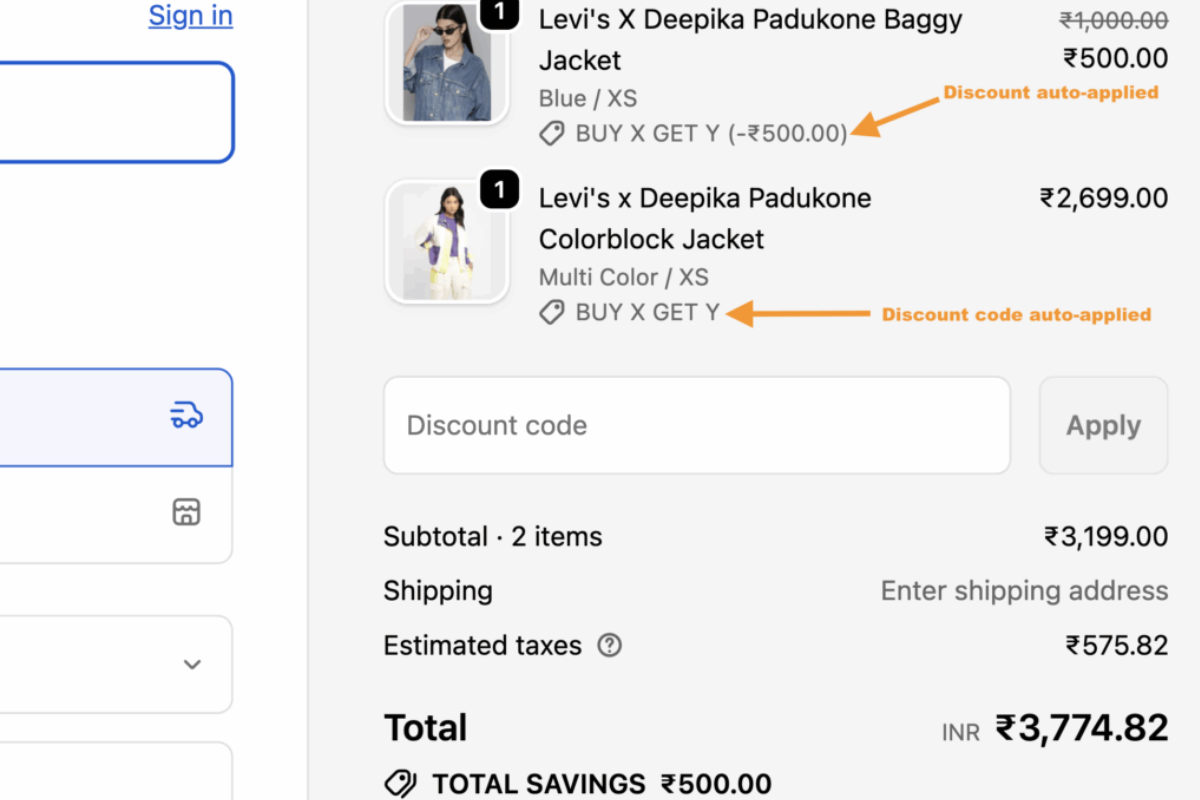
Automatic discounts are applied directly to the cart and checkout when the shopper meets the eligibility conditions. No code entry is required. This works well for site-wide sales, free shipping promotions, or collection-specific offers where you want every qualifying shopper to receive the discount without any friction.
The risk with automatic discounts is reduced visibility. Shoppers may not realize they are receiving a discount, which reduces the psychological impact of the offer and can lead to receiving too high a discount without clear intent.
When to use each method:
Both methods work across all five discount types covered in the next section.
The 5 Shopify Discount Types
Shopify gives you five distinct discount types to work with. Each serves a different purpose and fits different promotional strategies.
1. Percentage or Fixed Amount Off
This is the most widely used Shopify discount code type. You can offer a percentage off (such as 20% off) or a fixed dollar amount off (such as $15 off). The discount can apply to a specific product, a collection, or an entire order.
Percentage discounts work well when you want the value to scale with the order size. A 20% discount feels more valuable on a $200 order than on a $20 one. Fixed amount discounts work well when you want to guarantee a specific saving regardless of order size, such as “$10 off your first order.”
Best for: Email campaigns, welcome offers for new subscribers, and seasonal promotions.
2. Buy X Get Y
This discount type sets purchase requirements that unlock a reward. A shopper buys a certain quantity or spends a minimum amount, and then receives a discounted or free item in return. Common examples include “buy 2 get 1 free” or “spend $50 and get a free sample.”
Buy X Get Y discounts can be set up as a Shopify discount code or as an automatic discount that applies when cart conditions are met. They are particularly effective for increasing average order value because they give shoppers an incentive to add more to their cart.
Best for: Increasing basket size, clearing slow-moving inventory, and bundle promotions.
3. Free Shipping
Unexpected shipping costs are the most common reason shoppers abandon their carts. A free shipping discount removes that barrier entirely. You can set conditions such as a minimum order value (“free shipping on orders over $60”) or apply it to specific products or collections.
Free shipping discounts can be created as a shop promo code that customers enter at checkout or as an automatic discount that applies when the minimum threshold is met. You can also exclude expensive shipping rates to avoid discounting international or express shipping that would cut too deeply into your margin.
Best for: Reducing cart abandonment, competing with larger retailers, and encouraging higher order values.
4. Amount Off Orders with Customer Eligibility
This discount type goes beyond basic product-level discounts by letting you control exactly who receives the offer. You can target all customers, specific customer segments (such as customers who have never purchased before), specific individual customers, or customers in specific markets.
For automatic discounts you can assign up to 5 customer segments per discount. For a Shopify discount code you can assign up to 100 customer segments, which gives significant flexibility for targeting different groups with different offers at the same time.
Best for: Loyalty rewards, win-back campaigns for lapsed customers, and market-specific promotions.
5. Advanced Discounts via Apps
If your store needs more complex discount logic, such as tiered pricing, multi-condition discounts, or combining a percentage off with free shipping in a single code, Shopify’s native discount system has limits. In these cases, discount code apps from the Shopify App Store extend what is possible. Shopify Plus merchants can also use Checkout Blocks for custom discount logic at checkout.
Best for: Stores with complex promotional structures that go beyond what the standard Shopify discount code system supports.
How to Create a Discount Code on Shopify
According to the official Shopify Help Center, configuring native promotions takes only a few clicks inside your centralized admin dashboard.
Steps:
- From your Shopify admin, go to Discounts in the left-side menu.
- Click Create discount in the top right corner.
- Choose your discount method: Discount code or Automatic discount.
- If creating a Shopify discount code, enter the code you want customers to use at checkout, or click Generate to let Shopify create a random code. Make codes short and memorable for shop promo code campaigns. A code like WELCOME20 is easier to remember than a random string of characters.
- Select your discount type: Amount off products, Amount off order, Buy X get Y, or Free shipping.
- Set the discount value (percentage or fixed amount) and choose which products, collections, or the entire order the discount applies to.
- Set eligibility in the Eligibility section. Choose All customers, Specific customers, Customer segments, or specific Markets.
- Set a minimum purchase requirement if relevant. For example, “Minimum purchase of $50” prevents the discount from applying to very small orders.
- Set usage limits if needed. You can limit a Shopify discount code to one use per customer, or set a total number of uses across all customers.
- Set start and end dates. A clear end date creates urgency and prevents shop promo codes from being shared and used indefinitely.
- Click Save. Your Shopify discount code is now active and ready to use.
Time to complete: 5 to 10 minutes per discount.
Important note: Always test your Shopify discount code before sharing it. Go through a test checkout to confirm the discount applies correctly and the eligibility conditions work as expected.
How to Manage and Promote Your Shopify Discount Codes
Creating a Shopify discount code is the start. Managing it over time and getting it in front of the right shoppers is what determines whether it drives real results.
Duplicate a Discount Code
When you run similar promotions repeatedly, duplicating an existing Shopify discount code saves significant setup time. Go to Discounts, click the discount you want to copy, then click Duplicate. Update the code name, dates, and any changed conditions, then save. This is particularly useful for recurring seasonal offers or shop promo code campaigns that follow the same structure each time.
Deactivate and Reactivate Discounts
You can temporarily deactivate a Shopify discount code without deleting it. This is useful when a promotion ends but you plan to run the same offer again later. Deactivated codes show an error to any shopper who tries to use them at checkout. You can reactivate any expired discount at any time, and it will become active with no set end date until you add one.
Promote Your Discount Using a Shareable Link or QR Code
Don’t rely on shoppers copying and pasting codes manually. You can generate an automated, shareable link from the discount summary screen. When clicked, this link applies the discount token to the user’s session automatically and routes them to a designated landing page.
When writing your marketing copy or creating off-site ads for these promotions, always align your content with verified Shopify keywords. This ensures your promotional landing pages attract highly targeted organic search traffic alongside your paid campaigns.
You can also add UTM tracking parameters to the link by selecting an existing marketing campaign during the link creation process. This lets you track which channel is driving the most discount redemptions in your marketing reports.
The QR code version can be printed on packaging inserts, receipts, or in-store displays to bridge your online and offline promotions.
Use the Discount Timeline
Every Shopify discount code has a timeline that records when it was created, when it went active, and when edits were saved. You can add staff comments to the timeline to provide context about decisions, planned changes, or campaign notes. This is useful when multiple team members manage promotions and need a shared record of activity related to each discount.
Make Your Discounts More Visible with DECO Product Labels and Badges
Creating a Shopify discount code is only half the job. The other half is making sure shoppers see the offer before they reach checkout. Most store owners lose potential discount redemptions simply because shoppers never notice the promotion while browsing.
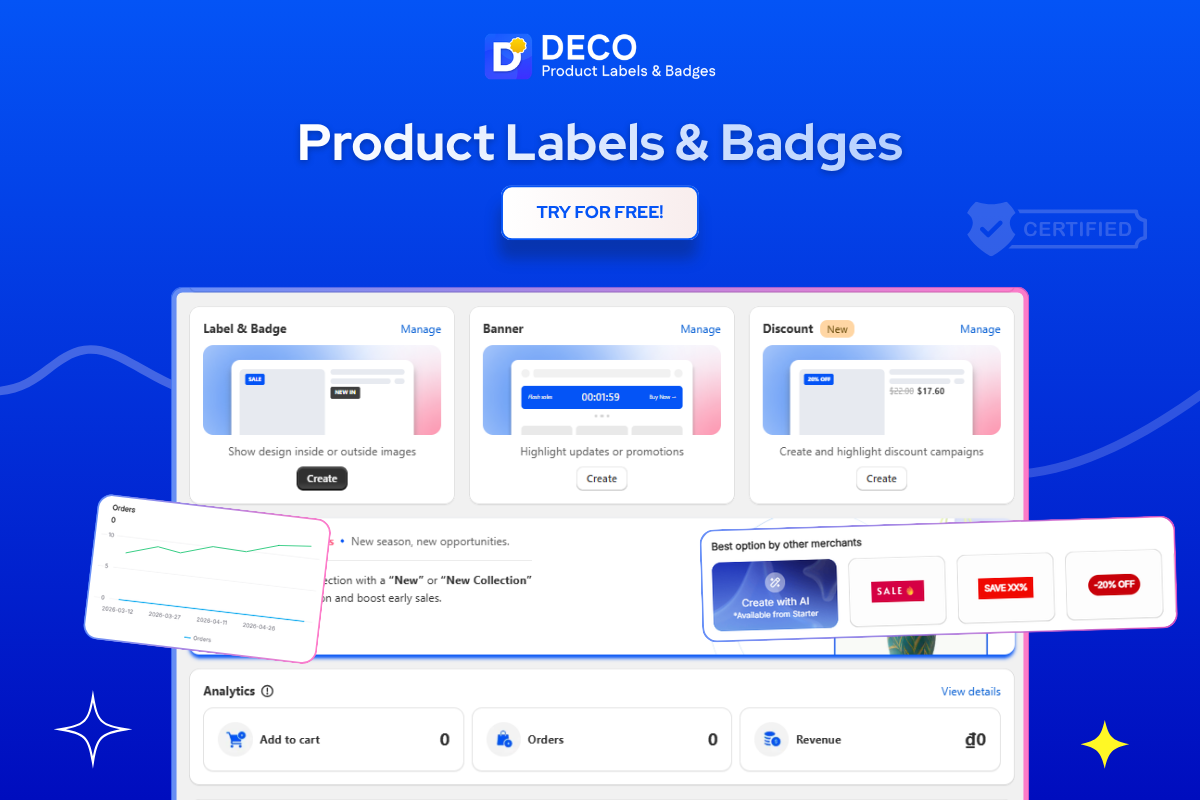
- DECO Product Labels and Badges solves this directly. DECO lets you add visible sale labels, discount badges, and promotional banners directly to your product images and collection pages without any code changes. When a shopper is browsing your store and sees a “20% Off” badge on a product thumbnail or a “Sale Ends Tonight” label on a product image, they are far more likely to click through, add to cart, and apply your Shopify discount code at checkout.
- DECO’s Countdown Timer labels create urgency around time-limited shop promo codes by displaying a live timer directly on product pages or in your cart. When shoppers see “Offer ends in 3:22:00” alongside a discount badge, the combination of the visible offer and the ticking clock drives faster purchase decisions.
- DECO’s stock labels like “Low Stock” and “Selling Fast” reinforce scarcity alongside your discount messaging. A shopper who sees “20% Off” and “Only 4 Left” on the same product has two strong reasons to act now rather than wait.
- DECO’s Payment Trust Badges and Banner Bars can also be used to promote active shop promo codes across your store without requiring shoppers to find the offer themselves. A banner bar at the top of every page announcing your current Shopify discount code removes the friction of shoppers searching for a promo before they buy.
All of DECO’s labels and badges are fully customizable for size, color, and position, and can be set to display differently on mobile and desktop so they never cover important buttons or interfere with the checkout experience on smaller screens.
Best for: Shopify merchants who want their Shopify discount code campaigns to be visible throughout the shopping journey, not just at checkout where many shoppers have already decided to leave.
Ready to make your discounts impossible to miss?
FAQs
Go to Shopify Admin → Discounts → Create Discount, then choose the discount type, set the code, conditions, and save it.
You can add a discount code in Shopify through the Discounts section and apply rules such as minimum purchase amounts, customer eligibility, or expiration dates.
Shopify supports percentage discounts, fixed-amount discounts, free shipping codes, and buy-one-get-one offers.
Yes. Discount codes can improve conversion rates, reduce cart abandonment, and encourage repeat purchases when used strategically.
Yes. Shopify allows you to limit discount codes by customer group, usage limit, order value, product collection, or expiration date.