
A shopper visits your store. They love the product. They add it to their cart. Then they click away and tell themselves they will come back later.
They almost never come back.
This happens on every Shopify store, every single day. And a Shopify countdown timer is one of the simplest and most effective tools to stop it. A ticking clock gives shoppers the nudge they need to decide now instead of later. Stores using countdown timers report average sales growth of 9%, with some seeing up to a 40% increase in orders.
This guide covers why countdown timers work, the five best ways to use them on Shopify, and where to place them for maximum impact.
Summary
- Section 1: What a Shopify countdown timer is and the psychology behind why it works
- Section 2: The 5 most effective ways to use a countdown timer for Shopify
- Section 3: Where to place countdown images and timers across your store
- Section 4: What to avoid when using urgency tactics
- Section 5: The best tools including DECO to add countdown timers to your Shopify store
What Is a Shopify Countdown Timer and Why Does It Work
A Shopify countdown timer is a visual element that shows the time remaining before an offer, price, or availability changes. It counts down in hours, minutes, and seconds. Shoppers can see it ticking in real time.
Unlike a static “limited time offer” label that shoppers have learned to ignore, a live countdown timer creates a sense of movement. That movement is what makes it effective.
There are three psychological reasons a Shopify countdown timer works so well.
Motion captures attention. Human eyes are wired to notice movement. A ticking timer catches a shopper’s eye even when they are not looking directly at it. This is why countdown images with live timers outperform static sale banners in almost every test.
Loss aversion drives action. Research in behavioral economics shows that the pain of missing an opportunity is twice as powerful as the pleasure of gaining one. When a shopper sees “Only 2 hours remaining,” they start thinking about the regret of missing the deal, not just the discount itself. That feeling pushes them to act.
Deadlines remove indecision. Many shoppers leave not because they do not want the product but because they cannot decide. A countdown timer gives them a reason to stop comparing and start buying. The deadline makes the decision for them.
These three effects combine to make a Shopify countdown timer one of the highest-return tools available to any store owner.
The 5 Best Ways to Use a Countdown Timer for Shopify
Not every situation calls for a countdown timer. Using one on every page at all times trains shoppers to ignore it. These are the five scenarios where a countdown timer for Shopify delivers the strongest results.
1. Flash Sale Countdowns
A flash sale countdown timer does two things. It creates urgency during the sale itself. And it builds anticipation before the sale starts.
Display your countdown timer 24 to 48 hours before a flash sale goes live. Shoppers who see it will add items to their wish lists, share the sale with friends, and come back at the right moment. This turns a one-day sale event into a two-day traffic opportunity.
Example copy: “Flash Sale Starts In: 23:45:12. Add your favourites now before prices drop.”
Best for: Seasonal promotions, clearance events, or any time-limited site-wide discount.
2. Product Launch Timers
For new products, limited edition drops, or special collections, a countdown timer for Shopify builds pre-launch excitement. Shoppers who see a countdown to a product launch come back when it goes live, rather than discovering it days later and missing initial stock.
This approach works especially well for products with limited quantities. Pairing a launch countdown with a “limited stock available” message creates both anticipation and scarcity at the same time.
Best for: New product releases, limited edition items, or collaborations.
3. Shipping Cutoff Timers
“Will this arrive in time?” is one of the most common questions shoppers have before buying. A shipping cutoff countdown timer answers that question and removes the uncertainty that causes hesitation.
This is one of the most practical and trusted uses of a Shopify countdown timer because it is factual. The deadline is real. There is no exaggeration. Shoppers respond well to it because it helps them, not just pressures them.
Example copy: “Order within 3 hours 42 minutes for delivery by Friday.”
Best for: Any store where delivery timing influences the purchase decision, especially around holidays or gifting seasons.
4. Abandoned Cart Recovery
A Shopify countdown timer inside an abandoned cart email reminds shoppers that their discount or reserved items are about to expire. This tactic combines two motivators at once: the product they already wanted, and the fear of losing the offer they were given.
Set the countdown timer for 24 to 48 hours after the cart is abandoned. This gives shoppers enough time to reconsider without letting the urgency fade into irrelevance.
Best for: Any store with a cart recovery email sequence already in place.
5. Personalized Session Offers
This is the most advanced countdown timer for Shopify. It shows a unique offer that starts counting down the moment a visitor lands on your store. For example, “Your exclusive 15% off expires in 12:00 minutes.”
Because the timer starts when the shopper arrives, it feels personal rather than generic. It works particularly well for first-time visitors who need a reason to buy on their first visit rather than leaving to compare prices elsewhere.
Best for: Converting first-time visitors who have not yet bought from your store.
Where to Place Countdown Images and Timers on Your Shopify Store
A Shopify countdown timer in the wrong location produces little result. A countdown timer in the right location at the right moment can be the deciding factor in a purchase. Here is where each placement works best.
Product Page
This is the most important placement for a countdown timer for Shopify. The product page is where purchase decisions happen. Place your countdown timer directly above or beside the “Add to Cart” button so shoppers see the urgency at the exact moment they are deciding whether to buy.
The visual connection between the timer and the button matters. When countdown images and the purchase button sit next to each other, the urgency applies directly to the action you want the shopper to take.
Cart and Cart Drawer
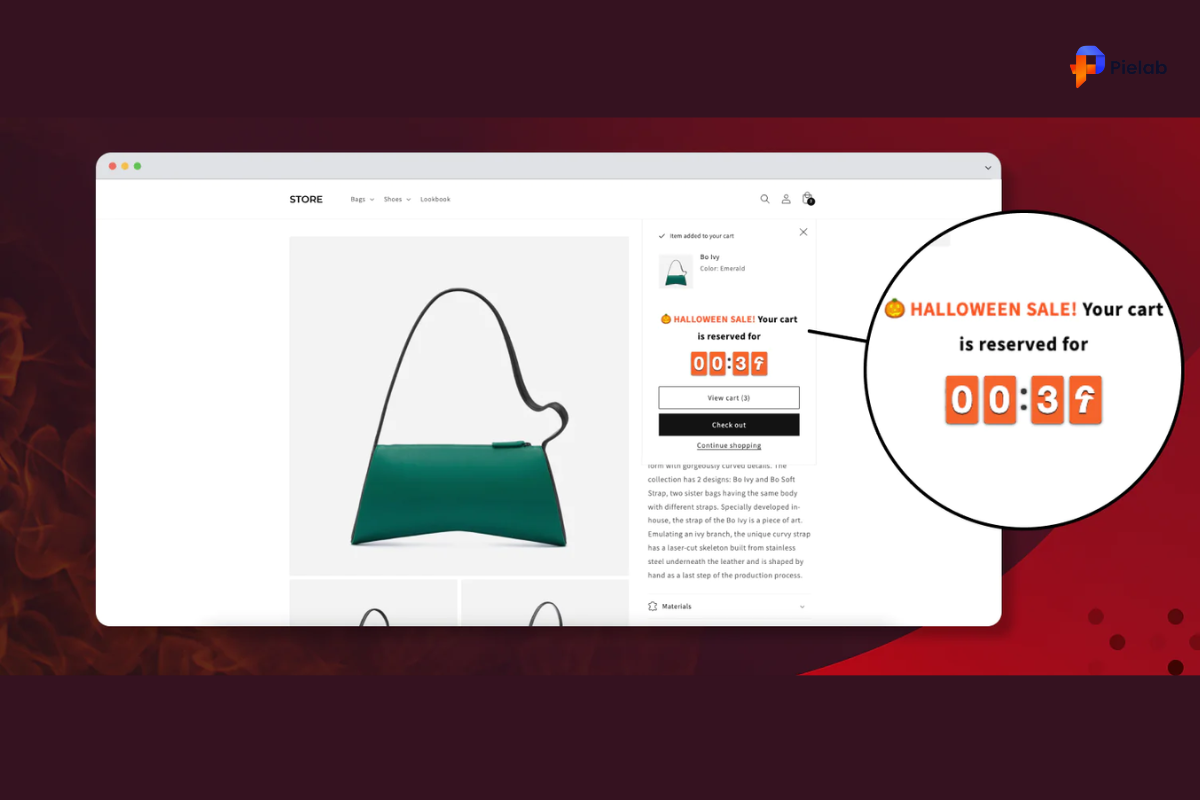
Shoppers who have added items to their cart are already interested. But they still abandon at a high rate. A Shopify countdown timer in the cart reinforces the offer and gives shoppers one more reason to complete the purchase rather than saving it for later.
This placement works because shoppers in the cart are in buying mode. They have already taken action. The timer is the final push that moves them from cart to checkout.
Announcement Bar
An announcement bar countdown timer works well for store-wide sales and seasonal campaigns. It is visible on every page without interrupting the browsing experience.
The risk with this placement is banner blindness. Shoppers who see the same announcement bar every visit stop noticing it. Use announcement bar countdown images only during active promotions and remove them between campaigns to keep them effective.
Checkout Page
For stores using Shopify Plus, adding a countdown timer to the checkout page addresses last-minute hesitation. Shoppers at checkout have already committed to buying. A timer reminding them their discount expires soon can overcome the final doubts that cause checkout abandonment.
What to Avoid When Using a Shopify Countdown Timer
A Shopify countdown timer builds trust when it reflects a real deadline. It destroys trust when it does not.
The most common mistake is a fake countdown timer that resets every time a shopper visits the page. Shoppers notice this. Once they realize the “limited time offer” has been counting down for three weeks without ending, they stop trusting your store entirely.
Two rules to follow with every countdown timer for Shopify you use.
Only show a countdown timer when the deadline is real. If the sale ends at midnight, the timer should stop at midnight. If you offer a shipping cutoff, the order must actually ship by that time.
Remove the timer when the offer ends. A timer that has expired and still shows “0:00:00” looks broken and unprofessional. Replace it with a standard product label or remove it until the next genuine promotion.
Shoppers who trust your urgency messaging respond to it every time. Shoppers who have been misled by fake timers ignore all urgency, even when it is real.
The Best Tools to Add a Countdown Timer for Shopify
Choosing the right tool determines how flexible, reliable, and well-designed your Shopify countdown timer looks and performs.
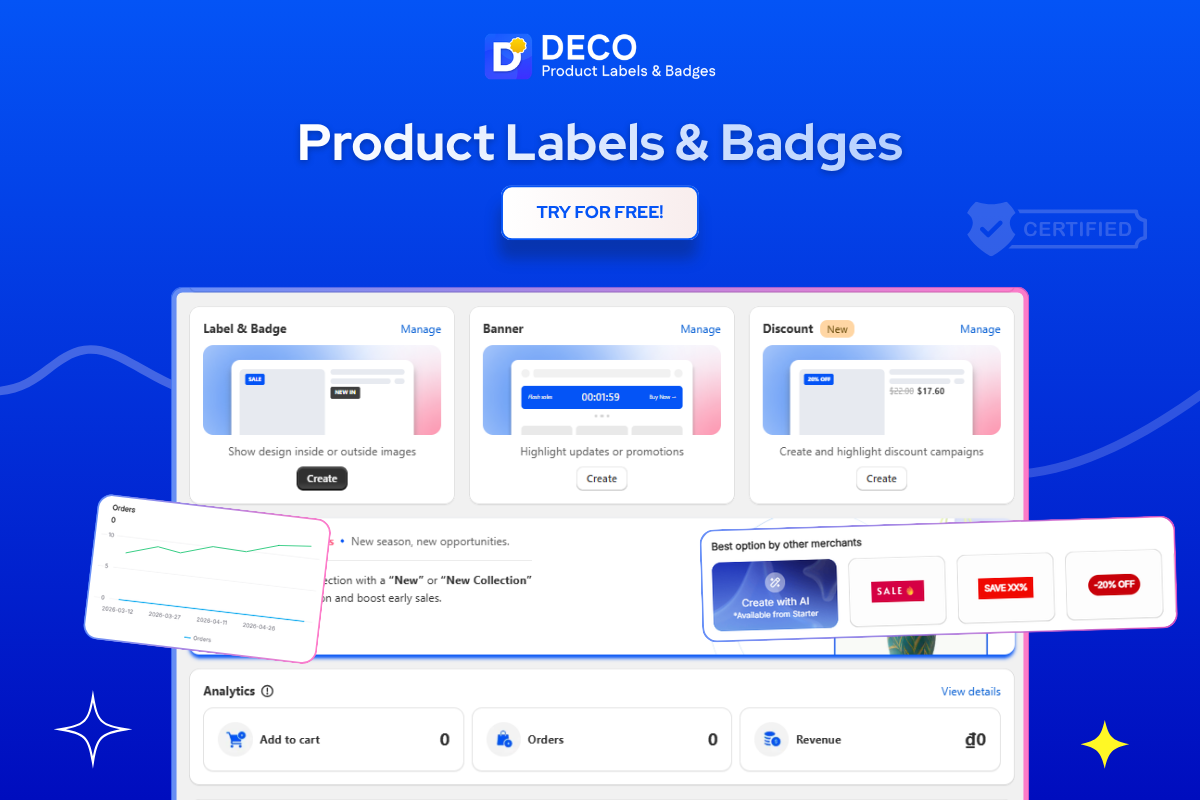
DECO: Countdown Timer Labels Built for Shopify Product Pages
DECO is the strongest choice for Shopify merchants who want countdown timer labels that work seamlessly alongside their existing product page design.
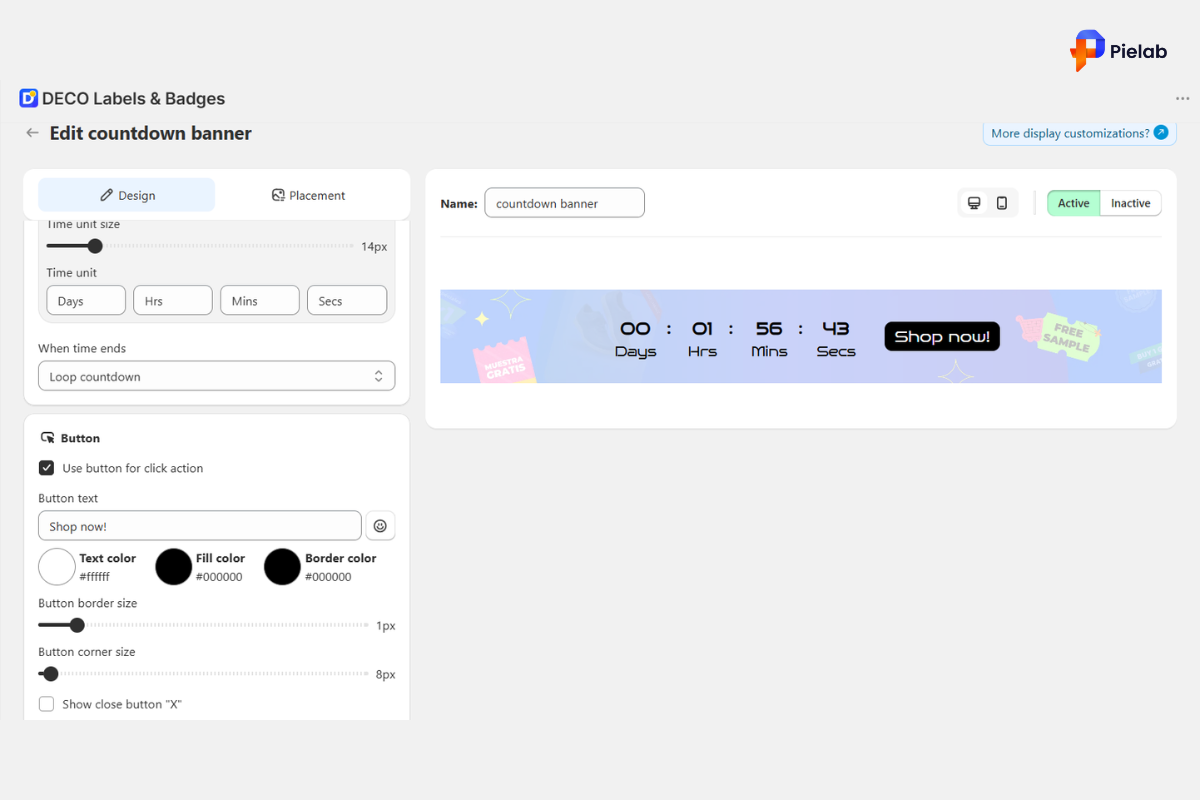
DECO’s Countdown Timer feature lets you add live countdown labels directly to product pages, collections, and cart views without touching any code. The timer connects to your actual promotion schedule so it stops automatically when the offer ends. No manual resets. No fake urgency. The deadline is real and the timer reflects it accurately.
DECO also lets you combine countdown images with other urgency and trust labels in the same product display. For example, you can pair a countdown timer with a “Low Stock” label to show both time pressure and scarcity at the same time. Shoppers who see “Only 3 left” alongside “Offer ends in 4:22:00” respond at a higher rate than to either label alone.
The countdown timer labels in DECO are fully customizable for size, color, and position. You can set different sizes for mobile and desktop so the timer never covers important buttons on smaller screens. This detail matters because a countdown timer that blocks the “Buy Now” button on mobile creates friction instead of urgency.
DECO’s Banner Bars can also be configured to display a store-wide countdown for flash sales or seasonal campaigns across every page of your store, giving you announcement bar coverage without building a separate timer.
Best for: Shopify merchants who want countdown timers, stock labels, and trust signals working together on product pages without code or multiple apps.
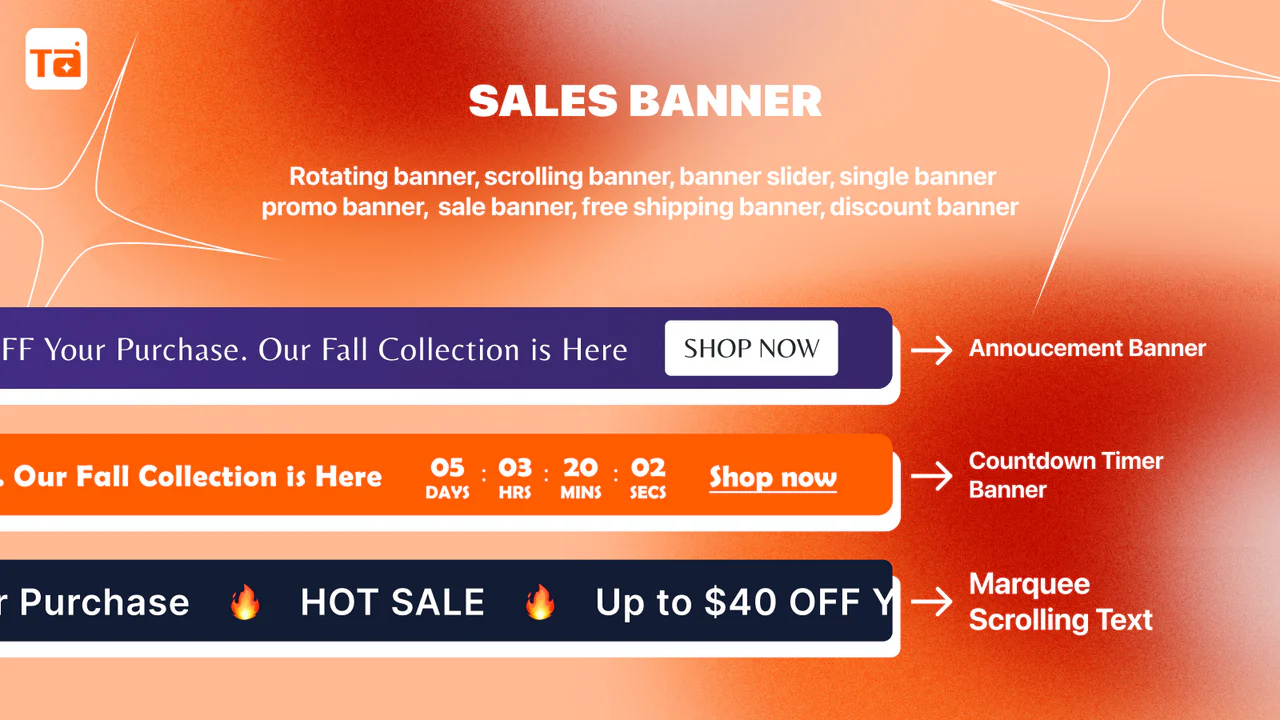
TA Banner Slider, Sale Popup
TA Banner Slider uses floating countdown cards that sit on the page without blocking content. It is a good option for stores where a full countdown timer overlay would feel too aggressive for the brand. The non-intrusive format works well alongside other urgency tactics.
Alia
Alia is an AI-powered popup and urgency tool that can incorporate countdown timers into multi-step popup flows. It is better suited to high-volume stores that want automated testing and optimization of their urgency campaigns rather than straightforward countdown timer placement.
How to Know If Your Shopify Countdown Timer Is Working
Timeline: Conversion rate changes from a Shopify countdown timer show up within 2 to 4 weeks. Flash sale results are visible immediately. Cart recovery email improvements take 4 to 6 weeks of consistent sending before trends become clear.
FAQs
You can add a countdown timer on Shopify using apps, theme sections, or custom code to create urgency for sales, launches, and limited-time offers.
A countdown timer popup is a promotional popup that displays a live countdown to encourage shoppers to act before a deal or offer expires.
Yes. Countdown timers create urgency and can increase conversions by encouraging shoppers to complete purchases before time runs out.
The best locations are product pages, cart pages, announcement bars, and popups where shoppers are closest to making a purchase decision.
Stores running flash sales, seasonal campaigns, limited-stock offers, or product launches usually see the biggest impact from countdown timers.