
The average email popup converts at 3.8%. The top 10% of stores see conversion rates up to 23.67%. That gap is not luck. It is strategy.
An email popup is one of the most powerful tools available to Shopify merchants for growing an email list without spending more on ads. Every subscriber captured through an email popup is a contact you can market to again and again through abandoned cart sequences, promotional campaigns, and product launches. The ROI compounds over time in a way that most other marketing channels do not.
But a poorly designed email popup does the opposite. It frustrates visitors, increases bounce rates, and damages brand trust. The difference between a popup that builds your list and one that drives shoppers away comes down to a handful of specific decisions.
This guide covers 11 proven email popup best practices, with real pop up examples from successful brands, and exactly how to add an email pop up on Shopify so yours starts working from day one.
Summary
- Section 1: Target the right audience and trigger your email popup at the right moment
- Section 2: Write headlines and copy that convert without being pushy
- Section 3: Design, incentives, and form fields that maximize signups
- Section 4: CTA buttons, popup types, and accessibility considerations
- Section 5: How to add an email pop up on Shopify and track performance
- Section 6: DECO features that complement your email popup strategy
Section 1: Target the Right Audience Before Anything Else
The people you exclude from seeing your email popup are almost as important as the people you include. Showing an email popup to someone who already subscribed is annoying and makes your brand look disorganized. Suppressing existing subscribers is the first setting to configure before your email popup goes live.
Once existing subscribers are excluded, think about which visitor segments should see your email popup and what message makes sense for each one.
Trigger timing matters equally. An email popup that fires within two seconds of landing on your store will be closed immediately by most shoppers. More effective triggers include:
Scroll depth: show the email popup after a visitor scrolls 50% down a product page, indicating genuine interest.
Time on page: show the email popup after 30 to 45 seconds, giving the visitor time to engage before being interrupted.
Exit intent: show the email popup when a visitor moves their cursor toward the browser’s close button, giving you one last opportunity to capture them before they leave.
Section 2: Write Headlines and Copy That Actually Work
Write a Strong Headline
Your headline is the first thing a visitor reads when your email popup appears. It determines whether they read the rest or close it immediately. The best email popup headlines balance clarity with unexpected value. They fit the brand voice, communicate the incentive, and give visitors a reason to pay attention.
Testing headlines is the most reliable path to finding what works for your specific audience. Start with clarity, then experiment with wit and voice once you have a baseline conversion rate to beat.
Pop up examples of strong headline approaches:
Write Simple, Clear Copy
Your email popup copy has one job: persuade the visitor to subscribe. While the headline can experiment with tone and wit, the body copy should always be straightforward. State the offer clearly. Explain what the subscriber gets and what they can expect to receive. Avoid vague promises and be specific about the value.
Healthy soda brand Olipop uses an exit-intent email popup with a pun in the headline that perfectly matches their playful brand voice, while keeping the offer itself completely clear. That combination of brand personality with a specific incentive is what makes pop up examples like theirs worth studying.
Section 3: Incentives, Design, and Form Fields
Offer an Irresistible Incentive
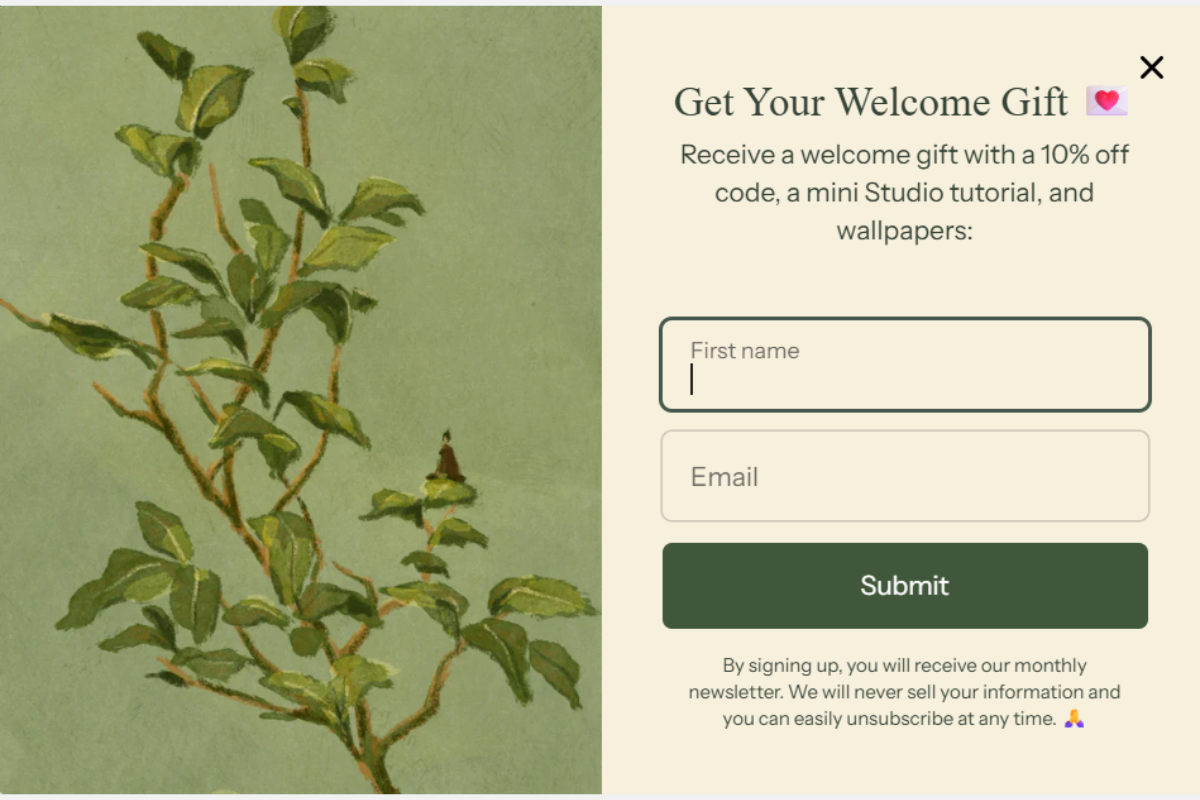
An email popup without an incentive relies entirely on your brand reputation to convince a stranger to share their email address. For most Shopify stores, especially newer ones, that is not enough. An incentive removes the hesitation.
Common email popup incentives and when to use each:
Olive oil brand Brightland uses a free pouring spout as their email popup incentive rather than a discount. This approach protects their margins while still offering tangible value. For stores where the cost of goods is low, a free gift is often a smarter alternative to training customers to expect discounts.
Create an Eye-Catching Design
A well-designed email popup converts at a meaningfully higher rate than a generic one. Pop up examples with an image convert at an average of 4.96% compared to 3.80% for those without. Design elements that consistently improve performance include:
A clear, modern font that matches your brand. A color palette that stands out without clashing. A strong product shot or lifestyle image. A CTA button with high contrast against the background. Minimal fields with clean spacing. A clearly visible close button.
Coffee brand Grind combines retro-styled imagery of people enjoying their product with brand colors on a clean layout. The design communicates both the offer and the brand personality at a glance, which is the standard to aim for in your own email popup.
Keep Form Fields to a Minimum
One field converts better than multiple fields. Wisepops data shows single-field email popups convert at 4.30% compared to 2.61% to 3.45% for multi-field popups. Start with email only.
That said, additional fields can be worth the conversion tradeoff if the data you collect allows for meaningful personalization. Cheeky Wipes adds a single checkbox question to their email popup asking subscribers which product categories interest them. The slight reduction in conversion rate is offset by the ability to segment their list immediately and send more relevant emails from day one.
Multi-step email popups are a middle-ground option. Collecting email on step one and phone number on step two reduces the feeling of being asked for too much at once. Conversion rates on multi-step popups are typically higher than asking for both pieces of information on a single form.
Section 4: CTA Buttons, Popup Types, and Accessibility
Include a Clear Call-to-Action
Your CTA button is the final decision point in your email popup. Every word on that button communicates either “you are giving something up” or “you are getting something valuable.” The difference matters.
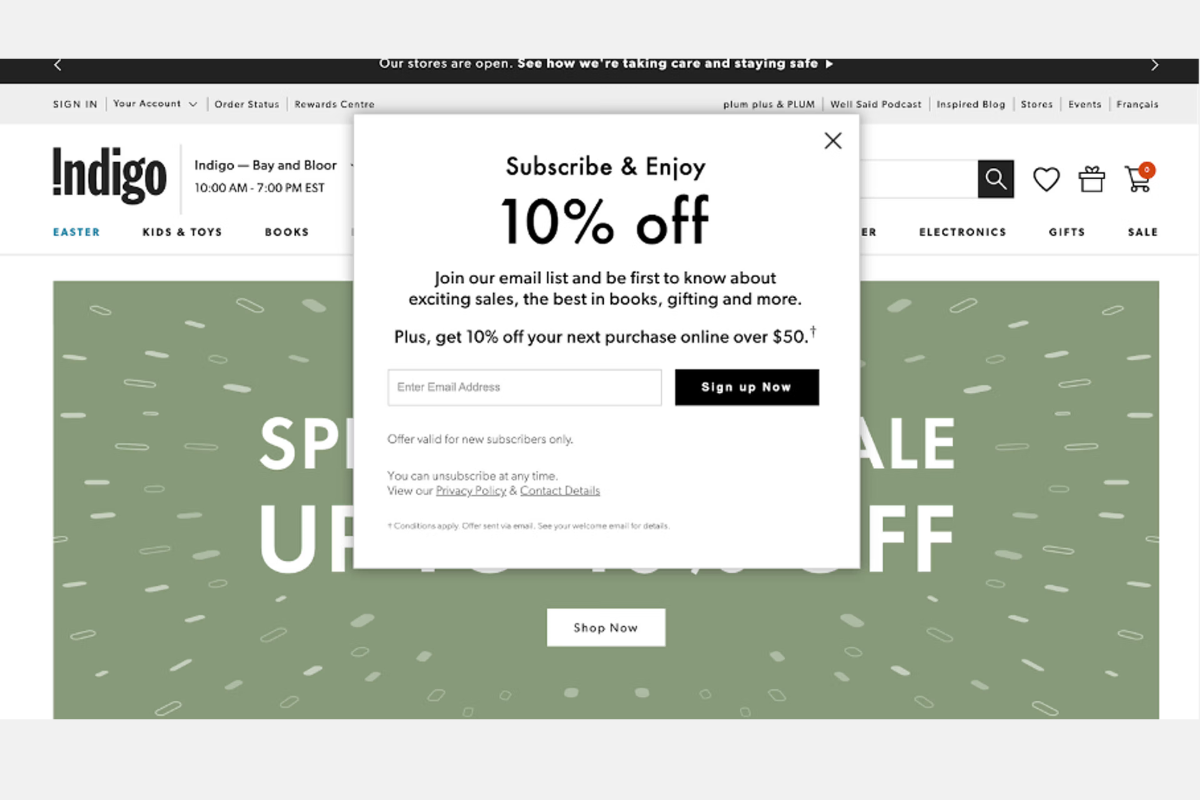
“Subscribe” suggests you are doing the brand a favor. “Get 10% Off” confirms you are receiving something. “Claim Your Discount” emphasizes that the offer is yours to take. Tableware brand Zarina uses “Get Code” as their email popup CTA, which reinforces that the subscriber is receiving a discount code rather than simply opting into emails.
Large button size, high color contrast against the popup background, and minimal button text are the design fundamentals that make CTA buttons perform.
Consider Less Intrusive Email Popup Types
A full-screen overlay email popup is the most visible but also the most disruptive. If your brand positioning or audience suggests that approach will frustrate visitors, consider a fly-out or slide-in popup instead.
A slide-in email popup appears in the corner of the screen and can be dismissed without blocking the shopping experience. It works particularly well on mobile where screen space is limited and a full overlay popup makes navigating the store impossible until it is closed.
Sparkling water brand Aura Bora uses a fly-out email popup that only appears after a visitor has scrolled a significant portion of the page. The result is an email popup that feels earned rather than intrusive.
Make Your Email Popup Easy to Close
An email popup that is difficult to dismiss is not just annoying. It actively damages trust. Visitors who feel trapped by a popup associate that frustration with your brand.
The close button on your email popup should be clearly visible, large enough to tap accurately on mobile, and positioned in an expected location such as the top-right corner. Vegan skincare brand OSEA places a white X button against a contrasting background, making it immediately obvious without making it the visual centerpiece of the popup.
Accessibility also matters. Visitors with motor or visual impairments should be able to navigate and close your email popup without difficulty. Building accessibility into your popup design is both the right thing to do and good for conversion, because shoppers who feel respected by the experience are more likely to trust your brand.
Section 5: How to Add an Email Pop Up on Shopify and Track Performance
How to Add an Email Pop Up on Shopify
Steps:
- From your Shopify admin, go to Apps and install the Shopify Forms app. This is the built-in option for adding a basic email popup to your store at no additional cost.
- Open the Forms app and select Popup as your form type. Give it a name.
- Choose your display style. A floating popup appears in a corner and is less intrusive. An overlay popup covers more of the screen and is harder to ignore.
- Write your headline, body copy, and incentive details. Add your email capture field and CTA button text.
- Set your trigger. For most Shopify stores, an exit-intent trigger or a 30-second time delay produces the best results without frustrating visitors who just arrived.
- Suppress existing subscribers so they do not see the email popup.
- Connect the form to a welcome email automation so new subscribers receive their incentive immediately after signing up.
- Click Save. Your email popup is live.
For more advanced targeting, A/B testing, or multi-step forms, a third-party email popup app gives you significantly more control. Look for options that integrate directly with your email marketing platform so subscriber data flows automatically without manual exports.
Monitor Performance and A/B Test
After your email popup goes live, track three core metrics every week for the first month:
A/B test one variable at a time. Change the headline and run both versions for at least one week before drawing conclusions. Then test the offer. Then the CTA button text. Each test builds a clearer picture of what resonates with your specific audience.
Section 6: DECO Features That Complement Your Email Popup Strategy
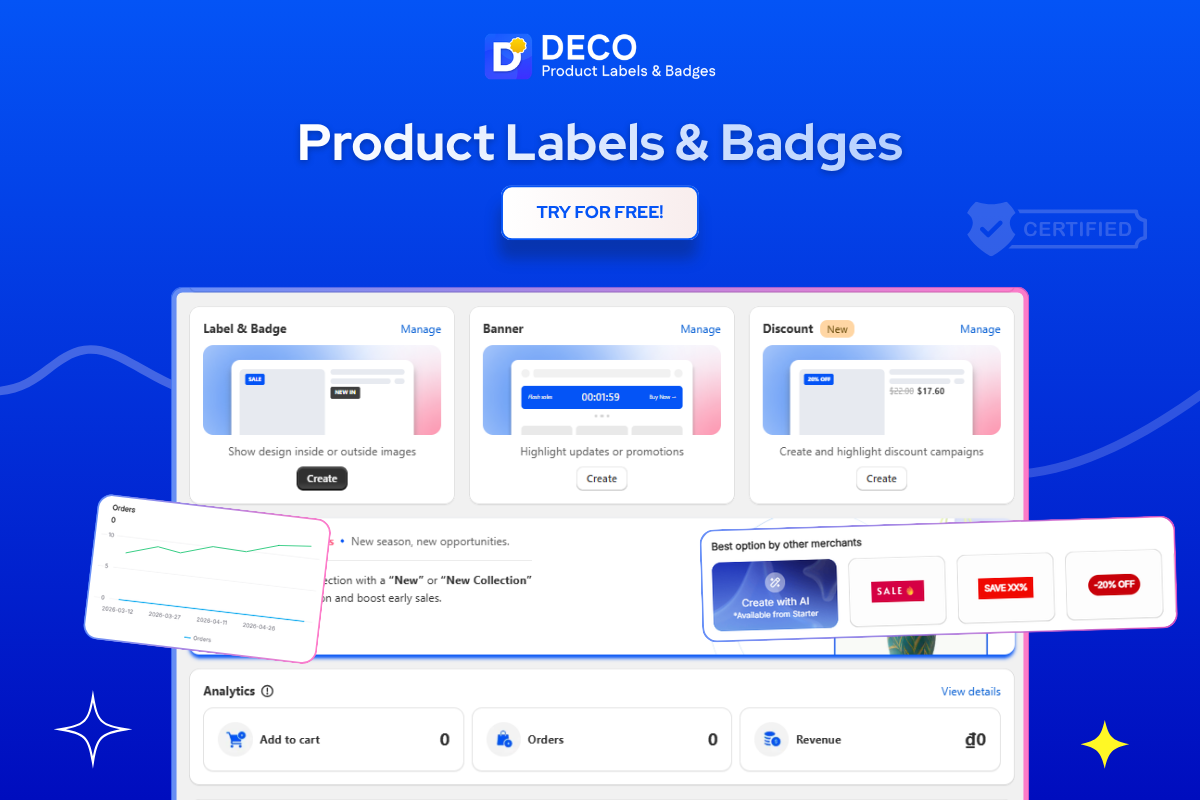
An email popup captures subscribers. But what happens after a shopper signs up and returns to your store with their discount code determines whether that subscriber converts into a customer. DECO gives you the tools to make the full store experience as persuasive as the email popup itself.
Countdown Timer labels. When a subscriber returns to redeem a discount offer from your email popup, a countdown timer on the product page showing when the offer expires creates urgency that drives faster purchase decisions. DECO’s Countdown Timer labels display live timers directly on product pages and in the cart, reinforcing the time-sensitive nature of any email popup offer you are running.
Banner Bars for site-wide offer visibility. Instead of relying solely on the email popup to communicate your current promotion, DECO’s Banner Bars display your offer as a persistent announcement across every page of your store. A shopper who closes the email popup still sees the offer in the banner bar and has another chance to act. This is particularly useful for running a cohesive promotion where both the email popup and the on-site messaging reinforce the same message.
Stock labels that add natural urgency. DECO’s “Low Stock” and “Selling Fast” labels give returning email subscribers an additional reason to complete their purchase. A subscriber who comes back with a discount code and sees a low stock label on the product they want is far more likely to buy immediately than one who sees no urgency signals.
Payment Trust Badges. For new subscribers arriving with their first discount code, seeing familiar payment icons like Visa, Mastercard, and PayPal directly below the Add to Cart button removes the final hesitation before checkout. DECO’s payment badges can be configured to appear in the exact position that works best for your theme, including inside the Buy Now button itself.
Best for: Shopify merchants who want their email popup strategy supported by on-site urgency labels, trust signals, and banner bars that reinforce the offer throughout the full shopping journey after a visitor subscribes.
FAQs
You can connect Shopify with GetResponse and create email popups through your GetResponse account. Once connected, the popup form can be published and displayed on your Shopify store to collect email subscribers.
A Shopify email popup is a form that appears on your store to capture visitor email addresses, often in exchange for a discount, free shipping offer, or exclusive content.
You can add an email popup using Shopify apps, email marketing platforms like GetResponse or Klaviyo, or built-in popup features available in some Shopify themes.
Email popups typically perform best when triggered after a visitor spends time on a page, scrolls a certain percentage, or shows exit intent instead of appearing immediately on arrival.
Yes. Email popups can increase subscriber growth, recover abandoning visitors, and generate additional revenue through follow-up email campaigns and targeted promotions.