
You have done everything right. The ads worked. The product page converted. The shopper added to cart. Then they left.
Checkout abandonment sits at around 70% across ecommerce stores. That is not a traffic problem. That is a checkout optimization problem. And for most Shopify merchants, it is entirely fixable without a developer or a full redesign.
This guide breaks down exactly what is driving shoppers away at the final step, which fixes have the highest impact, and what to do first.
Summary
- Section 1: Why checkout abandonment happens and what it is actually costing you
- Section 2: What DECO Fixes and Where It Fits in Your Checkout Strategy
- Section 3: How to track your checkout optimization results
Why Shoppers Leave at Checkout and What It Costs You
The checkout page is the most important page on your store. It is also the most neglected part of any checkout optimization strategy.
Research shows that proper checkout optimization could recover up to $260 billion in lost orders across US and EU markets alone. Closer to home, unexpected shipping costs, too many form fields, and unclear trust signals are the most common reasons shoppers abandon at the last step.
The problem is not that your products are wrong or your prices are off. The problem is that your checkout process asks too much, explains too little, and leaves shoppers unsure whether they should proceed. That is a checkout optimization failure, not a product failure.
A 91% majority of consumers say they think less of a brand when its site is difficult to use. Checkout is where “difficult” hits hardest, because the stakes are highest. A shopper reaching for their credit card is the moment they are most alert to friction, doubt, and risk. Poor checkout optimization at this stage costs more than any other point in the funnel.
The good news: most checkout optimization fixes take less than a day to implement. The impact compounds over months.
What DECO Fixes and Where It Fits in Your Checkout Optimization Strategy
Before diving into individual fixes, here is a quick-reference table showing exactly which checkout optimization problems DECO solves and how. Each feature maps directly to one of the five fixes in this guide, so you know where to focus first based on what your store needs most.
Use this table as your checkout optimization audit checklist. If you recognize any of these problems in your own store, jump to the corresponding fix section below for step-by-step instructions.
Fix 1: Simplify the Checkout Flow (Highest ROI Checkout Optimization, Do This First)
Why this matters: Every extra field, unnecessary step, and vague instruction increases the chance a shopper stops. Checkout optimization starts with removing anything that does not directly help the customer complete their purchase. Simplifying your checkout flow is the single highest-return checkout optimization move available to any Shopify merchant.
Before / After:
Steps:
- Open your Shopify checkout settings and audit how many fields appear on step one. Remove any field that is not essential for shipping or payment.
- Make your call-to-action button clear and specific. “Place Order” converts better than “Continue.”
- Add a visible order summary panel so shoppers can see exactly what they are buying without navigating back.
- Remove promotional banners and navigation links from inside the checkout flow. Every distraction is an exit.
Time to complete: 1 to 2 hours.
Who should do this first: Every store. This is the baseline checkout optimization fix before anything else matters.
Fix 2: Fix Your Mobile Checkout Optimization (Most Stores Fail Here)
Why this matters: By 2028, 63% of all ecommerce purchases will happen on mobile devices, based on projections from Statista. Mobile users are five times more likely to abandon a task if the experience is not optimized for their screen. That means a checkout page built for desktop is actively losing you sales every single day. Mobile checkout optimization is no longer optional.
Only 1% of online shoppers say they are fully satisfied with mobile ecommerce websites. That gap is not a product problem. It is a display and UX problem that proper mobile checkout optimization directly addresses.
Steps:
- Pull up your checkout page on a real mobile device, not just a browser preview. Tap every button. Check whether the primary CTA is visible without scrolling.
- Ensure form fields are large enough to tap accurately. Small tap targets cause errors and frustration.
- Check that no visual elements, labels, or banners are covering your “Buy Now” or “Add to Cart” buttons on smaller screens.
- Test autofill functionality on both iOS and Android. If address fields do not autofill correctly, fix this before any design changes.
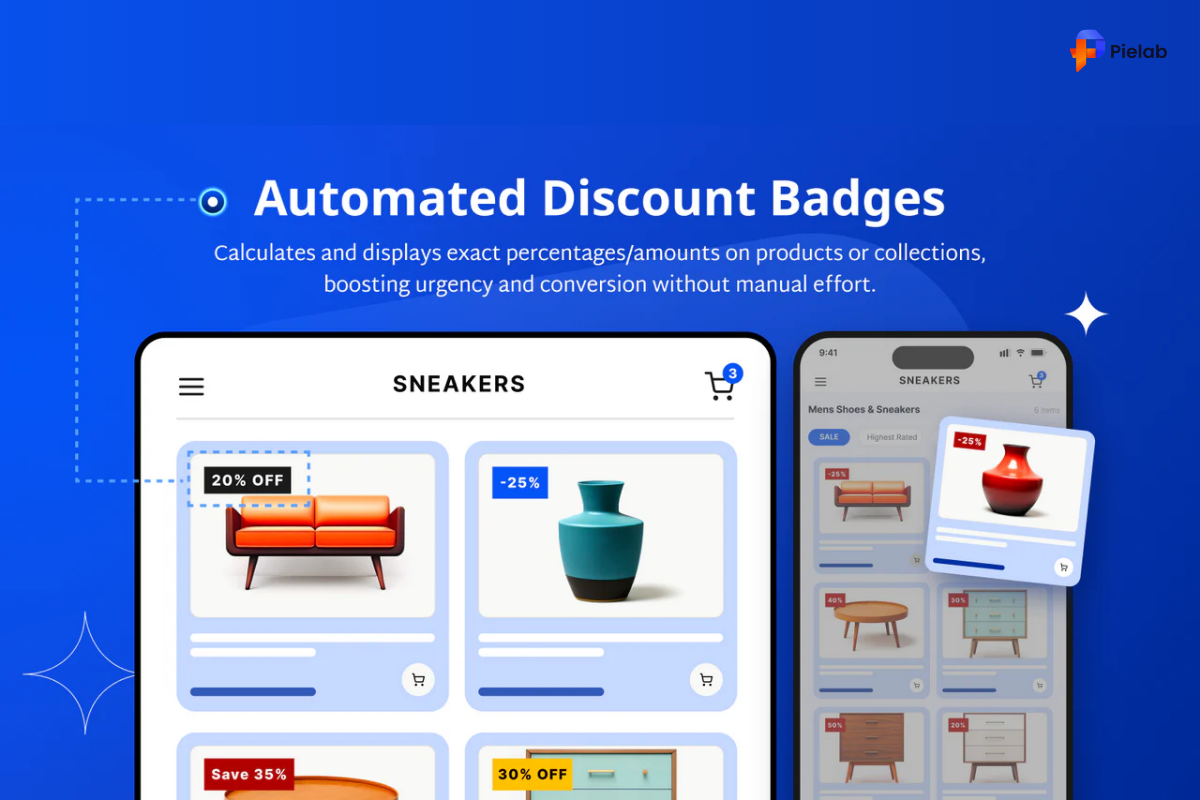
DECO fix: DECO allows you to set custom label and banner sizes separately for mobile screens. This means promotional labels and offer badges never overlap critical buttons on small displays. A shopper on an iPhone sees the offer clearly without the “Buy Now” button being hidden behind a floating badge. This single feature resolves one of the most common mobile checkout optimization failures on Shopify stores.
Time to complete: 2 to 3 hours across testing and adjustments.
Worth it if: More than 40% of your traffic comes from mobile (check Google Analytics or Shopify Analytics).
Fix 3: Clear Pricing Is Non-Negotiable Checkout Optimization (Do This Before Running Ads)
Why this matters: Unexpected costs are the single biggest driver of checkout abandonment. A shopper who reaches the payment step and sees a shipping fee they did not expect will almost always leave. Even a $5 surprise triggers enough doubt to end the session. Price transparency is core to any serious checkout optimization effort.
Before / After:
Steps:
- Display shipping costs on the product page or cart, not for the first time at payment. If shipping is free above a threshold, say that clearly: “Free shipping on orders over $50.”
- Show any taxes or fees before the final step. Use your Shopify settings to display estimated tax at the cart stage.
- If you offer a discount, make the savings amount visible in the cart. “You save $20” performs better than “20% off” because it is concrete.
DECO fix: DECO lets you display dynamic savings labels, for example “Save $20” or “30% Off,” directly on product listings and in cart views. You can also pull in data from product metafields to surface specific details like materials, dimensions, or certifications. Shoppers who understand exactly what they are paying for before they reach checkout abandon far less often. This is straightforward checkout optimization that costs nothing beyond setup time.
Time to complete: 30 to 60 minutes for pricing display settings. Label setup in DECO takes under 20 minutes per product group.
Skip for now if: You already display all costs including shipping before checkout and have no surprise fees.
Fix 4: Trust Signals and Payment Options Are Critical Checkout Optimization Levers
Why this matters: 25% of shoppers have abandoned a checkout in the past three months specifically because they did not trust the site with their payment information. Trust is not just about having an SSL certificate. It is about showing the right signals at the exact moment doubt appears, which is when the shopper reaches for their card. Placing trust signals correctly is one of the highest-leverage checkout optimization moves available.
At the same time, 40% of shoppers abandon when mobile wallet options are not available. Offering PayPal, Apple Pay, and Google Pay is not optional for any store serious about checkout optimization. It is a baseline expectation.
Steps:
- Add an SSL certificate if you do not have one. Shopify includes this by default, but verify HTTPS is active on your domain.
- Place trust badges, security seals, and recognized payment icons near your “Add to Cart” and “Buy Now” buttons, not only in the footer.
- Enable every relevant payment method in your Shopify Payments settings: credit cards, digital wallets, and buy now pay later options.
- Add a brief visible returns policy statement near the checkout CTA. Something like “Free 30-day returns” next to the button reduces hesitation significantly.
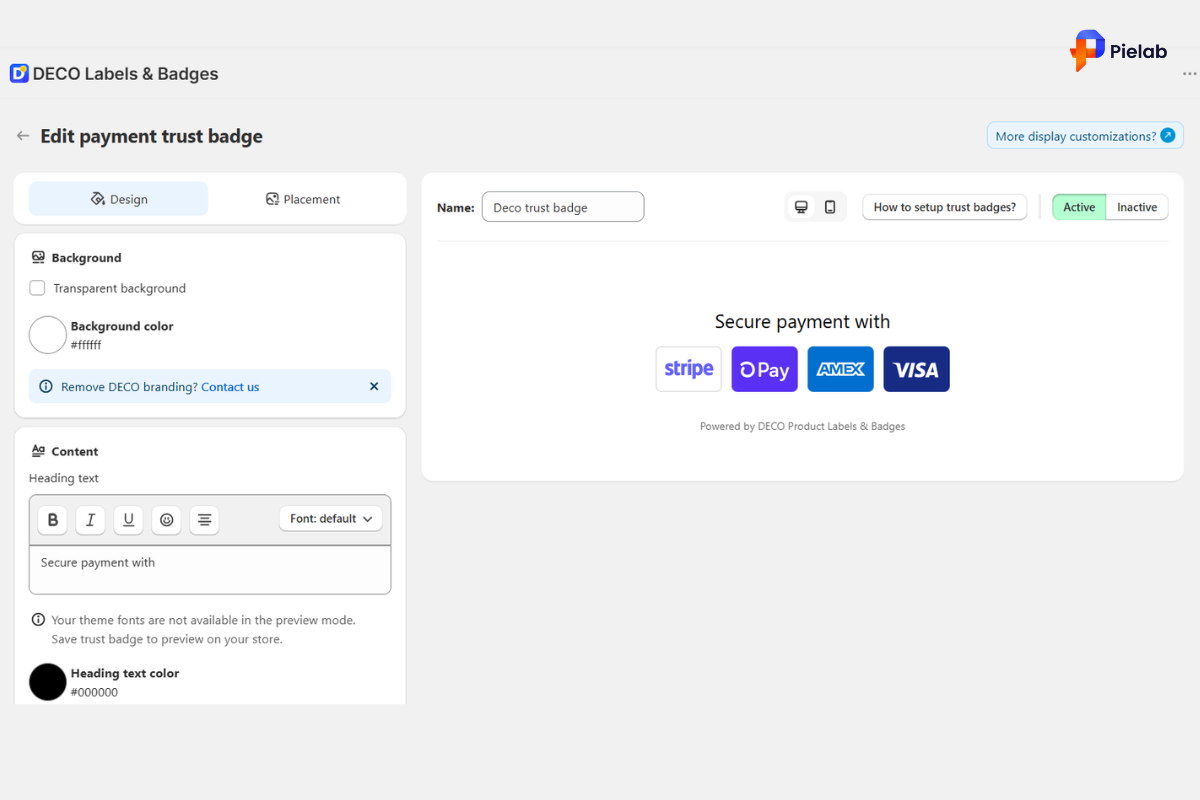
DECO fix: DECO’s Payment Trust Badges feature lets you add payment method icons (Visa, Mastercard, PayPal, and others) directly below your “Add to Cart” button or inside your cart drawer. For merchants targeting specific markets, DECO’s team can design and add custom payment icons for regional methods like GCash, Tamara, Mada, or Bit, so shoppers immediately see the option they use and trust. DECO also allows you to embed payment icons directly inside your “Buy Now” button, so customers know at a glance how they can pay. This level of payment visibility is checkout optimization that works before the shopper even clicks.
Time to complete: 1 to 2 hours. Trust badge setup in DECO takes under 30 minutes.
Who should prioritize this: Stores selling internationally or in markets where payment preference varies by region.
Fix 5: Urgency and Direction Complete Your Checkout Optimization Plan
Why this matters: A shopper who makes it to the cart but does not complete checkout is not gone forever. They are on the fence. The right nudge at the right moment is often the difference between a completed order and an abandoned one. Urgency-based checkout optimization works because it removes the option to “think about it later.”
Research confirms that progress indicators and contextual cues reduce checkout anxiety and increase completions. Effective checkout optimization uses these tools to make finishing feel easy, worthwhile, and time-sensitive when relevant.
Steps:
- Add a progress indicator to multi-step checkouts. Seeing “Step 2 of 3” reduces uncertainty and builds momentum toward completion.
- If stock is genuinely low, display it. “Only 3 left” is a factual statement, not manipulation, when it is accurate.
- Use banner bars to guide shoppers directly to relevant pages such as your shipping policy or current promotion, without requiring them to search for information.
- Set up cart reminder notifications for shoppers who add items but do not initiate checkout.
DECO fix: DECO’s Countdown Timer labels let you display a live timer on product pages or in cart views, creating genuine urgency around limited-time offers. Stock labels like “Low Stock” and “Selling Fast” pull real inventory data to show accurate availability without manual updates. DECO’s Banner Bars can be configured to direct shoppers to specific pages such as your promotion page or shipping information page, reducing the number of questions that cause shoppers to pause. Each of these features addresses a specific checkout optimization gap between cart and completed order.
Time to complete: 30 to 60 minutes to configure labels and banners in DECO.
Worth it if: You run time-limited promotions or have products that sell out regularly.
Skip for now if: Your stock levels are consistently high and you run no time-sensitive offers.
How to Know If Your Checkout Optimization Is Working
Good checkout optimization requires good measurement. Without tracking the right metrics, you will not know which fix moved the needle and which needs more work.
Timeline: Mobile and trust badge checkout optimization improvements show results within 2 to 4 weeks in session data. Conversion rate trends take 6 to 10 weeks to confirm. Do not run checkout optimization changes for one week and draw conclusions.
The pattern to watch for: If your add-to-cart rate is healthy but checkout completion is low, the problem is inside checkout. If shoppers are not adding to cart at all, the issue is earlier, on the product page or in pricing clarity. Checkout optimization only fixes the final step. Match the fix to the actual problem your data is showing.
Start Recovering the Sales You Are Already Earning
The shoppers landing on your checkout page have already decided they want what you sell. The only question is whether your checkout optimization gives them a reason to follow through or a reason to leave.
Simplified forms, clear pricing, visible trust signals, mobile-friendly labels, and urgency cues are not advanced tactics. They are checkout optimization basics that most stores still get wrong. Fixing them takes less than a full workday and the results compound over every week and month that follows.
Ready to plug the leaks in your checkout?
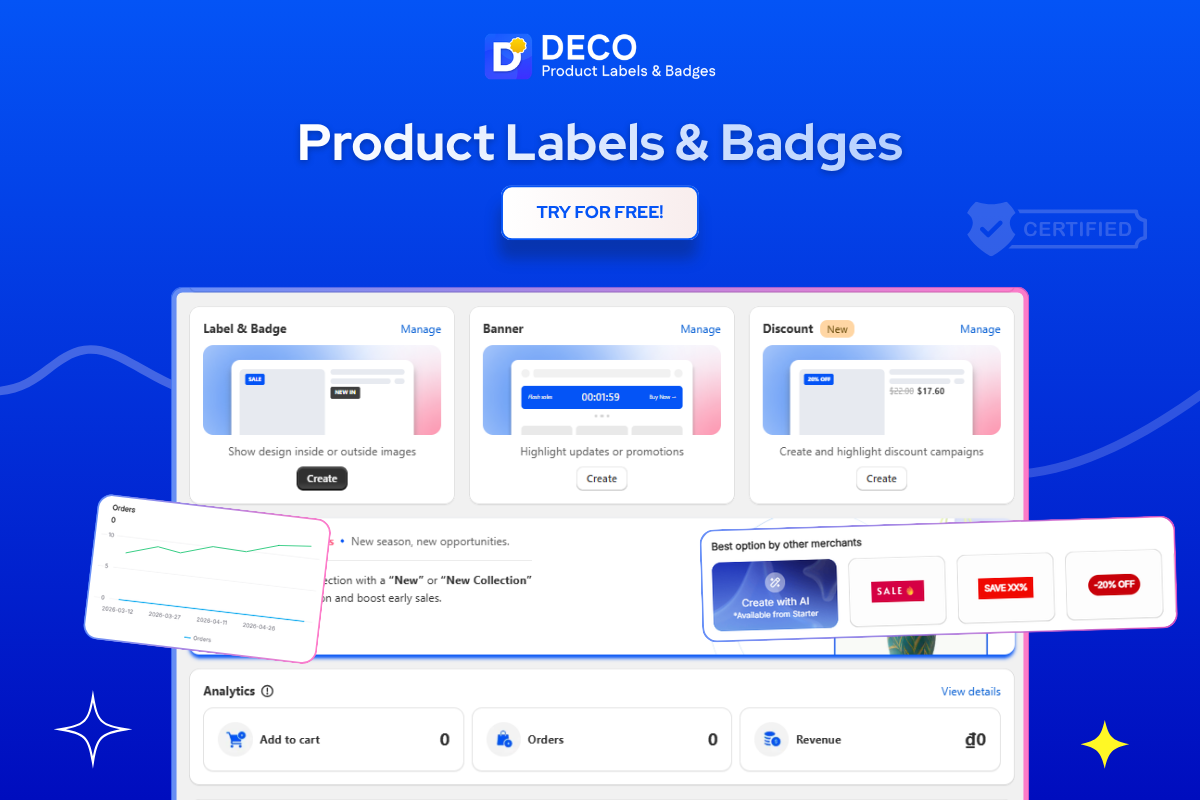
DECO makes checkout optimization fast and code-free. Add trust badges, payment icons, countdown timers, stock labels, and mobile-optimized banners to your Shopify store without touching a single line of code. Built for merchants who want better conversions without waiting on a developer.
Try DECO today and see which checkout optimization fixes your store needs most.
FAQs
Shopify checkout optimization is the process of improving your checkout flow to reduce friction and increase completed purchases. It focuses on speed, clarity, and trust at the final step.
Most shoppers leave due to unexpected costs, complicated forms, or lack of trust signals. Even small friction at this stage can stop a purchase.
Simplify form fields, show full pricing upfront, and add trust badges and payment options. Small UX improvements can significantly increase conversions.
Yes, most ecommerce traffic is now mobile, and poor mobile UX leads to higher abandonment. A mobile-friendly checkout directly impacts revenue.
Not always, but apps can speed up implementation and add features like trust badges, timers, and better UI control without coding. Tools like DECO help Shopify merchants apply these checkout optimizations quickly without needing a developer.