
Most Shopify stores pick their BFCM apps in mid-November, right when they start writing Black Friday emails. That is too late. Apps need weeks to be installed, tested, and trusted before the traffic spike.
BFCM stands for Black Friday Cyber Monday, and in 2026 it runs from November 27 to 30. Shopify merchants sold $14.6 billion over last year’s BFCM weekend, up 27% year over year. Today is October 2, so you have exactly eight weeks. That is enough time to set up your BFCM apps, but not enough to waste on tools you will never use.
This guide covers 38 apps across 13 categories, taken from the top of each category in the Shopify App Store. Some are essential and some you can skip. Each section tells you which is which.
Bottom line: pick one app per job, install it by mid-October, and test it before BFCM traffic arrives.
Summary
- Section 1: Why BFCM prep starts in October and what happens if you wait.
- Section 2: Four filters to choose BFCM apps that will not slow your store.
- Section 3: All 13 categories ranked by priority in one table.
- Fix 1 to Fix 13: The top apps in each category, with key features, steps, time needed, and who should skip.
- Section 4: What to ignore for now, plus your BFCM timeline.
- Section 5: How to track results and what to expect.
Why BFCM Prep Starts in October, Not November
Demand does not wait for Black Friday. STOQ’s preorder data from last season shows demand running about 70% above the September level by late October. That means BFCM starts for your shoppers weeks before the official weekend.
Early shoppers compare prices, read reviews, and search Google. If your collection pages are slow, your reviews are thin, and your titles are weak, you lose them before BFCM week begins.
The problem: Most merchants treat BFCM as a four-day event.
The fix: Treat BFCM as an 8-week project with three phases: setup, testing, and selling.
The result: Your apps are tested, your pages are indexed, and your emails are ready when traffic peaks.
One more point on timing. SEO changes like new meta titles often take 2 to 6 weeks to show in Search Console. That is why SEO comes first in this BFCM guide. Email and popups can go live in a day.
How to Pick BFCM Apps That Keep Your Store Fast
BFCM traffic can be 5 to 10 times your normal traffic. An app that works at 100 orders a day may struggle at 1,000. Use these four filters before you install anything.
The table below shows what to check and what should worry you.
Every app adds code to your pages. So uninstall any app you no longer use before November. Then run a free speed test on your homepage and one collection page, and write down the scores. You will compare them after you install your BFCM apps.
Ratings and review counts below come from the Shopify App Store listings as of October 2, 2026. Plans and prices change often, so check each listing before you install.
Time to complete: 30 minutes.
[IMAGE: bfcm-shopify-app-speed-test-before-after.jpg]
Alt text: “Page speed test result before installing BFCM apps on a Shopify store”
BFCM Apps by Category and Priority
The table below shows all 13 categories and when to act on each one.
Priority 1 has the longest lead time. Priority 3 works better once the first two are done. The last row depends on your business model, not your calendar.
Fix 1: SEO
Why this matters: SEO is the slowest channel to show results, so it needs the longest lead time. It is also the cheapest source of BFCM traffic. A collection page that ranks for “black friday deals” or “gifts under $50” brings shoppers without ad spend.
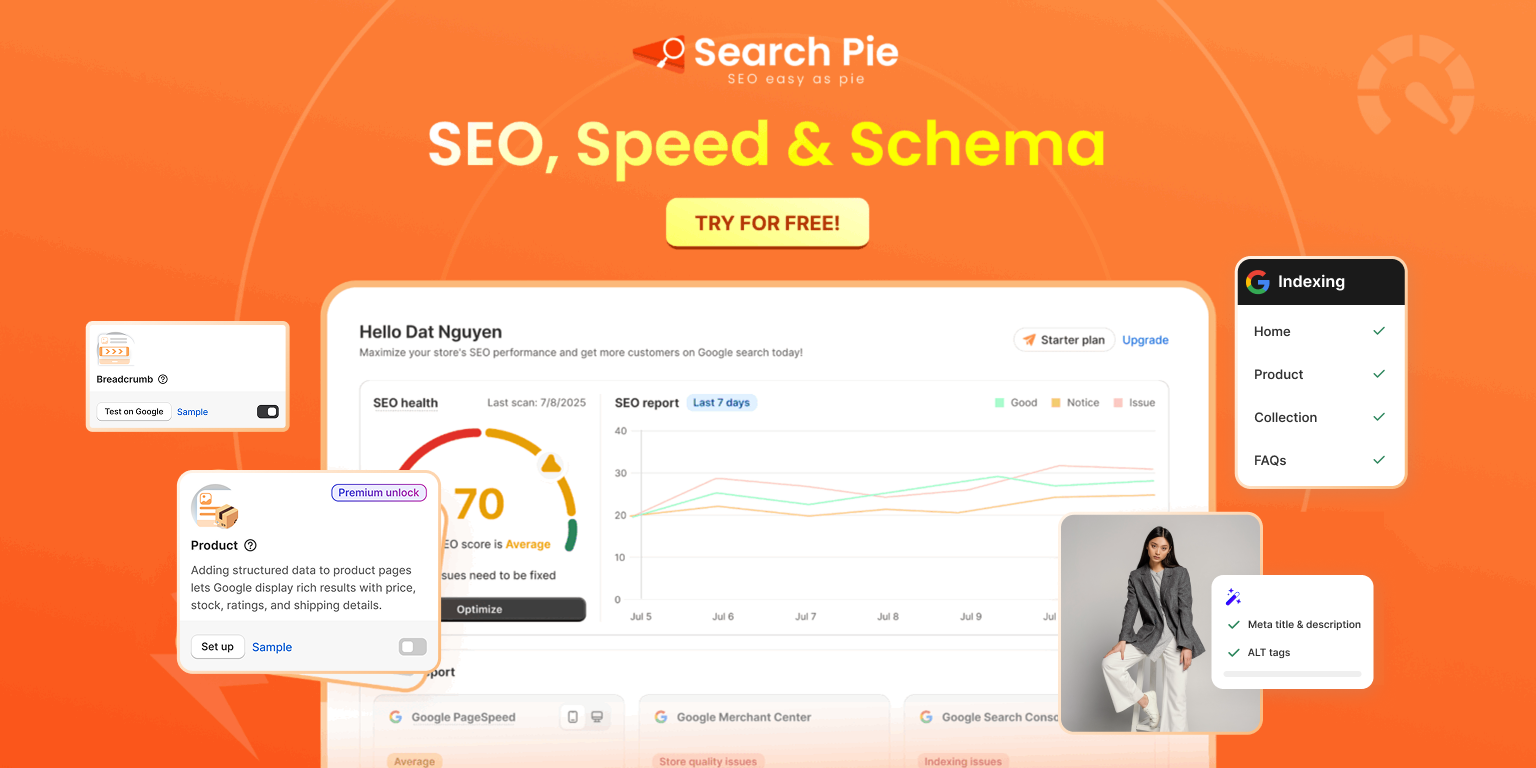
SearchPie: SEO, Schema & Speed
SearchPie has a 4.9 rating from 2,445 reviews and a Built for Shopify badge. It optimizes SEO across your entire catalog to help more products get discovered in search during BFCM, when stronger visibility can mean more traffic and more opportunities to convert seasonal shoppers into buyers.
Key features:
- Schema & Rich Snippets: Get noticed on Google and AI engines (ChatGPT, Gemini, Perplexity). SearchPie deploys advanced JSON-LD Schema for products, reviews, FAQs, and pricing to maximize your chances of winning Rich Results.
- Technical SEO + Indexing: Never worry about broken links. It monitors 404 errors 24/7, creates auto-redirects, and syncs with Google Search Console and IndexNow for lightning-fast page indexing.
- Image SEO: Easily boost search visibility on Google Images by updating thousands of image ALT tags in one click.
- Faster Loading: Speed up your store with bulk, lossless image compression that is 100% safe and fully reversible anytime.
- Bulk Meta Tag Editor: Stop wasting time page-by-page. Instantly scan your whole store to find and fix missing, duplicate, or poorly generated meta titles and descriptions in a single session.
- Keyword Explorer & Audit: Discover high-intent keywords with real search volume and trends. The built-in audit tool then ensures your keywords are perfectly placed across URLs, H1s, and meta tags.
Why we recommend it: It takes the tedious, technical parts of SEO and puts them on autopilot, freeing you up to focus on growing your sales.
Booster AI SEO + AEO Optimizer
Rated 4.8 from 5,492 reviews, Booster combines AI SEO with image and speed work. It suits stores that want one app for ranking and page speed.
Rated 4.9 from 4,683 reviews, Avada adds an AI SEO audit agent and an on-page checklist. It suits merchants who like a clear to-do list.
Pick one of the three. Two SEO apps can edit the same tags and add duplicate code.
Here is what a good BFCM meta title fix looks like.
Steps:
- List collection pages with missing or default meta tags.
- Rewrite your top five collections and your BFCM sale collection. Keep titles under 60 characters.
- Run Bulk Compress on your product images, then link every BFCM collection from your main menu.
Time to complete: 2 to 3 hours for 30 collections.
Do this now if: you have 50+ products and never edited your meta tags.
Skip for now if: you have under 10 products and your pages already load fast.
[IMAGE: bfcm-seo-bulk-meta-tag-editing-shopify.jpg]
Alt text: “Bulk meta tag editing dashboard for Shopify collection pages before BFCM”
Fix 2: Product Reviews
Why this matters: Gift shoppers often buy from brands they do not know. Reviews are the fastest way to earn trust, and a product with zero reviews on Black Friday gets skipped. Requests sent in October give customers time to receive products and reply before BFCM week.
TrustShop: Product Reviews
TrustShop has a 4.9 rating from 359 reviews, a Built for Shopify badge, and a free plan. It is newer than the big names, but it covers a lot for a small price.
Key features:
- Unlimited reviews: collect product reviews and store reviews through email requests, QR codes, and discounts.
- 10+ review widgets: carousel, testimonial slider, review badges, and pop-ups, so reviews show up on the homepage, product pages, and cart.
- AI tools: AI review summary, AI replies, and automatic review translation.
- Google visibility: Google review snippets and Google Shopping product ratings.
- Review importer: bring reviews in from AliExpress, Amazon, Judge.me, Loox, and other apps, which helps if you are switching.
Judge.me Product Reviews App
The top app in the category, with a 5.0 rating from 47,872 reviews and a free plan. It lets you collect unlimited product reviews and star ratings. It is the simplest BFCM choice for most stores.
Loox Product Reviews App
Rated 4.9 from 9,732 reviews. Loox focuses on visual reviews with photos, which works well for fashion, beauty, and home products.
Steps:
- Install one review app only. Two will slow your pages.
- Turn on automatic review requests for customers from the past 90 days.
- Add the star rating widget to collection and product pages, then send one test request to yourself.
Time to complete: 45 to 60 minutes.
Do this now if: your top products have fewer than 10 reviews.
Skip for now if: your best sellers already have 50+ recent reviews.
Fix 3: Upsell and Bundles
Why this matters: BFCM traffic is expensive to win. Bundles help you earn more from shoppers you already have. They also make discounts feel smart, because shoppers save money and you sell more units.
BOGOS: Free Gift Bundle Upsell
BOGOS is rated 5.0 from 4,423 reviews and has a Built for Shopify badge. It was formerly called Free Gifts by Secomapp, and its listing says it has helped 95K+ brands run offers.
Key features:
- BOGO and free gifts: buy one get one, buy X get Y, and gift with purchase, added to cart automatically or through a popup.
- Bundles: fixed bundles, build a box, and mix and match.
- Discounts: volume discounts, tiered discounts, and cart discounts.
- Upsells: checkout upsell, frequently bought together, and thank-you page offers.
- Promotion tools: progress bar, announcement bar, and an offer page that works on POS and headless stores too.
- Free plan: it includes 30 lifetime orders, so test it before you pay.
Pumper Bundles Quantity Breaks
Rated 4.9 from 3,507 reviews, with a free plan and a Built for Shopify badge.
Key features:
- Free gift and BOGO deals inside quantity breaks.
- Flexible discounts: per unit, percentage, or flat discount.
- Targeting: create bundle offers or quantity breaks for specific products only.
- Revenue tracking: it shows how much extra revenue your bundles generate.
- Theme fit: widgets are customizable, and it works with page builders and cart drawers.
Kaching Bundles App & Upsells
A 5.0 rating from 6,090 reviews. Kaching covers quantity breaks, product bundles, and upsells for BFCM offers, and it is free to install.
Steps:
- Pick your five best sellers and find what customers often buy with them.
- Create a bundle or quantity break for each, with a small discount such as 10%.
- Place a test order to check the price and discount at checkout.
Time to complete: 1 to 2 hours.
Do this now if: your average order value is below your free shipping threshold.
Skip for now if: you sell single high-priced items that rarely pair with others.
[IMAGE: shopify-bfcm-bundle-offer-product-page.jpg]
Alt text: “Frequently bought together bundle on a Shopify product page set up for BFCM”
Fix 4: Back in Stock
Why this matters: A sold-out product on Black Friday looks fine in your dashboard. On your storefront, it is a dead button that sends the shopper to a competitor. A “Notify Me” button turns that dead end into a waitlist.
STOQ: Preorder, Back In Stock
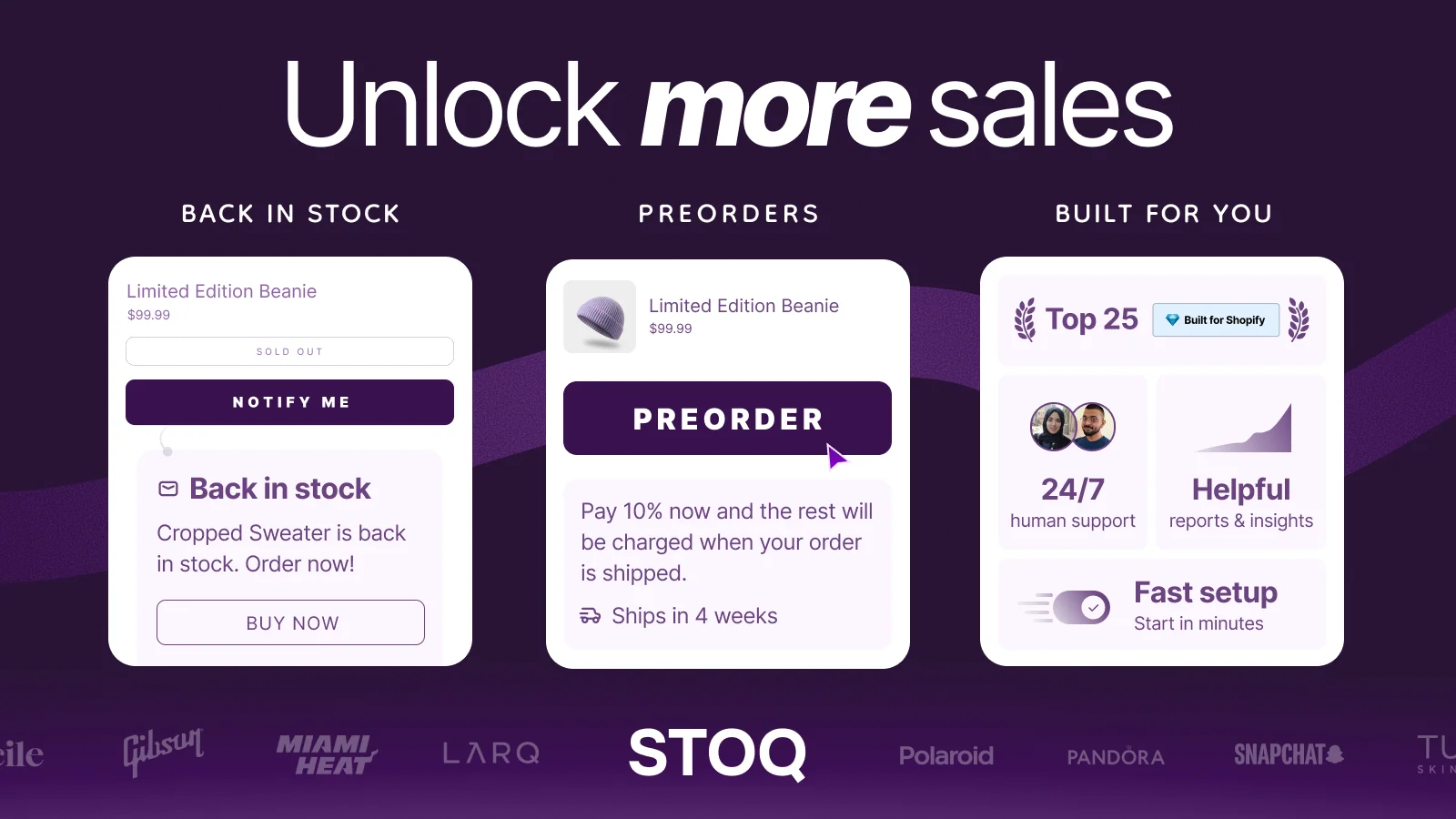
STOQ has a 5.0 rating from 3,762 reviews, a Built for Shopify badge, and a free plan. Its listing calls it the number one Shopify pre-order app.
Key features:
- Notify Me and preorder widgets: add them to out-of-stock products in minutes and match them to your brand.
- Automatic alerts: back in stock emails and SMS go to the waitlist as soon as you restock.
- Flexible preorders: preorders, presales, and backorders with deposits or partial payments.
- Integrations: it works with Klaviyo, Mailchimp, Omnisend, Shopify Flow, and Shopify POS, and supports B2B preorders, markets, and multiple locations.
- Demand analytics: see which products shoppers want most before you reorder.
- Free plan: it includes 10 preorders and 30 emails per month, with 24/7 live chat support.
REZ: Preorder, Back In Stock
REZ has a 5.0 rating from 1,532 reviews, a Built for Shopify badge, and a free plan. It launched in 2025, so it is the newest app in this group.
Key features:
- Quick setup: add preorder or Notify Me to out-of-stock products in minutes, with onboarding support.
- Preorder manager: presales, backorders, and deposit or partial payment orders.
- Auto alerts: back in stock alerts go to the waitlist when you restock, plus coming soon notifications.
- Analytics: track demand, forecast inventory, and measure revenue.
- Targeting: apply it to specific products, collections, or the whole store.
- Watch the limits: the free plan covers 20 preorders and 30 emails per month, and one reviewer complained about usage limits, so check your volume first.
Kbite: Back In Stock, Notify Me
A 5.0 rating from 4,211 reviews. Kbite focuses on restock alerts and waitlists for out-of-stock products.
Steps:
- Add a “Notify Me” button to out-of-stock product pages.
- Pick the 10 products most likely to sell out during BFCM and set clear ship dates for preorders.
- Test the button on mobile, since most shoppers use phones.
Time to complete: 1 hour.
Do this now if: any product sold out during last year’s BFCM.
Skip for now if: you sell digital products or have unlimited stock.
Fix 5: Badge & Label
Why this matters: On a busy collection page, shoppers scan fast. A clear “50% off” or “Low stock” label tells them why to click, and it costs almost nothing to add.
DECO Product Labels & Badges
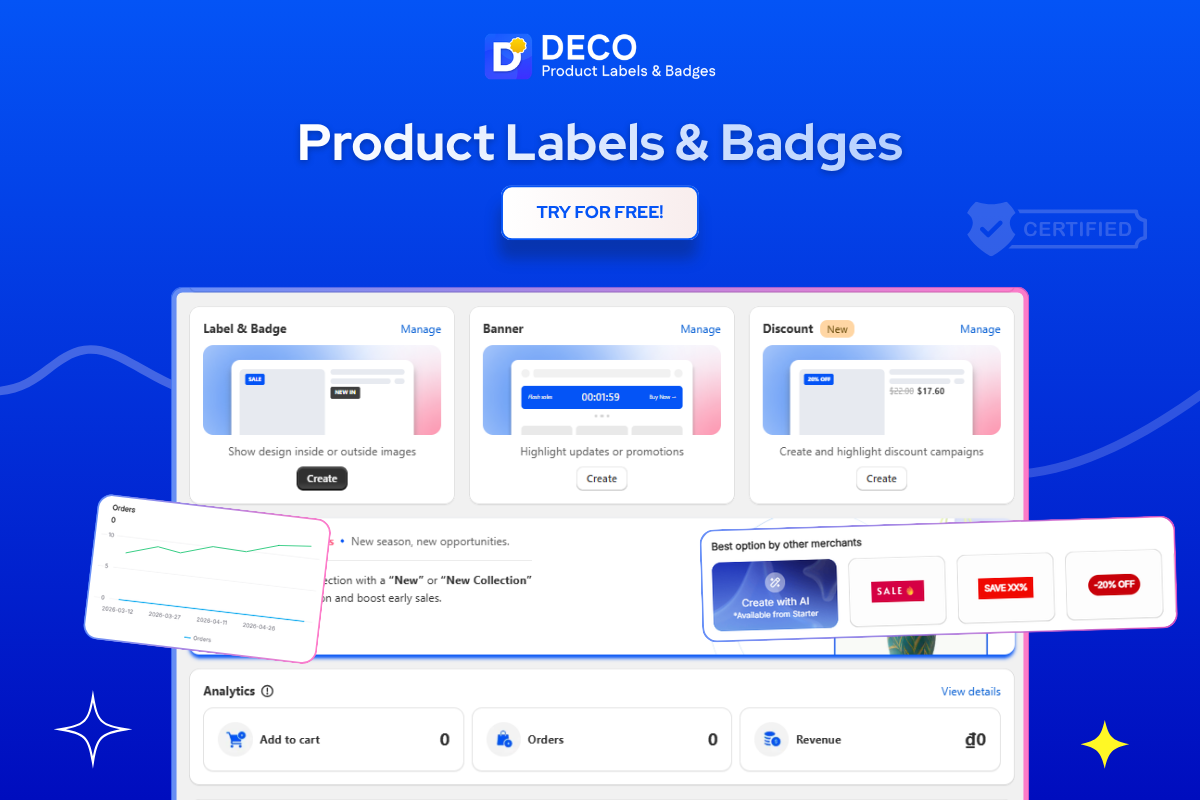
DECO has a 5.0 rating from 1,700 reviews, a Built for Shopify badge, and a free plan. Its listing mentions BFCM directly and offers ready-made templates for Low Stock, BOGO, New In, and discount badges.
Key features:
- AI generator: create a label or badge in about a minute.
- Smart conditions: show badges by variant, collection, discount, or customer tag.
- Automatic discount display: it calculates and shows the discount amount on sale products.
- Banners and timers: countdown banners and trust badges build urgency and trust.
- Translations: show badges in different languages or by country.
- Metafield labels: show details like size or material as labels.
- Tracking and integrations: track the sales impact of your labels, and use it with Judge.me, PageFly, GemPages, and SearchPie.
- Free plan: it includes up to 4 labels on 20 products, unlimited banner bars, and unlimited trust badges. Scheduling needs a paid plan.
Flair: Product Labels & Badges
Rated 5.0 from 234 reviews with a Built for Shopify badge. Flair offers on-brand badges, banners, and timers, and it is built for large catalogs.
Steps:
- Create three labels: BFCM Deal, Low Stock, and New In.
- Set conditions so labels apply to your BFCM sale collection automatically.
- Check labels on mobile so they do not cover product images.
Time to complete: 45 minutes.
Do this now if: your collection pages show many products with no visible deal.
Skip for now if: your theme already shows sale badges you are happy with.
Fix 6: Landing Page Builder
Why this matters: A BFCM deal hub gives every email, ad, and social post one place to send traffic. Build it early so you can test it on mobile.
EComposer Landing Page Builder
EComposer has a 4.9 rating from 3,482 reviews, a Built for Shopify badge, and a free plan.
Key features:
- Any page or section: landing pages, home page, collection, product, blog, cart, footer, and 404 pages.
- AI page builder: layout builder, content generator, and image generator.
- Templates: 400+ templates for different niches.
- CRO add-ons: 30+ extensions such as cross-sell, upsell, popups, back in stock, compare, and wishlist.
- Advanced tools: A/B testing, page analytics, global blocks, multi-market, and lazy load.
- Free plan: it lets you publish 1 page or section.
GemPages Landing Page Builder
GemPages has a 4.9 rating from 4,258 reviews and a free plan.
Key features:
- GemAI Image-to-Layout: turn any image or URL into an editable page.
- GemPages MCP: build and refine pages inside an AI chat.
- Sales funnels: pre-sell advertorials, post-purchase upsells, and downsells.
- A/B offer testing: run funnel variants side by side and keep the one with the highest average order value.
- Built-in CRO elements: countdown, stock counter, quantity breaks, and bundles.
- Scale: 400+ templates and 160+ app integrations. The free plan allows 1 published page.
PageFly AI Page Builder
Rated 4.9 from 5,895 reviews, with a free plan. PageFly offers an AI and drag-and-drop builder for every page type, and many merchants use it for A/B tests.
Steps:
- Pick one builder and create one BFCM deal hub page.
- Add your best offers, a countdown timer, and links to your top collections.
- Link the page from your homepage and main menu, then test it on mobile.
Time to complete: 3 to 5 hours.
Do this now if: you plan to send email or ad traffic to a single BFCM page.
Skip for now if: a collection page already works as your deal page.
Fix 7: Email Marketing
Why this matters: Email brings buyers back. This is Priority 3 because it works better once your pages are fast and your products have reviews. Sending email traffic to a weak store wastes the send.
Klaviyo: Email Marketing & SMS
Rated 4.7 from 3,337 reviews, and free to install. Klaviyo covers email, SMS, and WhatsApp, with strong segmentation for BFCM campaigns and BFCM abandoned cart flows.
Omnisend Email Marketing & SMS
Rated 4.7 from 3,178 reviews. Omnisend runs email, SMS, newsletters, and popups in one app. That means fewer scripts and one bill.
Pop Convert: Pop Ups, Banners
Rated 4.9 from 8,739 reviews, with a free plan and a Built for Shopify badge. Pop Convert grows your email list with popups, banners, and a free shipping bar. Start it first if your list is small.
Steps:
- Build three flows: welcome, abandoned cart, and post-purchase.
- Add a BFCM early-access popup to grow your list in October.
- Send a test email to yourself and check it on mobile.
Time to complete: 2 to 4 hours.
Skip for now if: you have no email list yet. Install Pop Convert first.
[IMAGE: bfcm-email-popup-flow-shopify.jpg]
Alt text: “BFCM early-access email popup and flows built for a Shopify Black Friday sale”
Fix 8: Loyalty
Why this matters: BFCM brings new customers, and loyalty keeps them. An affiliate or points program also gives your best fans a reason to share your deals.
UpPromote Affiliate Marketing
UpPromote has a 4.9 rating from 3,845 reviews, a Built for Shopify badge, and a free plan. It is built for affiliate and influencer programs.
Key features:
- Flexible commissions: run multiple programs and manage them with AI through Sidekick and MCP.
- Creator vetting: see audience reports, authenticity scores, and past collabs before you approve anyone.
- Profit protection: anti-leak discount links, fraud detection, and block lists stop coupon leaks.
- Automation: tracking, approvals, discounts, and PayPal payouts run on their own.
- Real-time analytics: ROI reports show which partners earn their commission.
- Free plan: it reviews up to $3,000 in referral sales per month.
Smile: Loyalty Program Rewards
Rated 4.9 from 4,620 reviews, with a free plan. Smile offers points, rewards, and VIP tiers, so new BFCM buyers have a reason to return.
BON Loyalty Program & Rewards
A 5.0 rating from 1,948 reviews, with a free plan. BON covers loyalty points, VIP tiers, and referrals.
Steps:
- Decide your reward: points per order or a commission for partners.
- Set up the program and test the sign-up flow.
- Announce it in your post-purchase email and on your thank-you page.
Time to complete: 2 to 3 hours.
Skip for now if: you have few repeat customers. Focus on Fixes 1 to 6 first.
Fix 9: Fraud
Why this matters: Big sales attract bots, fake orders, and chargebacks. A fraud app costs little and protects your inventory, your ad data, and your payment account.
Blockify Fraud Filter, Blocker
Blockify has a 4.9 rating from 1,747 reviews, a Built for Shopify badge, and a free plan. It is the top app in the Fraud category.
Key features:
- IP and country blocker: block IPs, countries, states, and bots.
- Proxy, Tor, and VPN detection: stop fraud orders from hidden connections.
- AI fraud filters: score orders and flag risky ones.
- Checkout block: block checkout by email, phone, or name.
- Visitor and order analytics: spot fraud traffic before it hurts your data.
- Extra protection: geolocation redirects, anti-copy tools, and auto-cancel of high-risk orders on the Shopify Plus plan.
- Free plan: it includes 4 block rules, 4 redirect rules, and tracking for the first 200 visitors.
MIDA Fraud Filter, Bot Blocker
Rated 4.9 from 513 reviews, with a Built for Shopify badge and a free price. MIDA blocks bots, fraud, and fake orders with IP and country filters.
Chargeflow Prevent Chargebacks
Rated 4.5 from 422 reviews. Chargeflow automates chargebacks and fraud prevention to reduce your dispute rate.
Steps:
- Install one fraud filter and check your visitor analytics for strange traffic.
- Block countries you never ship to, and whitelist your own team’s IP addresses.
- Test checkout from a normal connection to make sure real shoppers pass.
Time to complete: 1 hour.
Do this now if: you have seen fake orders, bot traffic, or chargebacks before.
Skip for now if: you are new, get under 10 orders a week, and use Shopify’s built-in fraud analysis.
Fix 10: Shipping
Why this matters: Weekend volume can multiply fast, and “where is my order?” emails pile up. Good tracking cuts those BFCM emails.
17TRACK Order Tracking
Rated 4.9 from 4,416 reviews, with a free plan and a Built for Shopify badge. It gives customers a branded tracking page and order lookup.
Parcel Panel Order Tracking
A 5.0 rating from 3,167 reviews. Parcel Panel aims to cut “where is my order” questions and keeps shoppers informed after they buy.
ShipStation Orders & Inventory
Rated 4.2 from 707 reviews, so read recent reviews first. It handles labels, warehouse sync, and shipping automation across stores.
Steps:
- Install one tracking app and turn on branded tracking emails.
- Set shipping automation rules by weight or destination now, not mid-rush.
- Print three test labels to confirm carrier rates.
Time to complete: 1 to 2 hours.
Skip for now if: you ship under 20 orders a week and use Shopify’s built-in labels.
Fix 11: Currency and Translation
Why this matters: Shoppers buy more when they see local prices and their own language, and BFCM is no different. BFCM draws buyers from many countries, so this matters most if you already get international traffic.
Transcy: AI Language Translate
Rated 4.5 from 2,578 reviews, with a free plan. Transcy translates your store and converts currency by location.
BUCKS Currency Converter
Rated 4.9 from 1,269 reviews. BUCKS gives you an unlimited multi-currency switcher based on shopper location.
Shopify Translate & Adapt
Free, made by Shopify, and rated 4.4 from 1,413 reviews. It is a safe starting point if you want to test one extra language.
Steps:
- Check Search Console for your top three countries outside your home market.
- Translate your top collection pages and your BFCM landing page first.
- Switch to a test country and check prices at checkout.
Time to complete: 2 to 3 hours.
Skip for now if: over 95% of your sales come from one country.
Fix 12: Marketplaces
Why this matters: BFCM shoppers also browse marketplaces and shopping feeds. Listing your products there adds BFCM traffic that does not depend on your own SEO.
TikTok
Rated 4.8 from 16,008 reviews, free to install. It lets you launch TikTok Ads and sell directly through TikTok Shop.
Shopify Marketplace Connect
Rated 4.1 from 2,118 reviews. It lets you sell on Amazon, Target Plus, Walmart, and eBay from your Shopify admin.
Simprosys Google Shopping Feed
Rated 4.9 from 4,911 reviews, with a free trial. It submits your product feed to Google Shopping, Microsoft, Meta, and Pinterest.
Steps:
- Pick one channel only, based on where your buyers already are.
- Fix product titles and images before you sync them.
- Allow time for channel approval, which can take days.
Time to complete: 3 to 5 hours per channel.
Skip for now if: you cannot fulfill extra orders at BFCM volume.
Fix 13: Dropshipping
Why this matters: Dropshipping stores fight many sellers of the same products. Supplier speed matters more than ever during BFCM, when shipping delays lead to refunds and angry reviews.
DSers: Dropship + AliExpress + AI
A 5.0 rating from 6,278 reviews, with a free plan. DSers automates AliExpress, Alibaba, and US supplier orders.
CJdropshipping
Rated 4.9 from 2,859 reviews. It aims for faster delivery than typical AliExpress shipping, so test it with a few products.
EPROLO: Dropshipping & Branding
Rated 4.9 from 565 reviews, with a free plan and a Built for Shopify badge. EPROLO offers fashion dropshipping with custom branding and no minimum order.
Steps:
- Order a sample of your top five products and time the delivery.
- Show honest delivery dates on product pages.
- Remove any product with a shipping time over 3 weeks.
Time to complete: 1 to 2 weeks, mostly for samples.
Skip for now if: you do not already dropship. Starting a new supplier mid-October is risky.
[IMAGE: bfcm-dropshipping-supplier-delivery-test.jpg]
Alt text: “Sample order delivery test for a Shopify dropshipping store preparing for BFCM”
What to Ignore for Now
You do not need 38 BFCM apps. Skip these until after BFCM:
- A second app in any category, such as two review apps or two email tools.
- Currency, marketplace, and dropshipping apps if they do not match your store today.
- Loyalty and affiliate programs if you have few repeat customers.
- Any app you cannot test before November 15, because untested BFCM apps are a risk.
The rule is simple: one app per job. Every extra app adds code, and code slows your pages during your busiest weekend.
Your BFCM Timeline for 2026
Follow this table in order. Today is October 2, so you can still start on time.
Demand usually settles 20 to 25% above the normal level in December, so the season does not end on Cyber Monday.
How to Know If Your BFCM Changes Are Working
Open Google Search Console, go to Performance, and compare the last 28 days with the 28 days before.
Be realistic. You will not see a jump overnight. Indexing issues can improve within days, but ranking changes usually need 8 to 12 weeks. Some SEO gains from this BFCM prep will show up after the sale, and that is fine. The work keeps paying off in 2027.
[IMAGE: bfcm-search-console-performance-report.jpg]
Alt text: “Search Console performance report tracking BFCM collection page impressions”
FAQs
Start preparing in early October at the latest. Install and test apps before mid-October to make sure everything works properly before the holiday rush.
Yes, BFCM apps can add weight to your store. Choose apps built on theme app extensions, run speed tests before and after installation, and remove apps you no longer use.
Start with SEO and product reviews, followed by bundles, back-in-stock alerts, and product labels. Add email marketing, fraud prevention, and shipping tools as BFCM week approaches.
Final Thoughts
You do not need every BFCM app on this list. You need the right app for each job, installed early enough to trust. Start with SEO and reviews, add bundles, stock alerts, and labels, then build email, fraud protection, and shipping on top. Do this and your store will be ready for BFCM while most merchants are still guessing.