
Launching a Shopify store feels a bit like opening a physical shop… except your customers arrive from 27 countries at 2:13 AM and judge you in 4 seconds.
So yes — design matters, speed matters, trust matters, and tiny mistakes cost real revenue.
This checklist walks you through everything a professional Shopify development agency would quietly do behind the scenes before a launch. Follow it once, and your store won’t just “go live” — it will sell from day one.
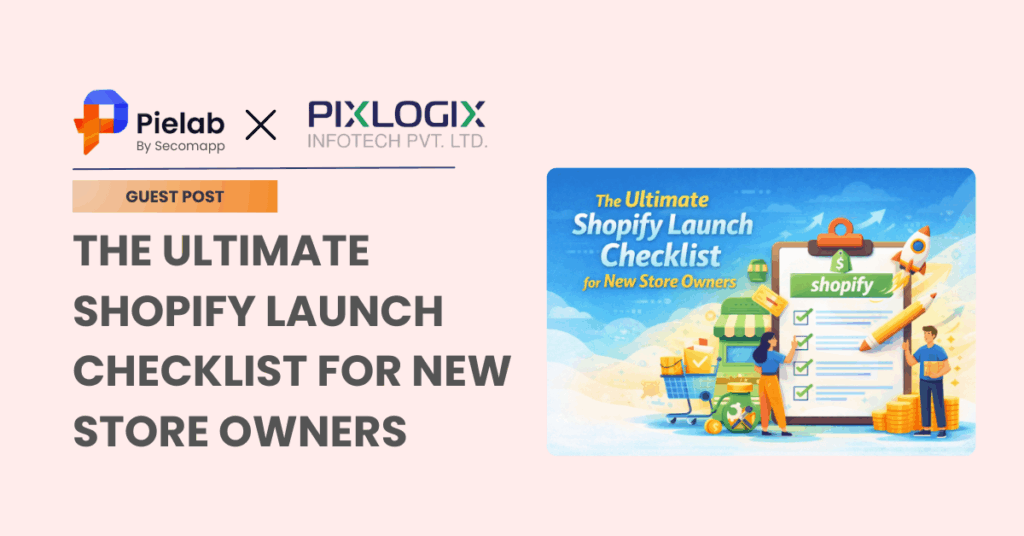
The Ultimate Shopify Launch Checklist for New Store Owners
Phase 1 — Business Foundations (Before You Touch Shopify)
Many new owners start by choosing a theme.
Wrong starting point.
The first conversion happens before your website even exists — when you decide who you’re selling to.
1. Define Your Offer Clearly
Answer these first:
- What exact problem does your product solve?
- Who is the buyer? (age, lifestyle, budget)
- Why should they trust a new store?
- What makes you different from Amazon or Flipkart?
If you cannot explain your product in one sentence, customers won’t understand it in one scroll.
Pro tip:
Write a one-line positioning statement:
“We help ___ (audience) get ___ (result) without ___ (common frustration).”
That line will shape your homepage hero section.
2. Choose the Right Product Strategy
Not all Shopify stores are built equal.
Your store structure, checkout, shipping, and marketing all depend on this decision — this is why businesses often consult a Shopify development company in India before building, not after.
3. Branding Essentials (Critical)
Before Shopify setup, prepare:
- Brand name
- Logo (SVG or PNG)
- Color palette (2 primary, 2 secondary)
- Typography (1 heading + 1 body font)
- Brand voice (luxury / friendly/technical / premium)
Your store should look like a brand, not a catalogue.
Remember:
Customers don’t buy products online.
They buy certainty.
Phase 2 — Shopify Technical Setup
Now we open Shopify — the actual construction begins.
4. Create Your Shopify Account
- Select plan (Basic is fine initially)
- Choose a temporary domain
- Set store currency
- Configure store location
Important: Always choose the country where your business is registered — it affects taxes and payment gateways.
5. Connect Your Domain
Buy a branded domain like:
yourbrand.com (NOT yourbrand.myshopify.com)
Then:
- Connect DNS
- Enable SSL (Shopify does this automatically)
- Set primary domain
Trust instantly increases when customers see a real domain.
6. Select the Right Theme (Do NOT Rush This)
Most beginners pick the prettiest theme. Professionals pick the fastest theme.
Choose themes that are:
- Mobile-optimized
- Lightweight
- Customizable
- Conversion-focused
Avoid heavy animation themes. Pretty but slow = silent sales killer.
This is exactly where Shopify store development services become valuable — they customize a fast theme rather than forcing a fancy one.
Phase 3 — Store Structure & Pages
Now we build the “store architecture.”
7. Create Essential Pages
You MUST have:
- About Us
- Contact Us
- Privacy Policy
- Refund Policy
- Shipping Policy
- Terms & Conditions
- FAQ
Without these → payment gateways may reject your store.
Also, customers subconsciously scan your footer for legitimacy. A complete footer increases conversions significantly.
8. Build Smart Navigation
Navigation is not decoration — it is your sales map.
Best structure:
- Home
- Shop (collections)
- Best Sellers
- New Arrivals
- About
- Contact
Rule: If customers need to think where to click → they leave.
Phase 4 — Product Setup (The Real Conversion Engine)
Your product page is your actual salesperson.
9. Product Listings Setup
Each product must include:
- Clear title (keyword-based)
- 5–8 high-quality images
- Zoom enabled
- Variant options (size/color)
- Inventory tracking
- SKU codes
10. Write a High-Converting Product Description
Avoid:
“High-quality material with premium design.”
Instead, use this formula:
Problem → Agitation → Solution → Benefits → Proof → Guarantee
Add:
- Bullet benefits
- Care instructions
- Delivery timeline
- Return assurance
Your product page should answer every question a buyer could ask.
11. Pricing Psychology
Don’t just set prices. Structure them.
Use:
- Compare-at price
- Bundle offers
- Free shipping threshold
- Limited-time discount
Example:
₹1,999 → ₹1,499 (Today Only)
This isn’t manipulation — it’s decision clarity.
Phase 5 — Payments, Shipping & Taxes
Your store is useless if checkout fails.
12. Payment Gateways Setup
Enable at least two:
India:
- Razorpay
- PayU
- Cash on Delivery
International:
- Stripe
- PayPal
Multiple payment options = fewer abandoned carts.
13. Shipping Configuration
Set:
- Flat rate shipping
- Free shipping above X amount
- Delivery timelines (very important)
- Shipping zones (India / International)
Unexpected shipping costs are the #1 cart abandonment reason.
14. Taxes Setup
Configure:
- GST settings
- Inclusive or exclusive pricing
- HSN codes (for Indian stores)
This step is commonly overlooked by beginners creating a Custom Shopify Store from Scratch — but it becomes a legal issue later.
Phase 6 — Conversion & Marketing Setup
Now we prepare the store to actually attract buyers.
15. Install Essential Apps (Only These First)
Do NOT install 25 apps. Apps slow stores.
Start with:
- Reviews app
- Email marketing (Klaviyo / Shopify Email)
- Abandoned cart recovery
- WhatsApp chat
- Analytics
16. Email Marketing Automation
Set automatic emails:
- Welcome email
- Abandoned cart reminder
- Order confirmation
- Shipping notification
- Post-purchase review request
Email = the highest ROI channel in eCommerce.
17. SEO Setup (Before Launch — Critical)
Configure:
- Page titles
- Meta descriptions
- Image alt text
- Clean URLs
- Sitemap submission to Google
This is where a professional Shopify development company in India can save months of organic traffic loss — SEO mistakes during launch often delay ranking for 6–9 months.
Phase 7 — Pre-launch Testing (Most Skipped Step)
Now you test everything.
18. Place a Real Test Order
Check:
- Checkout flow
- Payment success
- Invoice
- Email notifications
- Shipping calculation
Pretend you are a suspicious customer.
Break your own store before customers do.
19. Mobile Testing (VERY Important)
70–85% traffic is mobile.
Test on:
- Android
- iPhone
- Slow internet (turn Wi-Fi off)
If your site works only on a laptop, your business exists only in imagination.
20. Speed Optimization
Speed is important so your website traffic can open and connect with your business. If your business website is taking more than 3 seconds to load, then you might lose many potential clients. So it’s the most important task for you to optimize your website speed.
It optimises it, you can:
- Compress images
- Remove unused apps
- Limit sliders
- Lazy-load media
Every extra second = measurable revenue loss.
Phase 8 — Launch Day Checklist
Before publishing:
- Remove password page
- Submit sitemap to Google Search Console
- Announce on social media
- Send launch email
- Start a small ad campaign
- Enable analytics tracking
Congratulations — you are now officially open to the internet.
Final Thought
A Shopify store doesn’t fail because of bad products.
It fails because of an incomplete setup.
Think of your store like a digital employee. If trained properly, it works 24/7, never sleeps, never complains, and politely sells while you sleep.
Follow this checklist, and you won’t just “launch a website.” You’ll launch a system — a predictable revenue machine.
And that’s the real goal of eCommerce.